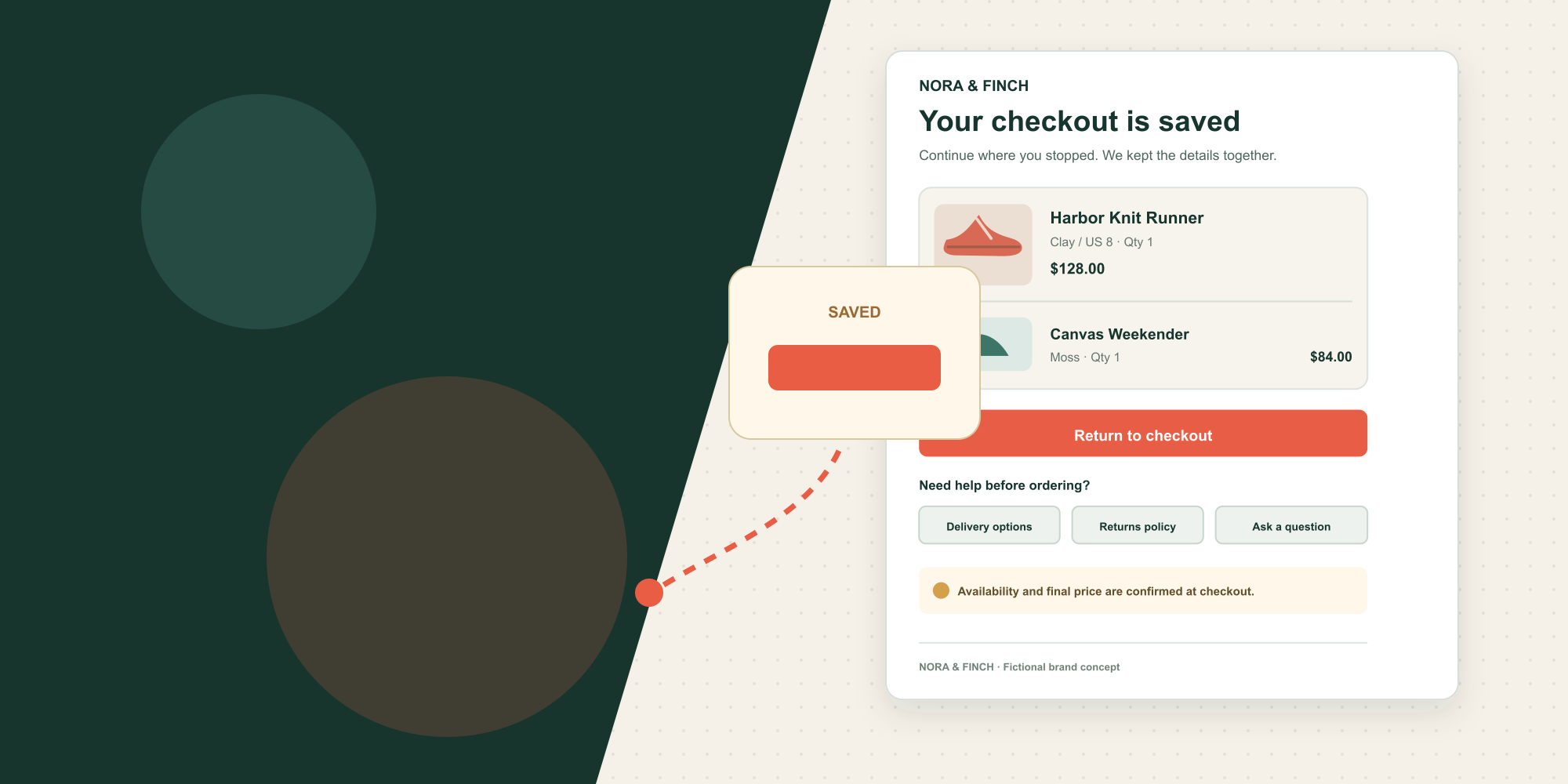

Most abandoned cart emails repeat what the shopper already knows: an item was left behind. The harder question is why the purchase stopped. A reminder cannot fix uncertainty about delivery, a payment interruption, an expired discount, or a product that is no longer available.
The better design is a compact recovery interface. It confirms the saved checkout, gives one dominant path back, and offers a quiet help route without turning the email into a catalogue or leading with a discount.
Match the interface to the abandonment state
Shopify treats abandoned browse, abandoned cart, and abandoned checkout as different automation types. Preserve that distinction.
| Observed state | Shopper context | Appropriate primary action |
|---|---|---|
| Viewed a product | Interest only | View the product |
| Added to cart, did not start checkout | Cart exists | Review the cart |
| Started checkout, did not complete | Purchase intent is clearer | Return to checkout |
This article's layout is for the third state. Shopify's abandoned checkout email can link directly to the saved checkout, and the recovery status updates when the order is completed through that link.
Do not call every state an abandoned cart inside the workflow. The broad phrase is useful for search and reporting conversations, but the automation needs the precise event boundary.
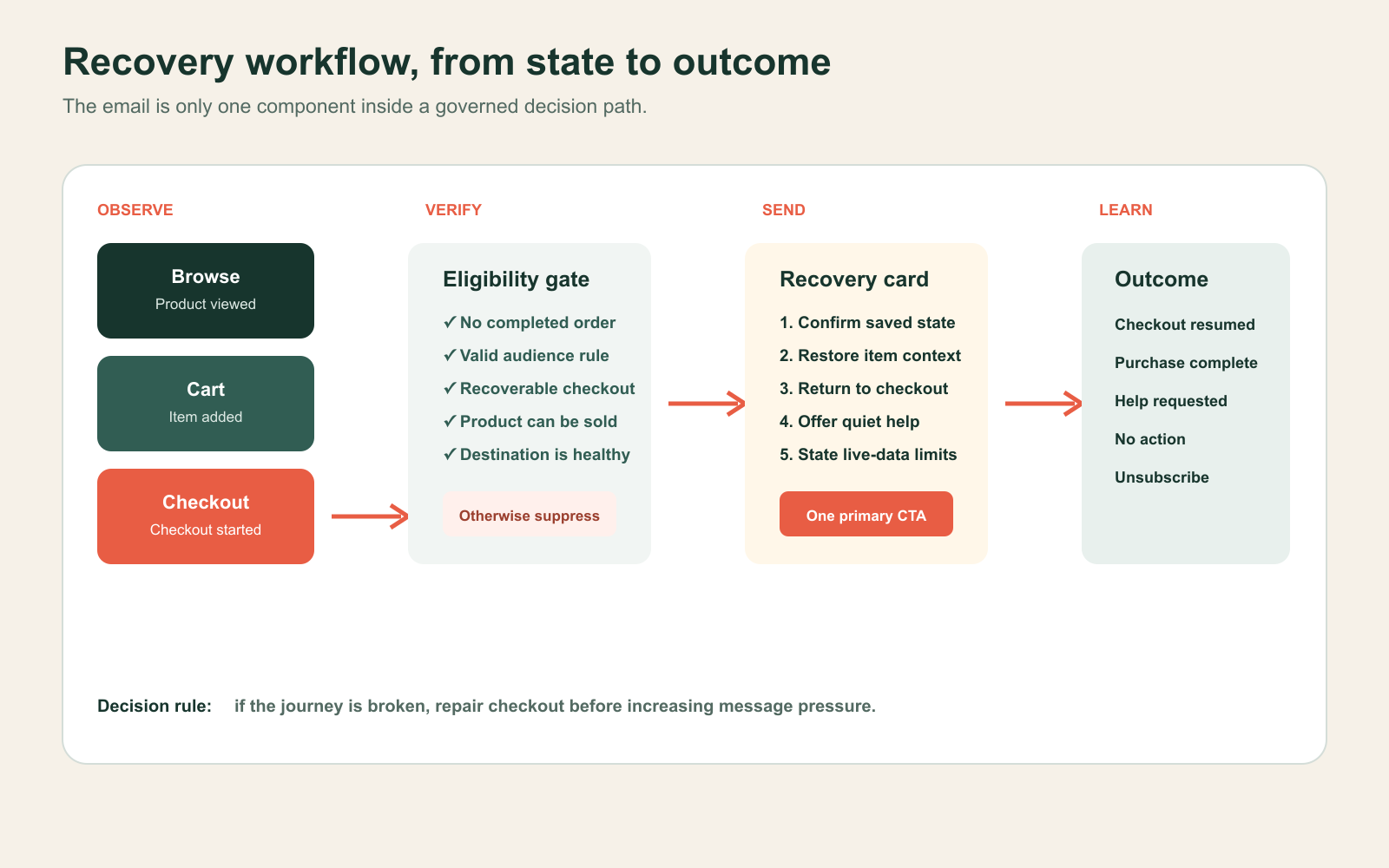
Build one recovery decision card
The fictional brand in the mockup is NORA & FINCH. It is not a real merchant, and all product information is illustrative.
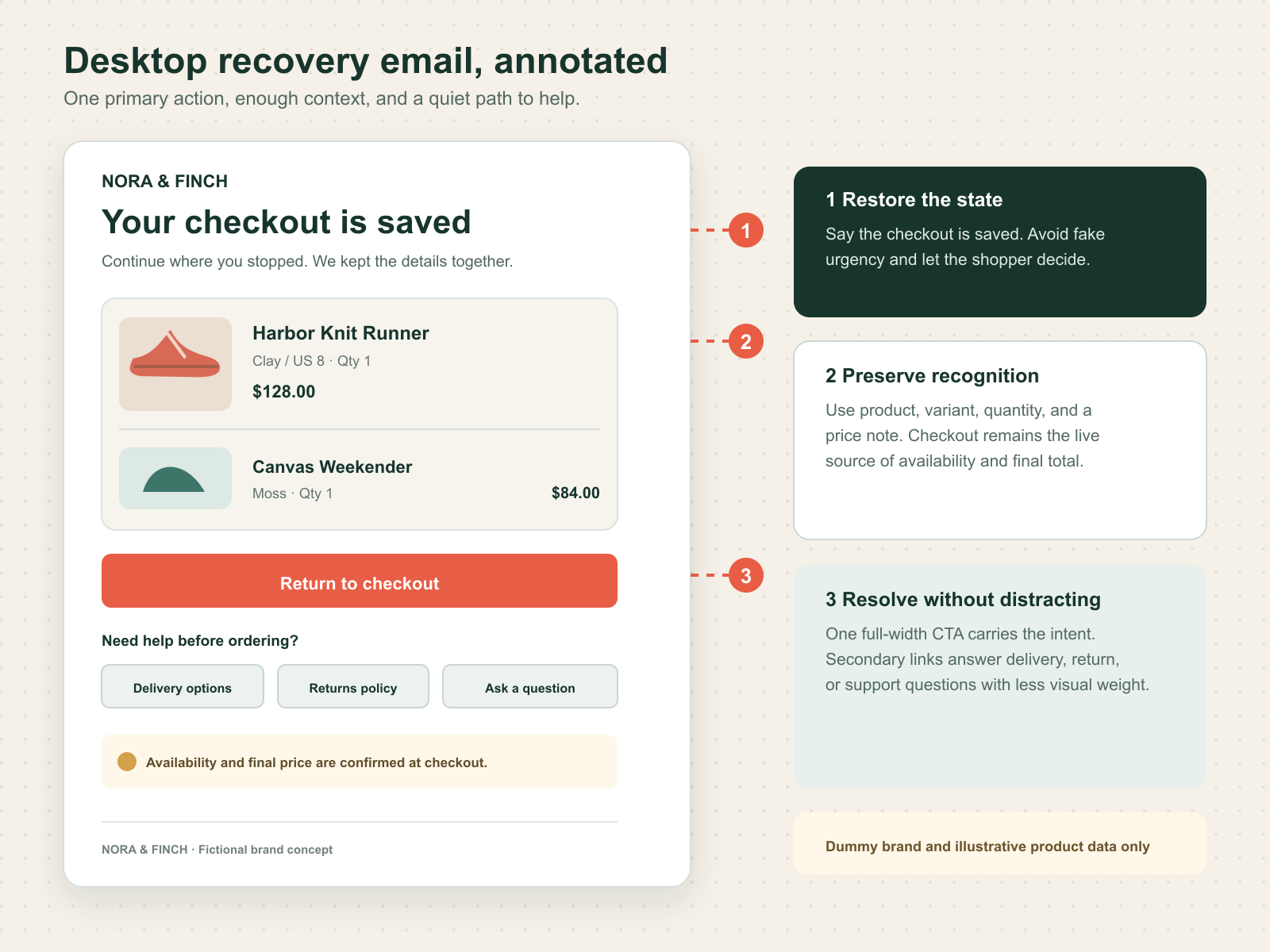
- State confirmation: “Your checkout is saved” says what happened without manufactured urgency.
- Short explanation: one sentence tells the shopper they can continue where they stopped.
- Order context: image, product, variant, quantity, and current display price restore recognition. The returned checkout remains the source of truth.
- Primary CTA: “Return to checkout” uses the recovery URL and appears immediately after the summary.
- Friction help: delivery, returns, and contact links answer likely questions without competing visually with the CTA.
- Expectation note: “Availability and final price are confirmed at checkout” prevents the email from pretending it is live inventory.
Shopify Messaging exposes the abandoned checkout URL, up to five line items, item count, discount data, and marketing-consent state through supported Liquid variables. Use those fields to preserve context, not to create a dense invoice.
Adapt the hierarchy for mobile
Mobile is not the desktop email squeezed narrower. The product row becomes a vertical card, the CTA becomes full width, and help links become stacked tap targets. Keep the action visible without requiring a long promotional preamble.
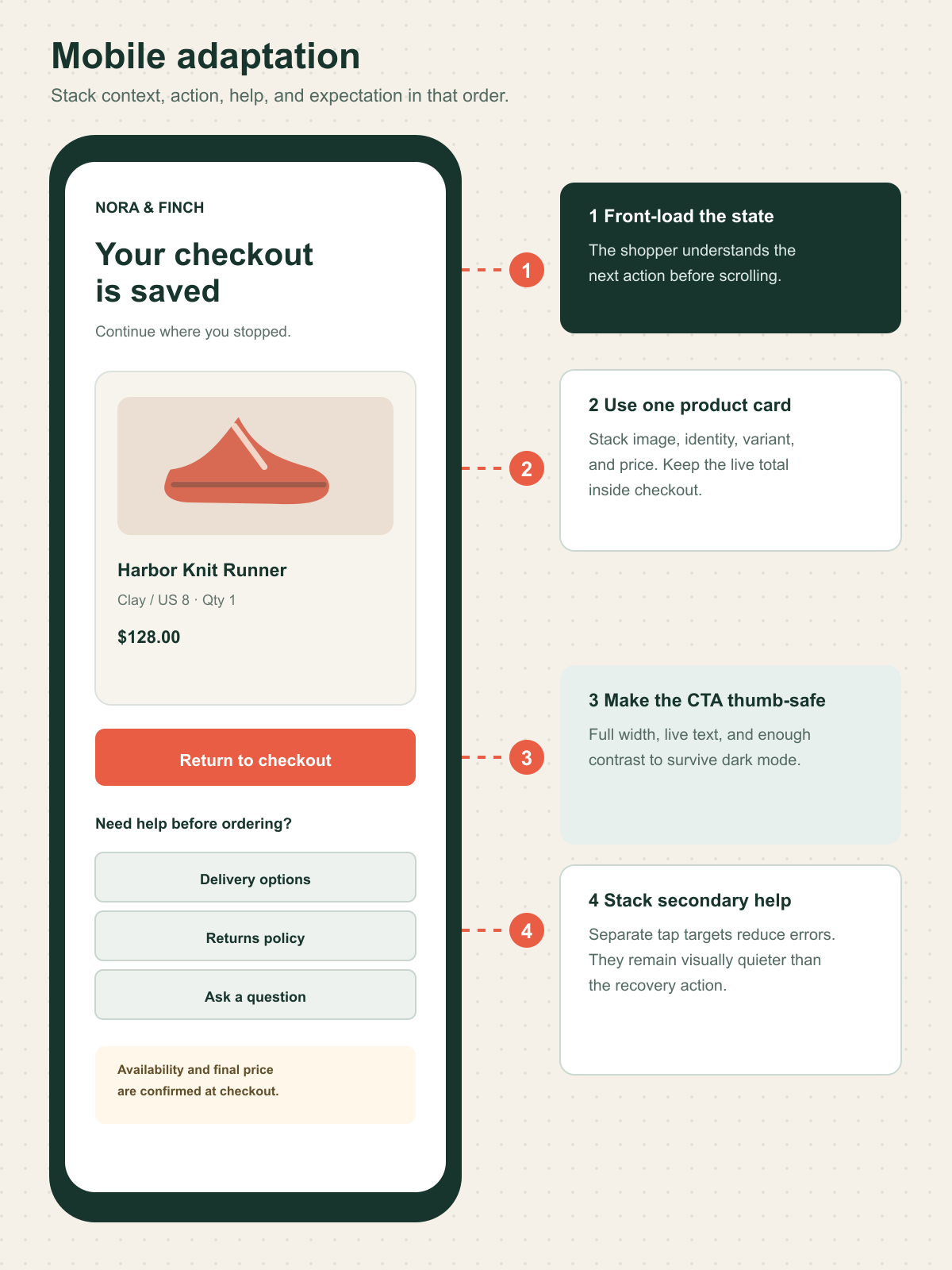
Use live HTML text for the headline, summary, price note, and button label. Give product images descriptive alt text, but do not make the image the only link back. Maintain text and control contrast, a logical reading order, and meaningful labels when images are blocked. W3C guidance emphasizes text alternatives, structure, reflow, and sufficient contrast as core accessibility principles.
Define component states before launch
The mockup is only the default state. The implementation needs explicit behavior for these conditions:
| State | Email behavior | Recovery behavior |
|---|---|---|
| Order completed before send | Suppress | None |
| Product unavailable | Suppress or use an approved fallback | Explain availability on destination |
| Price or discount changed | Avoid stale promotional claims | Confirm current total in checkout |
| Recovery URL invalid | Do not send if known before dispatch | Route to a safe cart or support fallback |
| More than five items | Show a concise subset plus item count | Full checkout shows the source of truth |
| Images blocked or dark mode | Text still explains product and action | CTA remains readable and functional |
| Consent or audience rule fails | Suppress | Record the exclusion reason |
Shopify notes that the new abandoned checkout automation applies to Online Store and Buy Button, not POS, Shop, or third-party sales channels. Suspected card testing or bot activity also does not create the abandoned checkout trigger. These are workflow boundaries, not copy problems.
Implement it in Shopify without hiding the logic
Start with the Shopify Messaging abandoned checkout automation. Keep the first version deliberately narrow:
- Confirm the trigger is checkout abandonment, not cart abandonment.
- Define the eligible audience and have the marketing or legal owner review consent treatment.
- Add a wait period that matches the buying cycle, then document it instead of treating timing as a universal benchmark.
- Build the recovery card with supported abandoned-checkout content and the abandoned checkout URL.
- Add suppression for completed purchases and any known invalid state.
- Send tests with one item, multiple variants, five-plus items, missing images, changed price, mobile dark mode, and a long product title.
- Record the workflow owner, support owner, source template, activation date, and rollback action.
The default Shopify automation sends to marketing subscribers, but its audience can be changed. Treat that as a configuration capability, not legal permission. The FTC says the primary purpose of a mixed commercial and transactional message determines how CAN-SPAM applies, and transactional classifications are narrow.
Test recovery, margin, and customer trust
Use the current email as control and the recovery decision card as treatment. Keep audience, trigger, send delay, offer policy, and attribution window stable. Where traffic supports it, retain a holdout that receives no recovery email.
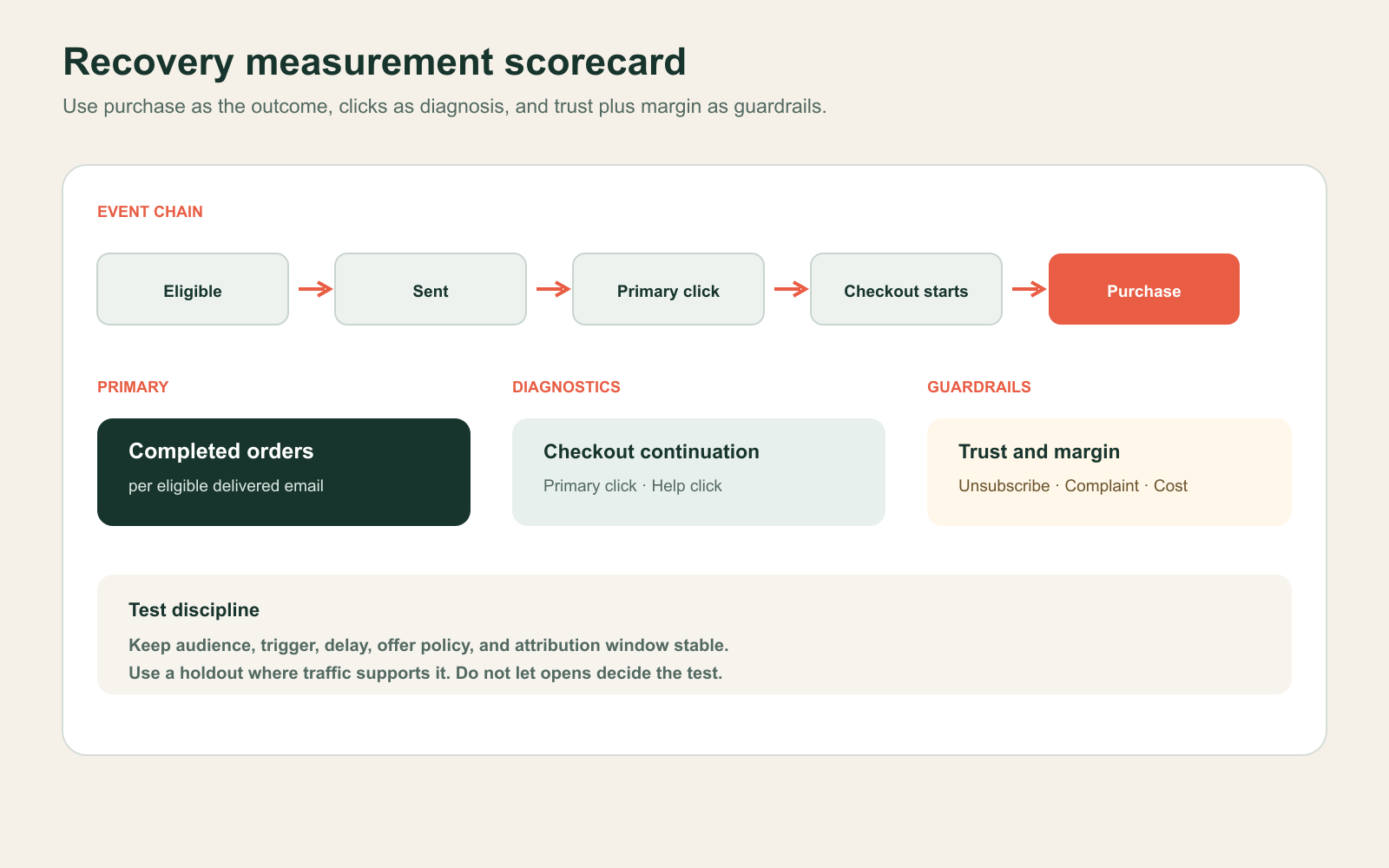
Define an event contract before launch:
- recovery_email_eligible
- recovery_email_sent
- recovery_primary_clicked
- recovery_help_clicked
- Shopify checkout_started
- Shopify checkout_completed
- recovery_order_attributed
Shopify's standard checkout_started event records entry into checkout and exposes checkout context subject to protected customer-data rules. Do not place unnecessary personal data in analytics payloads.
Use completed orders per eligible delivered email as the primary outcome. Read checkout continuation and help clicks as diagnostics. Guard against higher unsubscribes, complaints, support contacts, discount cost, and lower contribution per recovered order. Opens can remain an operational signal, but should not decide the test.
Know when not to use this pattern
Do not deploy the email when checkout failure is caused by a known payment, shipping, tax, inventory, or performance defect. Fix the defect first. Messaging around a broken journey only asks the customer to encounter it again.
Also avoid this pattern for low-consideration purchases where the help layer adds more choice than value, for channels without a valid recovery trigger, or when the team cannot maintain destination links and suppression rules.
This week, audit 20 recent abandoned checkouts. Classify the last observable state, known exception, product availability, support contact, and eventual purchase. If the cause is mostly systemic, prioritize checkout repair. If the journeys are valid but unresolved, prototype the recovery card against the existing email.
Inficial can map the recovery journey, design the email and destination states, implement the Shopify workflow, and create a measurement plan that protects margin and customer trust.
Sources
- Creating and managing marketing automations in Shopify Messaging, Shopify Help Center, accessed August 26, 2026
- Recovering abandoned checkouts, Shopify Help Center, accessed August 26, 2026
- Customize Shopify Messaging campaigns using Liquid, Shopify Help Center, accessed August 26, 2026
- Accessibility Principles, W3C Web Accessibility Initiative, accessed August 26, 2026
- Opt in to the new abandoned checkout automation, Shopify Help Center, accessed August 26, 2026
- Customer abandons checkout, Shopify Help Center, accessed August 26, 2026
- CAN-SPAM Act compliance guide for business, Federal Trade Commission, accessed August 26, 2026
- checkout_started standard event, Shopify developer documentation, accessed August 26, 2026

