A Shopify order marked Payment pending needs a payment-route check before a fulfillment decision. The label can mean that a provider is still processing, that the customer chose a manual method such as cash on delivery, or that payment is due under agreed terms. Those situations need different actions. An order confirmation alone does not establish that payment has completed.
Start with the affected order in Shopify admin. Read its payment method, payment status, fulfillment status and timeline together. This guide helps store operators decide what evidence to collect and which workflow to follow; it does not ask you to change a payment record just to make its badge look finished.
Identify why this order is pending
Shopify separates order, payment and fulfillment statuses. An Open order still has work to do. Unfulfilled describes shipment progress. Neither label means money was collected. For a pending payment processed by an additional provider, Shopify can create the order and reserve inventory while payment remains uncertain.
| Payment route | First useful check |
|---|---|
| Additional provider is processing | Read the provider transaction and its processing or expiry details. |
| Manual method, such as cash on delivery | Check how and when the store expects to receive and record payment. |
| Payment due later under terms | Read the agreed due date and collection arrangement on the order. |
If the label is Authorized instead, you have a different task. Shopify describes this as validated payment information awaiting manual capture before authorization expires. Do not treat an authorization as an already collected payment, or apply a pending-provider fix without checking the actual status.
For provider processing, wait for the payment result
With additional payment providers, processing can take several days. Shopify says these pending payments have an expiry date, typically about a week, but the specific deadline comes from the provider. Use the transaction’s own details rather than promising a universal waiting period to the customer.
During processing, Shopify may block item, discount or shipping-address edits, restocking, cancellation, manual collection and marking the order paid. These restrictions help keep Shopify and the provider synchronized. They are not necessarily a broken admin screen. Shopify also notes that providers using an older platform may not impose the same restrictions, so an available button is not evidence that payment has succeeded.
Shopify does not necessarily prevent fulfillment while this payment is pending. Its guidance for these provider-processing orders is to wait until the payment status is Paid before fulfilling. Keep the shipment out of the dispatch process using the supported workflow for your store and fulfillment partner; verify that the partner has actually stopped it.
- Shopify: pending-provider restrictions and fulfillment guidance
- Confirm what the fulfillment service will actually ship
Three pending orders can need three different decisions
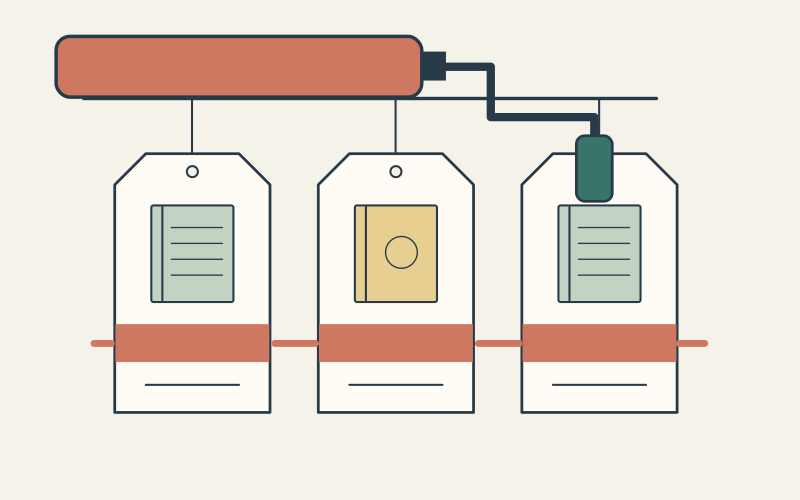
Imagine three illustrative orders for the same pair of kitchen towels. All show Payment pending. Order A uses an additional provider that has not completed processing. Order B uses cash on delivery. Order C has an agreed future payment date. Treating all three as failed card payments would send the team down the wrong path.

For Order A, the operator checks the provider result and keeps dispatch paused. For Order B, the team follows its cash-on-delivery arrangement and records collection when it actually happens. For Order C, it checks the agreed terms and who owns collection. The point is to classify the route before applying a rule, not to create a blanket permission to ship unpaid orders.
Shopify supports terms such as due on receipt, due on fulfillment, a specified number of days after issue, or a fixed date. These are intentional arrangements. Check the terms saved on this order before deciding whether payment is late. Do not add credit terms merely to remove uncertainty about an unrelated provider transaction.
Use Mark as paid only when the evidence supports it
For eligible orders, Mark as paid records payment received outside Shopify; it does not capture that amount again through the provider. Shopify also documents its use when importing past orders. In a live collection workflow, first confirm the amount, currency, order reference and actual receipt through the payment method your store uses.
A customer message saying “I paid” can help you find the transaction, but it is not enough to establish receipt. If Shopify and the provider disagree, compare the same transaction and the times each record was checked. Keep the provider reference and order ID together, then ask the provider or integration owner to explain the discrepancy before collecting again or changing the record.
A recent X reply described Shopify and Stripe showing different states. It included no transaction evidence or integration details, so it cannot establish a platform defect. It is a useful reminder to compare matched records instead of assuming two screenshots describe the same payment at the same moment.
Some pending-provider orders cannot be marked paid. Respect that restriction and use the provider’s supported resolution. Creating another charge or replacement order before reconciling the original can leave the team with two payment attempts to untangle. A paid badge also does not replace the store’s other fraud, address or fulfillment checks.
Close the case with a matching payment and dispatch record
- ✓Record the Shopify order ID, payment method, exact payment status and current fulfillment status.
- ✓Match the provider transaction or external receipt to the order amount and currency; record when each status was checked.
- ✓For provider processing, confirm the result or the provider’s next action and expiry details. For manual methods or terms, identify the collection owner and expected date.
- ✓Confirm the fulfillment partner’s actual dispatch state, especially if the order was already exported to another system.
- ✓After resolution, check Shopify, the payment record and the fulfillment instructions again. Leave one clear note explaining the action and its evidence.
Keep the customer update specific: payment is processing, an agreed payment is due, or a received payment is being reconciled. Those explanations are more useful than saying Shopify is “stuck.” If the original payment is unresolved, include that fact in the handoff so another staff member does not start a second collection attempt.
Questions that change the next action
What should I do if a pending-provider payment expires?
Will Shopify notify the customer when processing finishes?
Does Unpaid mean the same thing as Pending?
Choose one affected order and establish its payment route before changing anything. Inficial can help review how your Shopify payment records and fulfillment integration decide which orders reach dispatch.
Sources