
A Shopify app bill can look wasteful while every subscription appears essential. Usually, app count is not the problem; nobody can see which capability each app owns, where two apps perform the same job, or what would break if one disappeared.
A useful Shopify app audit turns the stack into a capability map. It connects cost to outcomes, data, customer-facing surfaces, permissions, failure paths, and a named owner. That map produces a safe consolidation queue rather than a reckless uninstall list.
Audit capabilities, not app count
No universal safe maximum exists because ten isolated admin tools can create less storefront risk than two apps that inject scripts, own customer events, or rewrite the same order. Start with business jobs such as reviews, search, subscriptions, returns, loyalty, analytics, merchandising, localization, and fulfilment.
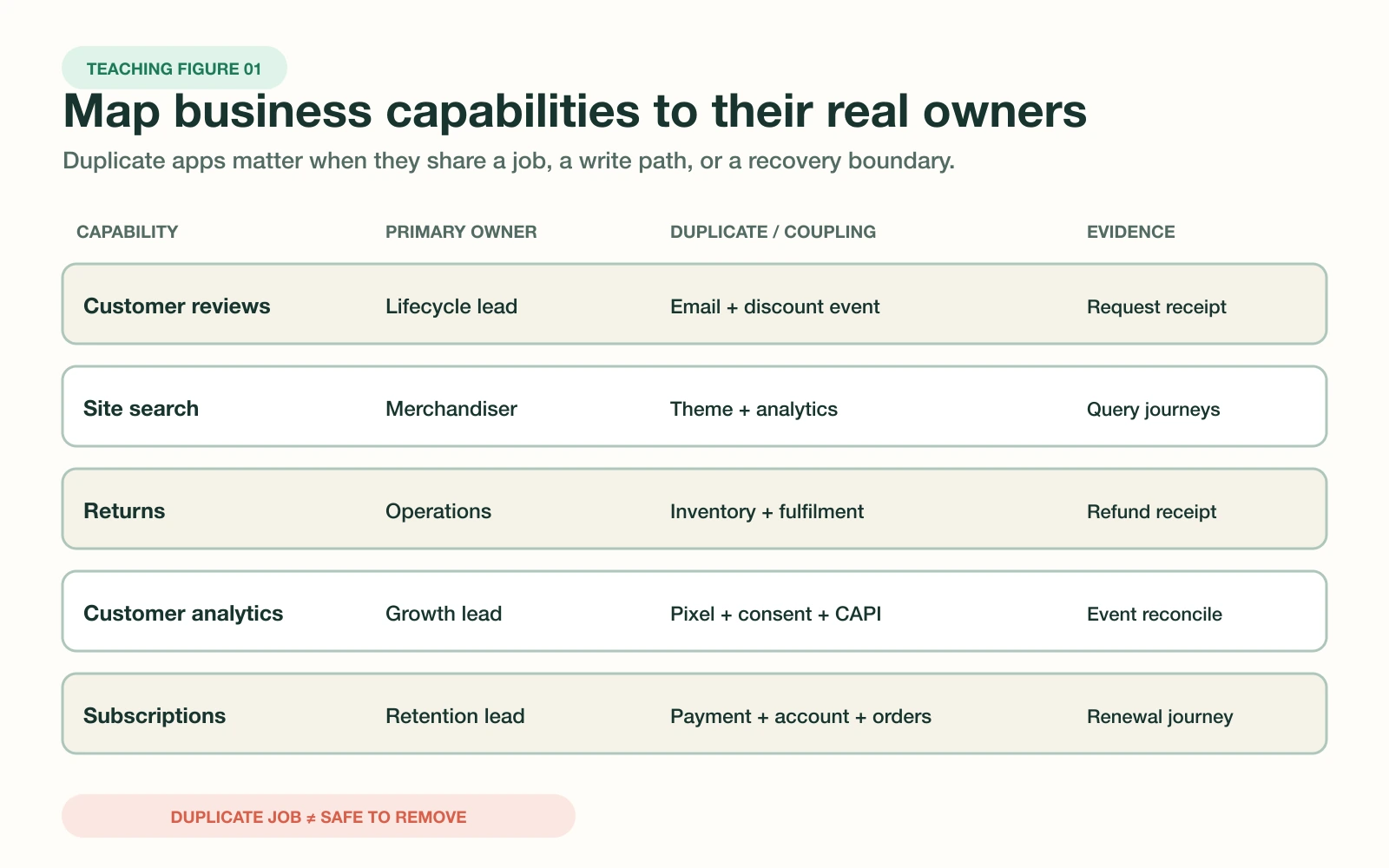
Then map every app to a primary capability and any secondary jobs it performs. An email platform might also own signup forms, customer profiles, event forwarding, and discount delivery. Removing it as an email cost decision would miss four operational contracts.
Build one capability and ownership map
Use one row per capability, not one row per app. Name the primary owner, duplicate owner, operator, approver, data stores, storefront surfaces, upstream inputs, downstream consumers, and recovery authority. Shopify's app details page can supply billing, usage, permissions, extension, function, pixel, and compatibility evidence.
| Field | Decision question | Evidence |
|---|---|---|
| Capability | Which customer or operating job exists? | Workflow and expected outcome |
| Ownership | Who operates, approves, and recovers it? | Named people and escalation path |
| Burden | What does it cost to keep reliable? | Bills, labour, incidents, support |
| Dependencies | What reads or writes its state? | Data, flows, theme, pixels, locations |
| Exit | Can the job survive removal? | Export, disable, restore, rollback receipt |
Do not infer inactivity from a quiet admin screen. Shopify exposes recent permission activity for eligible third-party apps, but a monthly reconciliation or seasonal promotion can still be business-critical. Confirm cadence with the owner and downstream systems before classifying access as unused.
Score total burden and failure coupling
Subscription price is only one burden. Add external billing, implementation maintenance, support time, manual workarounds, storefront weight, consent and privacy review, data reconciliation, and expected incident cost. Keep the inputs visible because a precise score built from guessed numbers creates false confidence.
Score failure coupling separately. Ask whether one outage can break checkout, customer accounts, fulfilment, reporting, or several marketing tools at once. Also check whether two apps write the same discount, tag, customer event, metafield, theme block, or pixel. Shared write paths deserve more attention than simple feature overlap.
Responsible rule: never remove an app because its dashboard looks quiet or its fee looks high. Remove it only after the capability has a confirmed owner, replacement or retirement decision, dependency test, data plan, and rollback authority.
Create a controlled consolidation queue
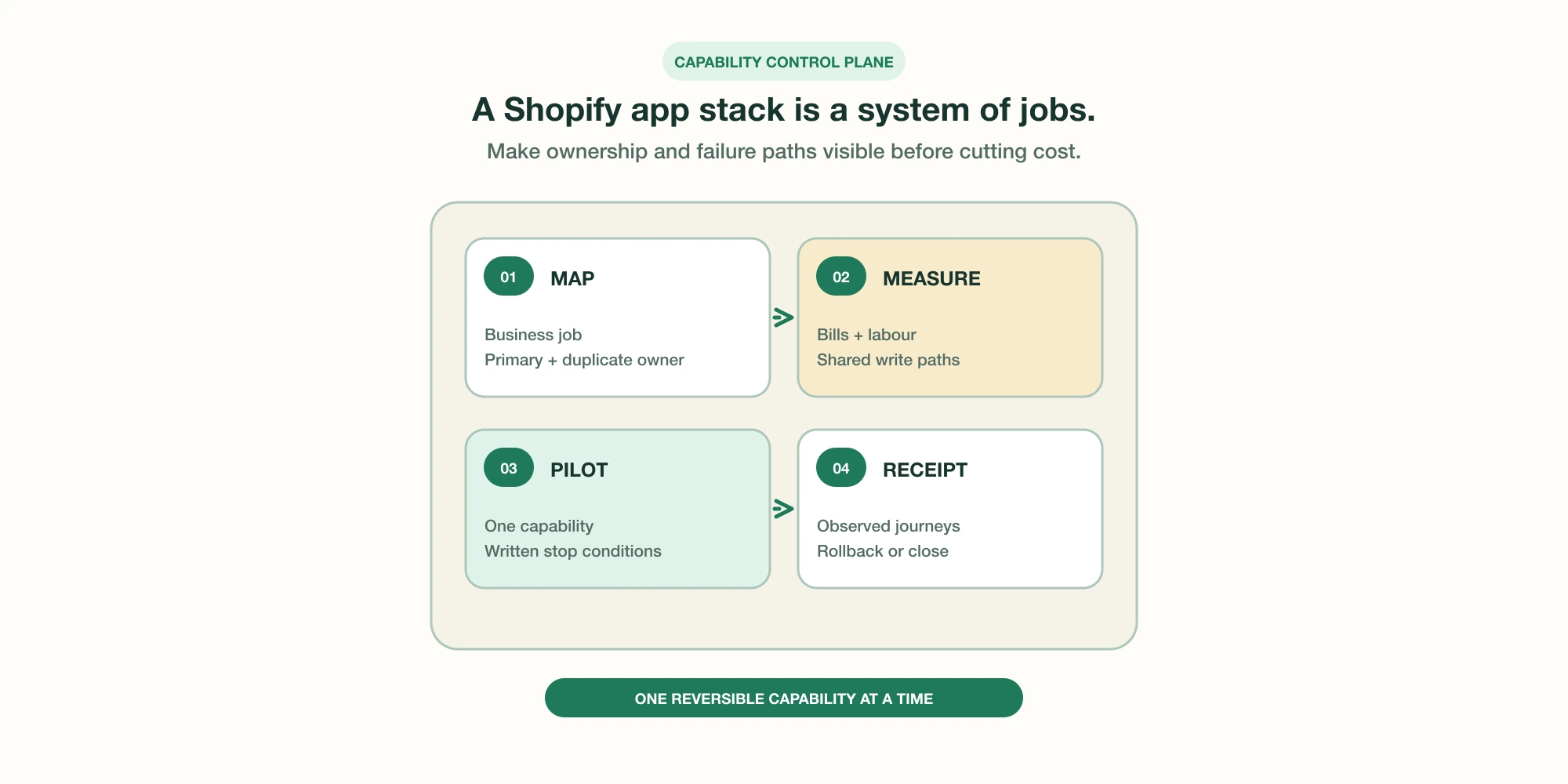
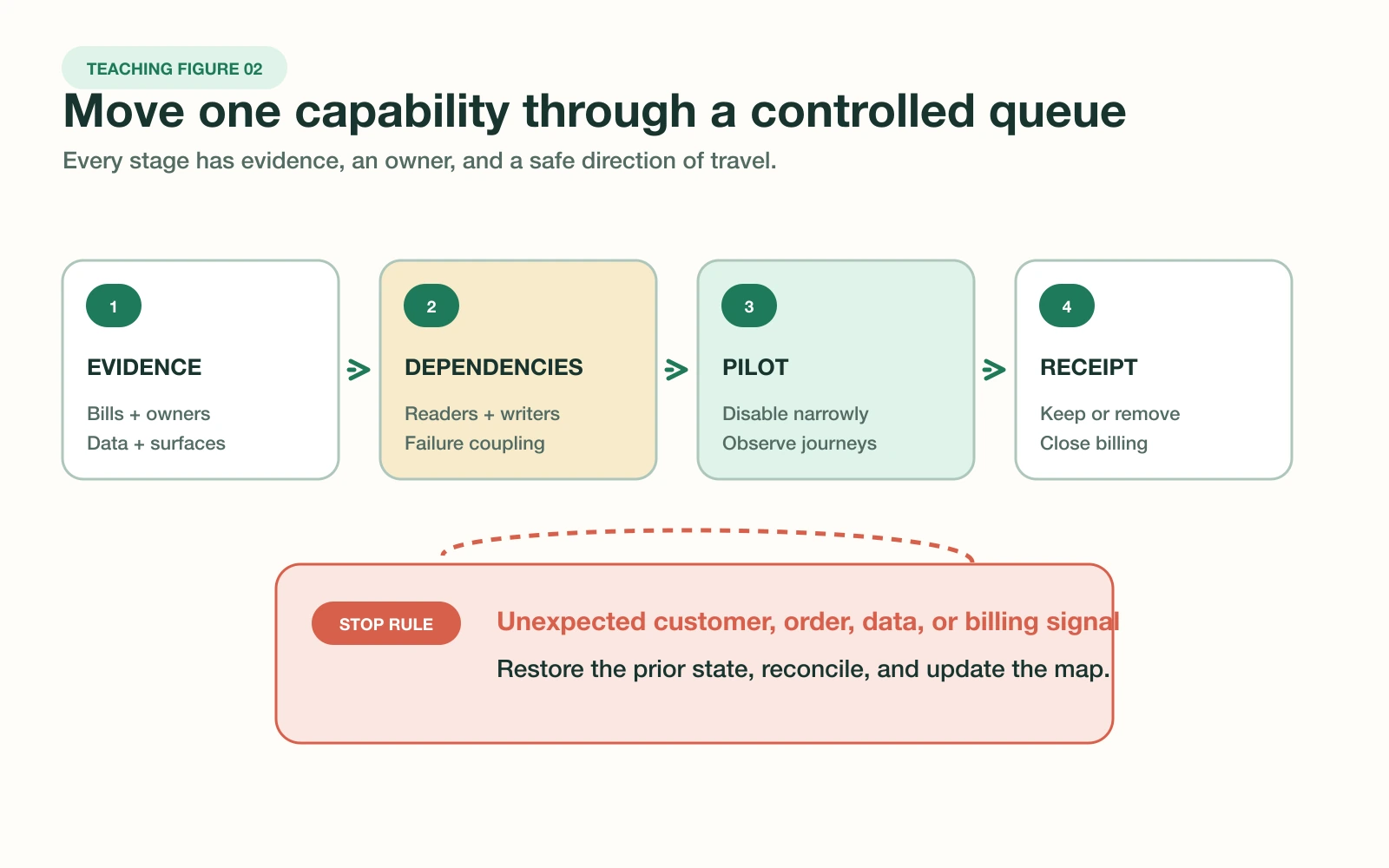
Rank capability clusters, then select one candidate with measurable overlap, low customer harm if disabled, a reversible configuration, exportable data, and an available owner. A poor candidate touches payments, subscriptions, tax, inventory truth, fulfilment, customer identity, or a promotion already in flight.
- ✓Capture current Shopify and external charges, including billing-cycle dates.
- ✓Export owned data and restore a representative sample before changing access.
- ✓List workflows, integrations, locations, pixels, functions, blocks, and scripts.
- ✓Record baseline storefront, order, analytics, and support signals.
- ✓Choose a low-risk window, one operator, one approver, and one rollback owner.
- ✓Define the exact evidence that permits removal or forces restoration.
Run the pilot and preserve rollback
Disable the narrowest reversible surface first when the app supports it. Test representative desktop and mobile journeys, background jobs, order creation, refunds, customer events, fulfilment handoffs, and reporting. Shopify notes that app-dependent workflows, integrations, and store features can stop after uninstall, while app data may not return after reinstall.
- Freeze unrelated changes and timestamp the baseline.
- Disable or reroute one capability without deleting recoverable data.
- Run the written customer and operator journeys.
- Compare observed events, records, latency, and support signals with baseline.
- Restore immediately when a stop condition appears.
- Uninstall only after the observation window and final dependency review.
Billing needs its own closeout. Shopify says uninstalling stops future recurring app charges, but a current billing cycle can still appear. Charges billed outside Shopify require cancellation with the provider. Inventory assigned to app locations may also need transfer or deletion before removal.
Keep the stack governed after cleanup
A one-time audit decays as teams add campaigns, channels, and integrations. Make the capability map part of app intake. Every new app needs a primary capability, named owner, requested scopes, data-retention rule, cost centre, success signal, failure path, and exit test before installation.
- Monthly: reconcile paid apps, external invoices, owners, and inactive access signals.
- Per release: inspect new theme blocks, pixels, functions, scripts, and event writers.
- Quarterly: review duplicate capabilities, scope minimization, exports, and restore samples.
- After incidents: update coupling, recovery time, owner, and stop conditions.
- Before renewal: compare verified capability value with total operating burden.
The useful output is a current decision record. Keep, consolidate, replace, retire, or investigate should each have evidence, an owner, and a review date. That record makes Shopify app cost a governed operating decision instead of a recurring argument about invoices.
Frequently asked questions
How many Shopify apps are too many?
Which Shopify app should I remove first?
Does uninstalling a Shopify app stop every charge?
Can a removed Shopify app leave code or data behind?
How often should a Shopify app stack be audited?
Sources
- Shopify Help Center: Managing apps
- Shopify Help Center: Uninstalling apps
- Shopify Help Center: App charges on your Shopify bill
- Shopify developer docs: App storefront performance
- Shopify developer docs: Access scopes
- Shopify developer docs: Protected customer data
- Shopify Help Center: App pixels
- Shopify developer docs: Theme app extension configuration