
A bundle can look like one product to a customer while behaving like several products across inventory, discounts, fulfilment, returns, analytics, and feeds. That gap is where app decisions become expensive.
The right question is not “Which Shopify bundle app has the most features?” It is which system should own component selection, sellable quantity, price, order structure, and recovery when something fails.
Define the bundle contract before comparing apps
Write one page that describes the offer without naming a vendor.
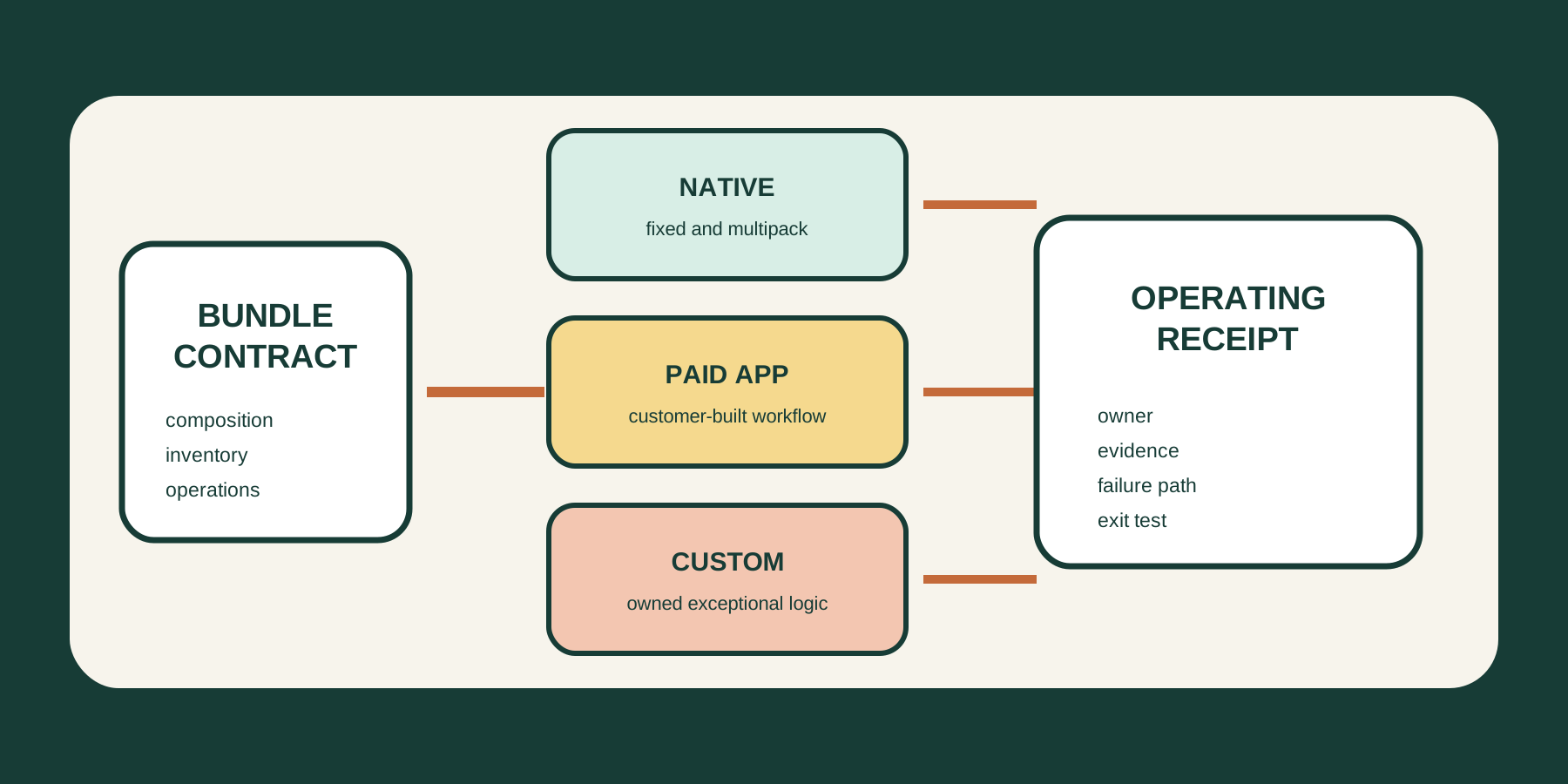
| Contract field | Decision to record |
|---|---|
| Composition | Fixed set, multipack, variant choice, or mix-and-match |
| Price | Fixed parent price, component-derived price, tier, or conditional discount |
| Inventory | Component source, locations, oversell behavior, and unavailable-state rule |
| Storefront | Product page, theme block, cart presentation, and mobile recovery |
| Channels | Online Store, Shop, POS, Google, custom storefront, or marketplace |
| Order | Parent and component representation, tax, discount allocation, and analytics |
| Operations | Pick list, split fulfilment, returns, exchanges, support, and reporting |
| Exit | Export format, app-owned data, fallback offer, and reconstruction time |
This separates the merchant need from the app demo. “Build a box” is not a requirement until the team specifies how many choices are required, whether substitutions are allowed, how component availability changes the UI, and what reaches fulfilment.
Use the smallest architecture that fits
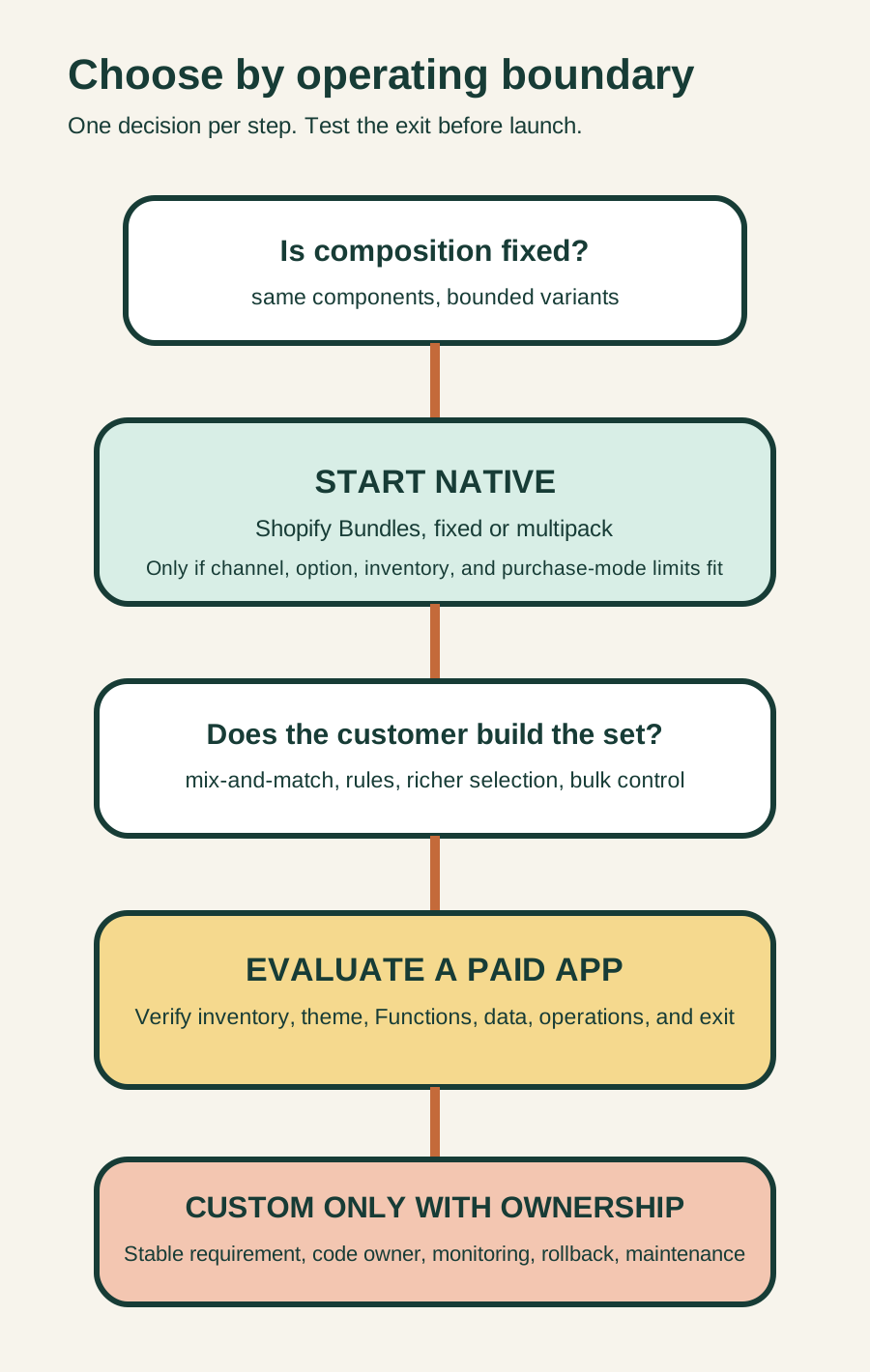
Shopify Bundles is a free first-party app available on all Shopify plans. It supports fixed bundles and multipacks.[2] Shopify documents a maximum of 30 components for fixed bundles, three options, and 100 variants per bundle. It does not support mix-and-match, nested bundles, import, export, or bulk editing.[1][2]
| Architecture | Use when | Main cost or risk |
|---|---|---|
| Shopify Bundles | Fixed set or multipack, native product page, documented limits fit | Manual price upkeep, no mix-and-match, no bulk import or export |
| Paid bundle app | Customer composition, richer UI, bulk operations, or specialist inventory workflow is essential | Recurring cost, theme and data dependency, vendor-specific exit |
| Custom app with Bundles APIs | Requirements are stable, unusual, and valuable enough to own in code | Development, monitoring, API maintenance, recovery ownership |
Shopify's developer model distinguishes fixed bundles from customized bundles. Customized bundles use storefront selection and Cart Transform logic to merge or expand cart lines.[3][4] That power introduces a production dependency in cart and checkout, so it should not be chosen only because the visual builder looks more flexible.
Treat inventory as a shared constraint
Shopify calculates available bundle quantity from component inventory. For each component, available stock is divided by the quantity required. The lowest whole-number result becomes the bundle availability.[1]
If a kit needs two chairs and one desk, 15 chairs support seven complete kits while eight desks support eight. The bundle can sell seven.
The exception matters more than the formula. A component is ignored in the calculation when inventory is not tracked or it is configured to continue selling when out of stock.[1] An app cannot repair an unsafe inventory policy by displaying a polished bundle selector.
Shopify also states that its Bundles app tracks overall stock, not inventory by location.[2] A merchant with stores, warehouses, local delivery, or channel-specific fulfilment should test whether the chosen paid app actually owns location logic or merely mirrors Shopify's aggregate availability.
Assign one inventory owner. Their receipt should show component IDs, quantities per bundle, tracked state, oversell state, locations, calculated availability, and an exception test.
Test the order after the product page
The storefront is only the first boundary. Shopify says bundle orders list component SKUs rather than the parent bundle SKU, and shipping weight comes from the components.[2] Discounts applied to the parent bundle are allocated across components by weighted price before taxes are calculated.[2]
Bundles also have compatibility limits. Shopify documents that selling plans such as subscriptions, pre-orders, and try-before-you-buy cannot be used with bundles.[1][3] Bundles do not have their own shipping profiles. Component shipping profiles determine rates.[1]
Before launch, trace one controlled order through:
- Product-page selection and unavailable states.
- Cart line presentation and price.
- Discount allocation and tax.
- Checkout and payment.
- Order notification and analytics.
- Pick list and split fulfilment.
- Partial return, full return, and attempted exchange.
Shopify notes that bundle components can appear individually in split fulfilments, returns, and exchanges, and that bundles cannot be used in exchanges even for an identical bundle.[1] Support and warehouse teams need to see this behavior before customers do.
Run an exit test before installation
An app's switching cost is partly determined by who owns the bundle relationship. Shopify's fixed-bundle API documentation says that after an app assigns components to a bundle, only that app can manage those components.[5]
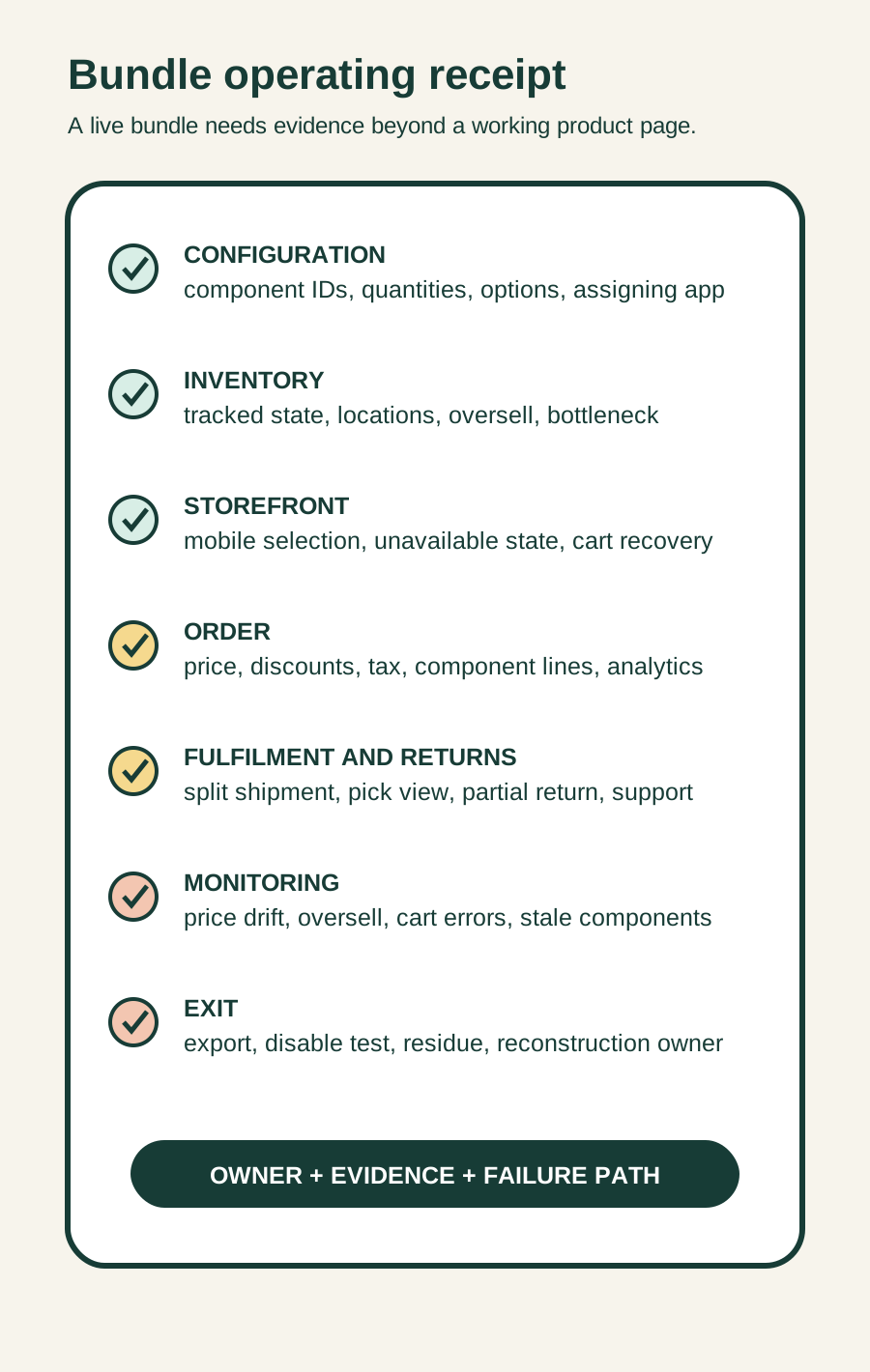
Ask every paid-app candidate:
- Can configurations and component mappings be exported?
- Which metafields, metaobjects, products, variants, theme blocks, Functions, scripts, or webhooks remain after uninstall?
- Does uninstall remove storefront code and stop cart transformations automatically?
- Can existing bundle orders still be interpreted after the app is gone?
- Who can reconstruct the ten highest-value bundles in Shopify Bundles or another app?
- What happens if the app or its storefront block is unavailable during a promotion?
Do not accept “uninstall anytime” as an exit plan. Test one cloned bundle, disable the storefront block in a safe theme, document the fallback product, and verify that normal cart and checkout behavior returns.
Use a seven-day pilot
Pilot one representative bundle, not the easiest one.
Day 1: Contract
Approve the bundle contract and record owners.
Day 2: Configuration
Configure in a duplicate or unpublished theme and product state.
Day 3: Inventory
Test bottlenecks, zero stock, oversell, and price change.
Day 4: Purchase
Test mobile selection, cart, discounts, taxes, and required channels.
Day 5: Operations
Test fulfilment, partial return, support view, and reporting.
Day 6: Exit
Run the disable and reconstruction test.
Day 7: Decision
Keep native, approve a paid app, redesign the offer, or stop.
Monitor component mismatch, unavailable selections, cart errors, price drift, oversells, fulfilment exceptions, return handling time, and app-dependent records. Sales alone cannot prove the system is operable.
Know when not to add a bundle app
Do not add one when a normal product with variants expresses the offer, a discount can create the commercial incentive without a bundle product, component inventory is unreliable, the required channel is unsupported, or the team cannot own fulfilment and returns.
Also pause when the business requires subscriptions or pre-orders inside the same product-bundle model. Redesigning the purchase mode may be safer than layering apps whose boundaries conflict.
Take one safe action this week
Choose one real bundle idea and complete the contract table. Score it against native, paid, and custom architectures. Then test only the inventory formula and one partial-return path in a non-live product or development store.
If the team cannot name the inventory, fulfilment, return, and exit owners, it is not ready to choose an app.
Inficial can help Shopify teams design bundle architecture, evaluate app permissions and dependencies, test fulfilment and returns, and plan a clean switching path before launch.
Sources
- Shopify Help Center: Eligibility and considerations for using product bundles, accessed August 26, 2026
- Shopify Help Center: Shopify Bundles, accessed August 26, 2026
- Shopify Developers: About product bundles, accessed August 26, 2026
- Shopify Developers: Cart Transform Function API, accessed August 26, 2026
- Shopify Developers: Add a product fixed bundle, accessed August 26, 2026