Translating a Shopify store should include the messages inside its product images. We built a custom implementation that connects an admin image editor with product metafields and Liquid, giving merchants a way to manage artwork for different languages.
The problem: translated pages, untranslated images
A customer switches to German. The product title and description are translated, but the gallery still contains an English feature graphic. The page now speaks two languages.
This happens because text embedded in an image is part of the artwork. Translating the surrounding page does not replace it. The merchant needs approved versions of that image and a way to connect each one to the right product and language.
How we fixed it
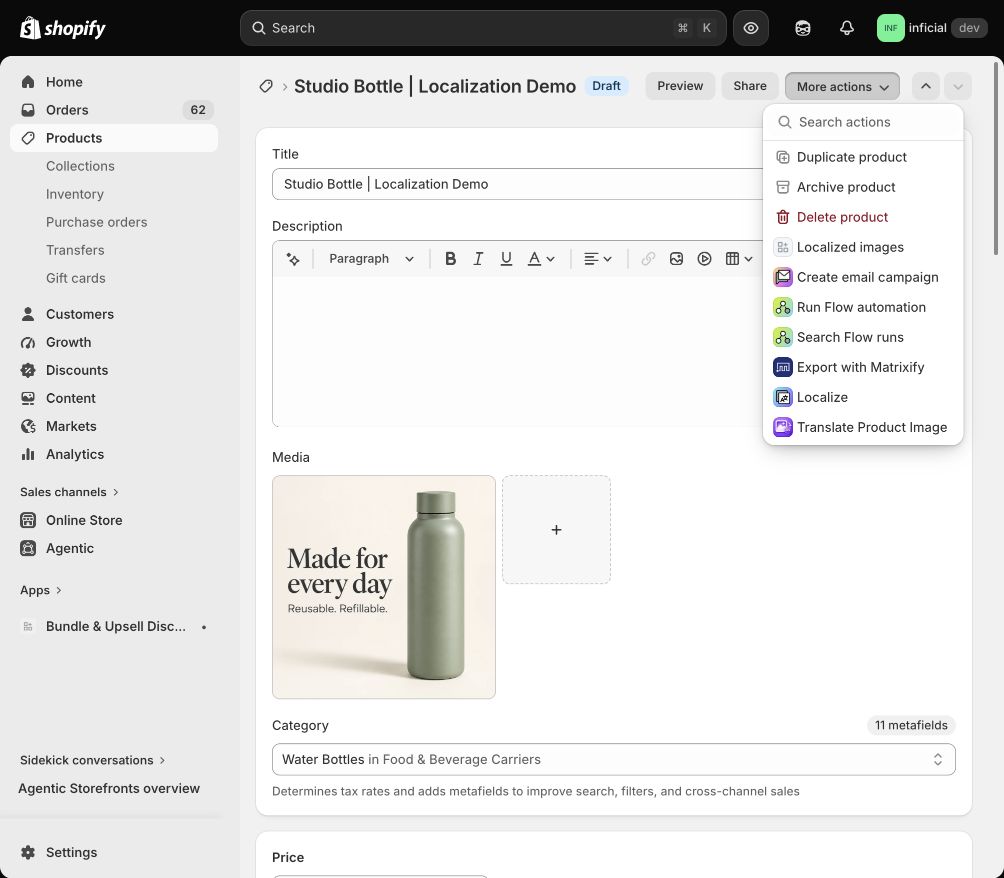
We built a Localized images action inside Shopify’s product admin. The merchant opens a product and selects More actions → Localized images to manage its translated artwork.
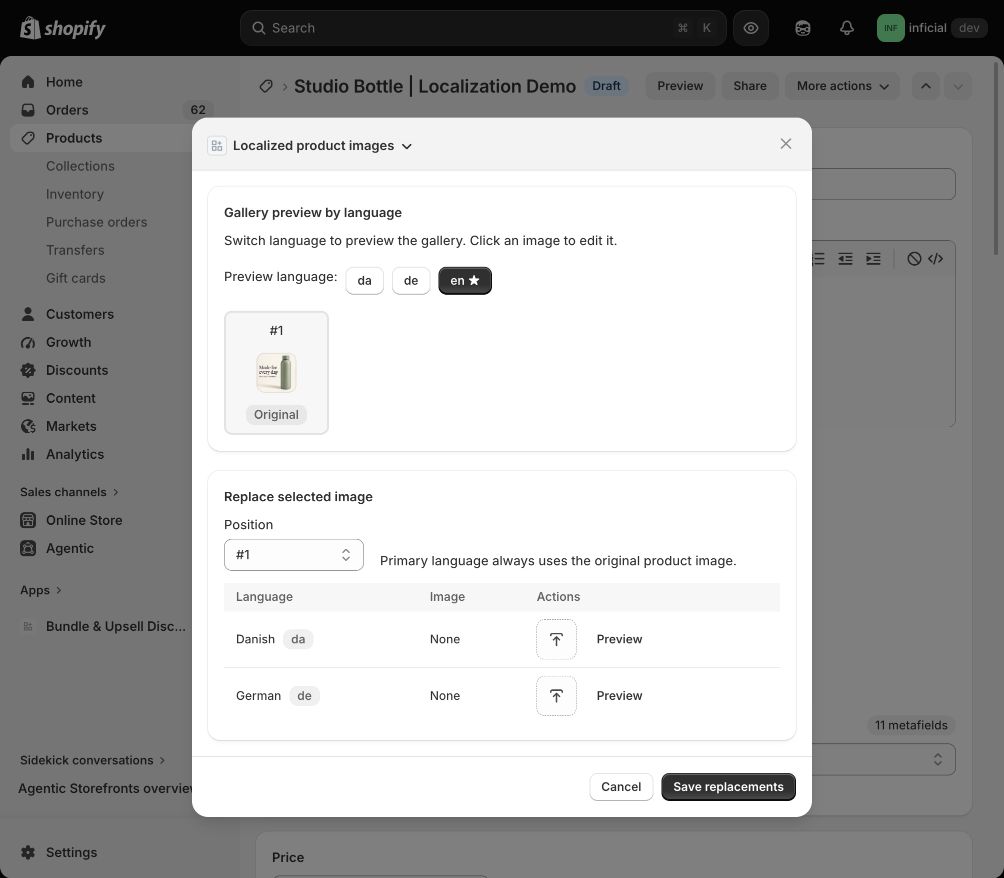
The editor shows a gallery preview, language buttons and a selector for the image position. Each secondary language has its own upload and preview controls. The primary language keeps the original product image.
The merchant can choose the relevant gallery image, add its prepared language version, check the preview and use Save replacements to submit the changes.
How metafields and Liquid connect the workflow
The admin editor is one part of the implementation. Product metafields are custom data attached to a product. They hold the language-specific image mappings. They connect the merchant’s image choices to data the theme can read.
Liquid handles the storefront side. When Shopify renders the product page, the theme reads the selected language and looks up the corresponding image mapping. That is where the saved artwork becomes part of the gallery.
Our companion Liquid example shows this lookup with an original-image fallback when a replacement is missing. Its metafield structure is illustrative; it must be matched to the app’s actual stored format before use. The same selection logic needs to cover gallery thumbnails and zoom views so they stay consistent.
One product, three language versions
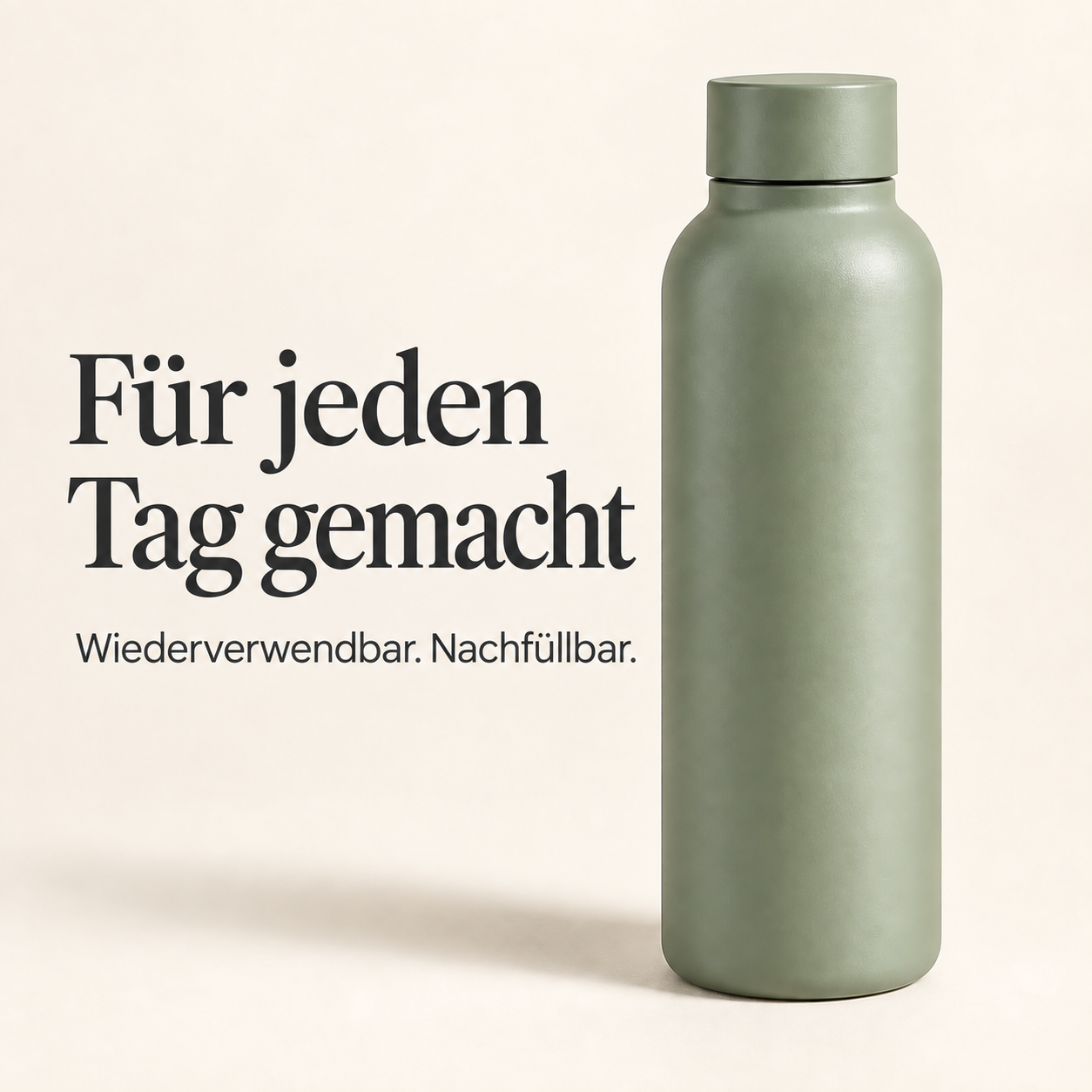
For this walkthrough, we created a fictional bottle with English, Danish and German artwork. The bottle, background and visual style stay consistent, while the message changes for each language.
FAQs
Does the app automatically translate image text?
Do we need to duplicate products?
What happens if the gallery order changes?
Can this work with any Shopify theme?
If your product images contain instructions, feature callouts or comparison text, start with one product and the languages it needs. We can help connect the editing workflow, stored image data and theme rendering.
Sources