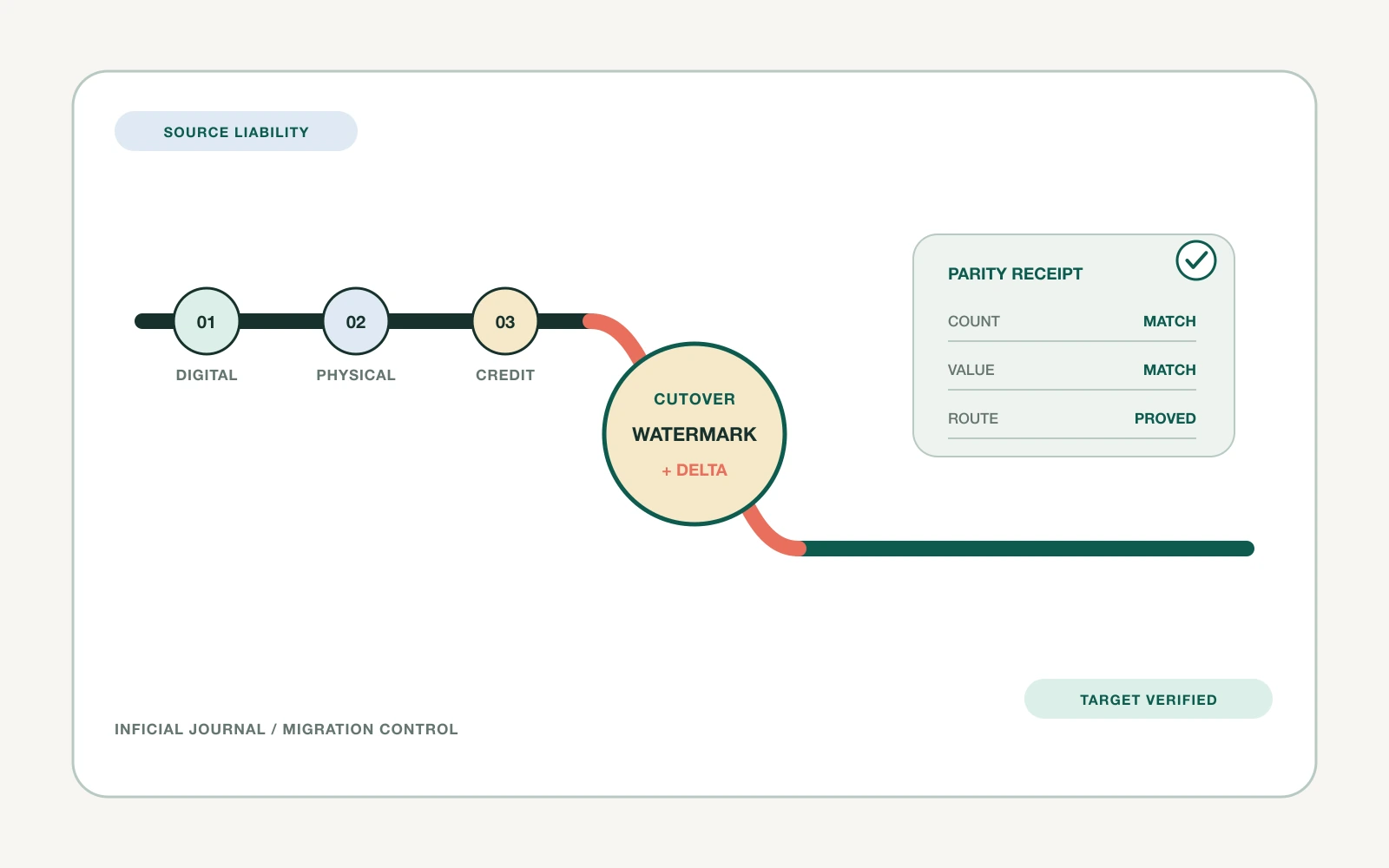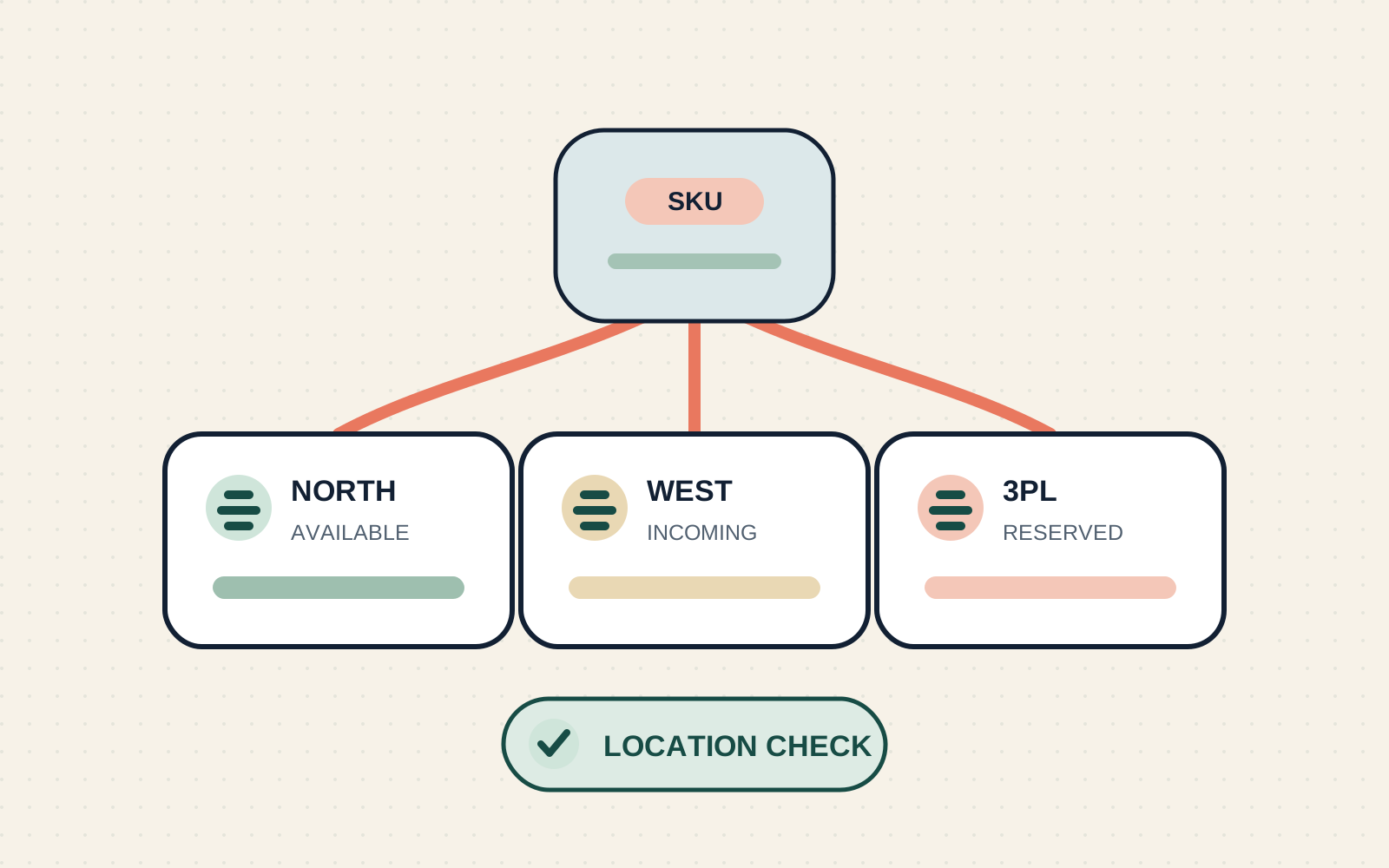

A Shopify migration can become an expensive copy of the old store. The team moves every app, field, workflow, integration, and page because removing anything feels risky. The new platform then launches with the same operational friction, plus the cost of rebuilding it.
The better starting point is not, "How do we move everything?" It is, "What capability does the business still need, and what is the cleanest way to provide it on Shopify?"
Shopify's own migration guidance tells merchants to review the existing store and decide which data and content should move. It also presents migration as an opportunity to remove old, low-performing content. That principle should extend beyond catalog records. It should shape the app stack, custom code, integrations, workflows, and ownership model.
This article gives US ecommerce leaders a practical way to make those decisions before estimates harden and build work starts.
Why migration scope begins with subtraction
Migration discovery usually produces a large inventory. The store has apps, scripts, scheduled jobs, feeds, customer fields, content types, redirects, reports, and manual workarounds. The safest-looking response is to put all of them in scope.
That response hides three different risks.
First, the current store may contain inactive or duplicated capabilities. An app might have been installed for a campaign that ended. A custom script may duplicate a feature now provided by the platform. Two teams may export the same information into different spreadsheets because neither trusts the system of record.
Second, a legacy implementation may solve a real problem in a way that no longer fits. Copying it preserves the constraint. A hard-coded product specification table, for example, may be better represented with defined metafields or a reusable metaobject on Shopify. Shopify documents both as native ways to extend or create structured commerce data.
Third, unnecessary scope consumes the same engineering, testing, and launch attention as essential work. The team spends time rebuilding a low-value workflow while critical order, inventory, customer, or merchandising paths receive less scrutiny.
Subtraction is therefore not a cost-cutting exercise alone. It is a method for directing migration effort toward what protects revenue, operations, customers, and future change.
Inventory capabilities before selecting replacements
Start with what each component does for the business. Do not start with vendor names or code repositories.
For every app, customization, data set, workflow, and integration, record:
- The business capability it provides
- The customer or team that depends on it
- The event that starts the workflow
- The system that owns the source data
- The data it reads, creates, or changes
- Its downstream dependencies
- The current owner and support route
- Its recurring and operational cost
- Evidence of current use
- The consequence if it is unavailable at launch
This inventory changes the conversation. "Move the reviews app" becomes "preserve verified reviews, product associations, moderation, display, and lifecycle triggers." The first statement assumes the answer. The second defines a capability that can be retained, replaced, or redesigned.
Evidence of use should be concrete where possible. Check recent app activity, theme extensions, orders, webhook deliveries, scheduled jobs, support procedures, finance records, and team interviews. Shopify's app management view can show billing, permissions, extensions, functions, pixels, compatibility issues, and app history. That is a useful input, but it will not reveal every manual dependency. Operations, customer support, marketing, merchandising, finance, and technology owners still need to validate the inventory.
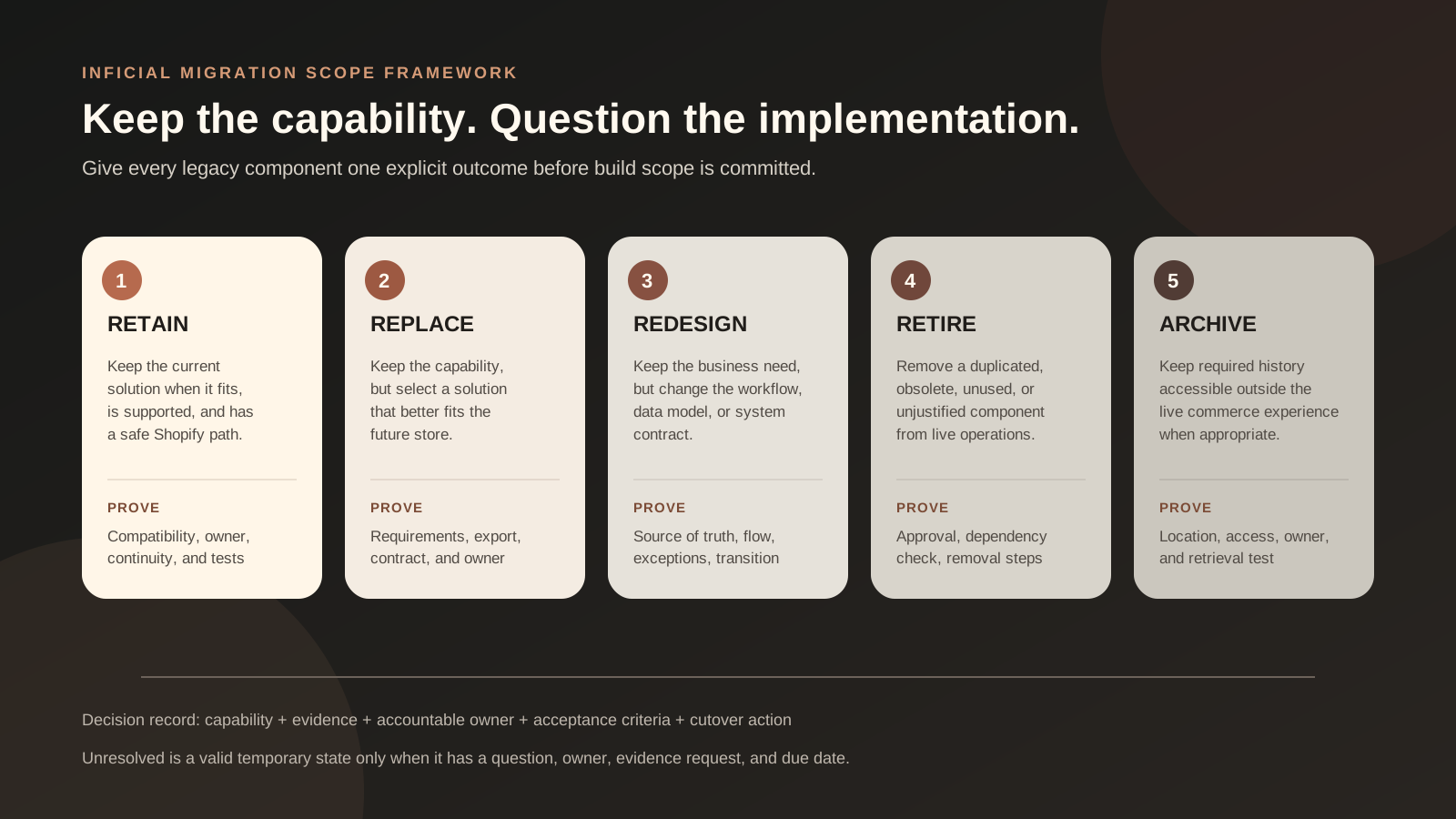
Use five outcomes for every legacy component
Every item should receive one explicit outcome.
| Outcome | Use it when | Required proof |
|---|---|---|
| Retain | The current solution still fits, is supported, and has a safe Shopify path | Compatibility, ownership, cost, data continuity, and test plan |
| Replace | The capability remains necessary, but another solution provides a better fit | Requirements match, migration path, contract, data export, and acceptance owner |
| Redesign | The business need remains, but the workflow or data model should change | Future-state process, source of truth, exception handling, and transition plan |
| Retire | The capability is unused, duplicated, obsolete, or no longer worth its cost | Named owner approval, dependency check, recovery window, and removal steps |
| Archive | The information must remain accessible but does not belong in the live commerce experience | Retention owner, secure location, access method, and retrieval test |
The outcome is not final until an accountable business owner accepts it. A technical team can identify dependencies and implementation options, but it should not silently decide that finance no longer needs a reconciliation export or that support can lose historical context.
Archive is especially important because it prevents two bad extremes: moving years of low-value operational history into the live store, or deleting records that the business still needs. The archive plan should state what is kept, where it lives, who can access it, and how retrieval will be tested. Legal, tax, privacy, and contractual retention decisions should be confirmed by the appropriate advisers rather than assumed inside the migration project.
Evaluate apps, data, and integrations separately
The same five outcomes apply across the stack, but the evidence changes by component type.
Apps: own the capability and the exit path
An app can affect more than storefront appearance. It may store customer or product data, add theme code, create a fulfillment location, control a discount, run a pixel, trigger email flows, or feed another system.
Before deciding to retain or replace an app, answer:
- Which customer and operational journeys depend on it?
- Which data exists only inside the app?
- Can that data be exported in a usable form?
- Which theme blocks, scripts, functions, pixels, or locations does it add?
- Which automations or integrations stop when it is removed?
- Who owns the contract, configuration, access, and support relationship?
- What is the fallback if it is unavailable during cutover?
Shopify advises exporting needed data before uninstalling an app. It also warns that some apps leave theme code behind and that dependent workflows stop after removal. Use those warnings during discovery, not on the final day of decommissioning.
If an app is being replaced, define an overlap period only when it has a purpose. Running both tools indefinitely can create duplicate events, inconsistent customer experiences, and unclear sources of truth. The replacement plan needs a data cutoff, a validation method, and a named point when the old solution can be disabled.
Data and content: preserve value, not clutter
Data migration is not one bulk transfer. Products, customers, historical orders, gift cards, pages, blogs, redirects, and custom data have different tools, dependencies, and constraints. Shopify notes that some data can move by CSV while other data needs apps or APIs. It also specifies an import order for products, customers, and historical orders so their relationships can be formed correctly.
Classify data at field level when the consequences justify it:
- Move into a native Shopify field
- Move into a defined metafield or metaobject
- Transform into a new value or structure
- Recreate as operational configuration
- Archive outside the live store
- Exclude with owner approval
Do not promise that every legacy field can move unchanged. Shopify's product CSV has dependencies between columns and does not support every data type in the same way. Variant metafields, for example, are not supported through product CSV import and export. Customer passwords also cannot be migrated from another online store by customer CSV, so the account transition needs its own customer communication and test plan.
Content needs a separate value test. Preserve pages that answer active customer questions, support organic discovery, or complete an important journey. Consolidate overlapping pages when a better destination exists. Retire content that is obsolete or unsafe to carry forward. When an old URL no longer has a live equivalent, decide whether it should redirect to a genuinely relevant destination or return a clear not-found response.
Shopify supports URL redirects for changed or deleted pages, but documents reserved paths and other limitations. Build the redirect map from the current URL inventory and traffic evidence before launch. Do not assume every legacy path can be recreated or redirected exactly.
Integrations and custom code: redesign the contract
Custom code often contains two things at once: a necessary business rule and a legacy implementation choice. Separate them.
An integration inventory should describe:
- The system of record for each object
- The direction and timing of data movement
- Identifiers used to match records
- Required transformations
- Expected volume and timing
- Authentication and permission ownership
- Retry, duplicate, and out-of-order behavior
- Monitoring, alerting, and manual recovery
- The event or schedule that triggers the flow
For event-driven Shopify apps, webhooks can notify systems about changes and help keep data synchronized without constant polling. That does not mean every existing integration should be rebuilt as a webhook. The future design should follow the operational requirement, expected volume, platform capabilities, and failure model.
Treat undocumented scripts as discovery work, not automatic migration scope. Trace what invokes them, what they change, and whether anyone responds when they fail. A script with no known owner and no observable output may still be important, but uncertainty is a reason to investigate, not a reason to recreate it blindly.
Score uncertain decisions with evidence
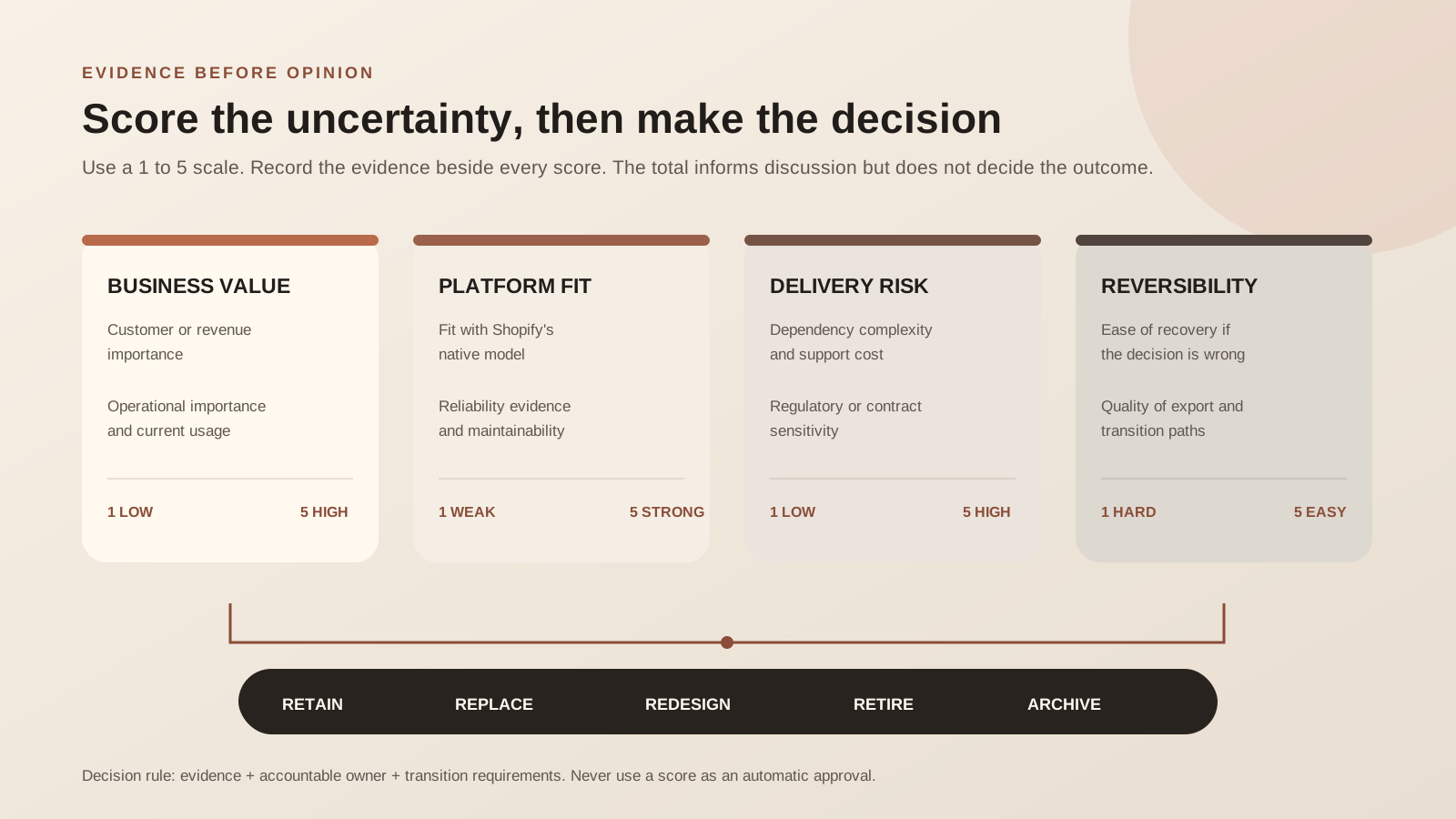
When stakeholders disagree, use a small scorecard to expose the trade-offs. Score each item from 1 to 5 for:
- Customer or revenue importance
- Operational importance
- Regulatory or contractual sensitivity, confirmed by the relevant owner
- Current usage and reliability evidence
- Fit with Shopify's native model
- Dependency complexity
- Cost to migrate and support
- Ease of recovery if the decision is wrong
The score does not make the decision. It shows why two apparently similar components deserve different outcomes.
Consider an illustrative example. A size-guide tool may be heavily used, influence purchase confidence, and store reusable content. Its capability should remain, but the current app may not. If the guide can be managed as structured content and rendered by the theme, the outcome could be redesign. By contrast, an old campaign countdown tool with no active placements, no recent use, and no unique data may be a clear retire decision.
Record the evidence and uncertainty beside the score. A confident decision based on weak evidence should not look identical to one validated by usage logs, user interviews, and a tested export.
Run the scope workshop before the build
A focused workshop is more useful after the inventory exists. Invite people who understand commercial priorities, storefront behavior, operations, data, integrations, finance, customer support, and delivery constraints. Not every person needs to attend every decision, but every critical dependency needs an owner.
Use a simple sequence:
- Confirm the business capability and current owner.
- Review evidence of use, cost, and dependency.
- Select retain, replace, redesign, retire, or archive.
- Name the future-state owner.
- Identify proof needed before the decision becomes committed scope.
- Record the effect on budget, timeline, testing, and launch.
Keep an unresolved lane. Forcing a guess into committed scope creates false certainty. An unresolved item should have a question, owner, evidence request, and decision date. If it can block launch, that date must precede the build or procurement decision it affects.
Turn decisions into migration acceptance criteria
A migration decision becomes useful when it changes delivery artifacts.
If an app is retained, the plan should include installation, permissions, configuration, data continuity, theme placement, journey testing, billing ownership, and support. If a workflow is redesigned, the acceptance criteria should describe the new source of truth, triggers, exceptions, and manual recovery. If content is retired, the URL and customer impact should be resolved. If data is archived, retrieval must be tested by someone other than the person who created the archive.
Link each decision to:
- A scope item or explicit exclusion
- A responsible owner
- A target environment
- Source and destination mapping where data is involved
- Test scenarios and expected results
- A cutover action and timing
- A rollback or manual continuity plan
- Post-launch monitoring
This is also where estimates become more credible. "Replace loyalty app" is not estimable. Exporting member balances, defining identifiers, configuring earning rules, rebuilding storefront surfaces, reconnecting lifecycle events, testing edge cases, communicating transition behavior, and reconciling launch data is a scope that can be planned.
Use this migration-scope checklist
- ✓The current app, customization, content, data, integration, and workflow inventory has named owners.
- ✓Every item is linked to a business capability and evidence of current use.
- ✓Every item has one outcome: retain, replace, redesign, retire, or archive.
- ✓Unresolved decisions have an owner, evidence request, and due date.
- ✓App data exports, theme residue, permissions, billing, and workflow dependencies have been checked.
- ✓Source and destination systems are clear for every critical data object.
- ✓Product, customer, order, and custom-data constraints have been tested with representative records.
- ✓Customer-account transition behavior is documented and tested.
- ✓Valuable URLs have a destination decision and redirect constraints have been reviewed.
- ✓Integration triggers, identifiers, retries, monitoring, and manual recovery are documented.
- ✓Archive contents, access, security, retention ownership, and retrieval tests are defined.
- ✓Scope decisions are reflected in estimates, acceptance criteria, test plans, and cutover steps.
- ✓No component remains in scope only because removing it felt uncomfortable.
Inficial can help your team turn a legacy commerce inventory into a clear Shopify migration scope, future-state architecture, controlled delivery plan, and evidence-based cutover.
Sources
- Shopify Help Center: Migrate to Shopify
- Shopify Help Center: Uninstalling apps
- Shopify Help Center: Managing apps
- Shopify Help Center: Overview of custom data
- Shopify Help Center: Creating and managing URL redirects
- Shopify Help Center: Importing and exporting customer lists
- Shopify Help Center: Using CSV files to import and export products
- Shopify.dev: About webhooks