
A migration can land with the correct inventory total and still send the wrong promise to customers. One warehouse may be short, another may hold the excess, a 3PL location may be inactive for online fulfillment, or an in-flight transfer may be counted as sellable stock.
That is why a Shopify multi-location inventory migration should not be accepted by SKU totals alone. The useful unit is the SKU-location-state record, plus the fulfillment behavior that record creates.
The total is not the inventory unit
Reader question: Why can a correct stock total still produce the wrong customer outcome?
Shopify tracks inventory independently at each location. A location can be a warehouse, retail store, pop-up, dropshipping app, 3PL, or custom fulfillment service. When a product is stocked in several locations, each location receives its own inventory level.[1]
That changes the acceptance test. Suppose the source reports 80 available units across two warehouses. Shopify also reports 80, but 30 units intended for the west warehouse landed in the east. The total matches. The fulfillment promise does not.
Order routing uses available inventory and configured rules to decide where an online order should be fulfilled. A location that cannot fulfill online orders is excluded from online quantity. A location that lacks enough inventory can lead to a split or, under documented conditions, an oversold location.[2]
Migration control: Do not approve a SKU because its total matches. Approve it when each location, state, fulfillment flag, and representative order outcome can be explained.

*Caption: Accept inventory at the SKU-location-state level. A matching grand total can hide a shortage in one location and excess in another.*
Define the location contract before moving quantities
Reader question: Which source stock node becomes which Shopify location?
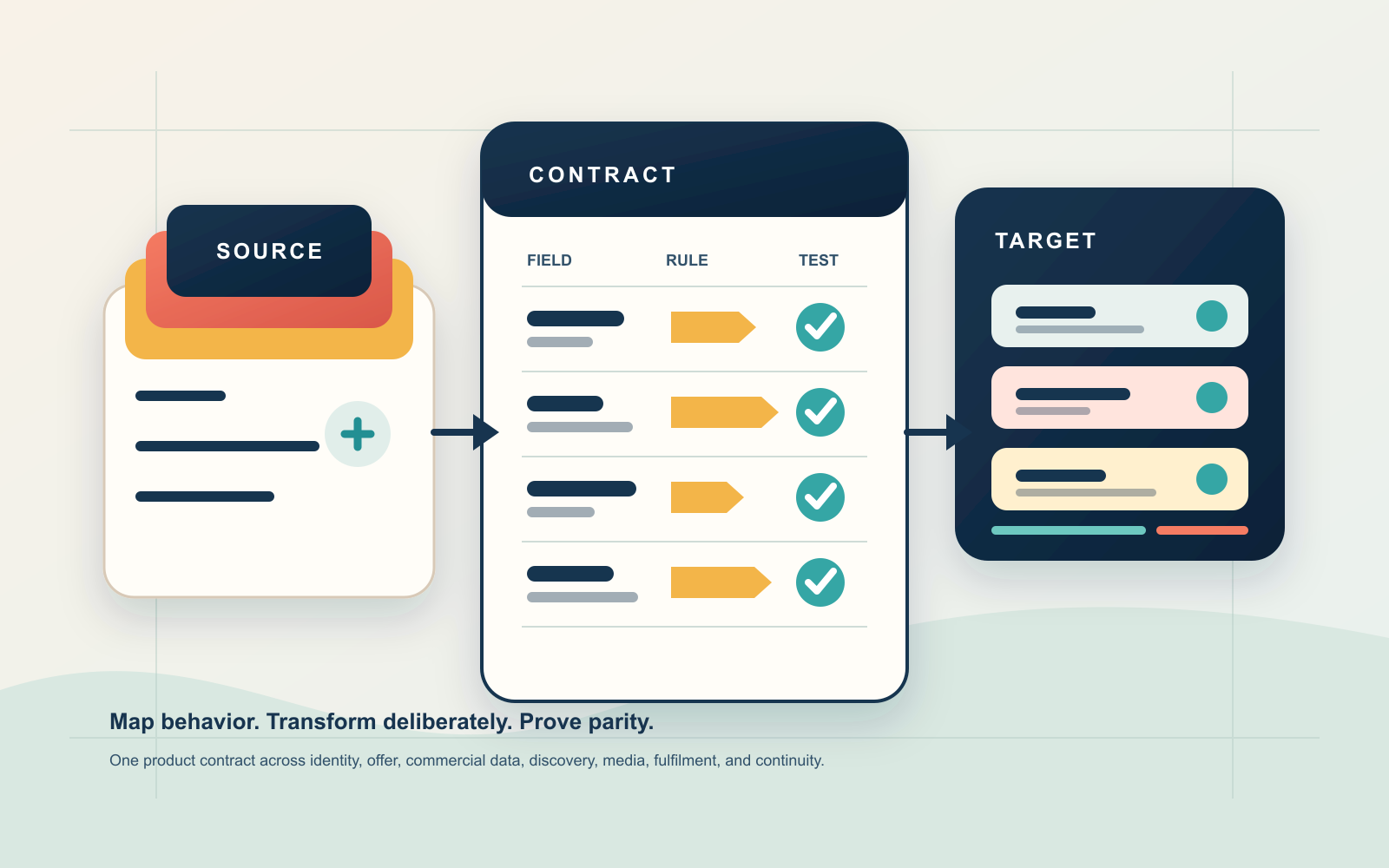
Create the destination locations before the final quantity load. Then write one contract row for every source stock node, including app and fulfillment-service locations.
| Contract field | Required decision | Failure evidence |
|---|---|---|
| Source node | Warehouse, store, 3PL, supplier, virtual pool, or channel reserve | Two source nodes collapse into one unexplained balance |
| Shopify location | Stable location ID, name, address, and status | A name match points to the wrong destination |
| Fulfillment eligibility | Online, POS, draft order, storage-only, or app-managed | Stock appears in online quantity when it should not |
| Product activation | Which SKUs are stocked and fulfillable at the location | Quantity exists but the product cannot sell or fulfill there |
| Quantity authority | Shopify, ERP, WMS, 3PL, POS, or another system | Two systems overwrite the same state |
| Routing role | Ranked, closest, same-market, minimize split, or excluded | Orders route from an expensive or unsuitable node |
| Transfer treatment | What counts as committed, incoming, accepted, rejected, or canceled | In-transit units become available too early |
| Exception owner | Person and response window for mismatches | The cutover queue grows without a decision maker |
Creating a location and assigning a quantity are not the same as making a product sellable from that location. Shopify documentation notes that inventory quantity edits and CSV imports do not activate a product at a location. Activation is a separate condition.[3]
Treat the contract as configuration evidence. Location names are human labels. Location IDs, product activation, fulfillment settings, shipping profiles, and routing rules determine behavior.
Name the authority for every stock mutation
Reader question: Which system is allowed to change a quantity during cutover?
“Source of truth” is too broad unless it is tied to a mutation. An ERP might own purchase receipts, a WMS might own pick and pack movements, Shopify might own online commitments, and a retail system might own POS sales.
Write an authority matrix for at least these events:
- physical count
- supplier receipt
- online order commitment and cancellation
- POS sale and return
- inter-location transfer
- damaged, reserved, safety, or quality-control movement
- manual correction
- marketplace order
- 3PL fulfillment update
Shopify separates absolute and relative inventory writes. inventorySetQuantities sets an absolute quantity and is intended for a system acting as the source of truth. It supports a compare-and-set check so a stale writer does not silently replace a newer value. Shopify warns that bypassing the comparison can create inaccurate inventory when requests run concurrently.[4]
inventoryAdjustQuantities applies a delta at a location and records a reason plus an optional reference URI. That fits event-led movements when the caller owns the adjustment, not the entire absolute balance.[5]
The contract should name the write mode, comparison value, idempotency key, reference document, retry owner, and reconciliation path. A successful HTTP response is not enough. The returned adjustment record and later balance are the receipt.
Define invariants that must survive every retry
Reader question: What must remain true when events arrive late, twice, or out of order?
A migration design is advanced only when it states what cannot be violated. Define the invariants before choosing scripts, middleware, or apps. These are Inficial acceptance controls, not guarantees supplied by Shopify.
| Invariant | Control rule | Reject or hold when |
|---|---|---|
| Identity | One source item and source node resolve to one approved Shopify inventory-item and location pair | A lookup is missing, ambiguous, or points to an inactive combination |
| Conservation | Opening snapshot plus accepted deltas equals expected closing quantity for each owned state | A shortage in one location is netted against excess elsewhere |
| Single writer | Every mutation class has one authority at a given cutover phase | Two systems can set or adjust the same state without arbitration |
| Replay safety | One source event key produces at most one accepted inventory effect | A timeout or retry can apply the same movement twice |
| Promise safety | A unit enters the online promise only after location, activation, state, and routing controls pass | Physical stock is treated as sellable before the promise clock opens |
| Traceability | Every accepted movement links source event, reason, target, response, and observed result | An operator cannot reconstruct why the balance changed |
The invariants should be executable where possible. Identity can be a uniqueness constraint. Replay safety can be an idempotency ledger keyed by source system and event ID. Conservation can be a query that emits exceptions by SKU, location, and state. Promise safety remains a release gate, not a note in the runbook.
Do not hide conflicts behind a tolerance percentage. Exact parity is normally appropriate for states owned by the migration. If a non-zero tolerance is necessary because a live system continues trading, define the allowed event classes, time boundary, owner, and expiry. An unexplained difference is not tolerance.
Use three cutover clocks
Reader question: Why should product, inventory, and fulfillment cutovers be separated?
A single launch timestamp hides different readiness states. Use three clocks:
- Identity clock: Products, variants, SKUs, barcodes, inventory-item IDs, and location IDs exist and map correctly.
- Balance clock: Opening quantities are loaded, deltas are replayed, states are reconciled, and exceptions are within the approved threshold.
- Promise clock: Products are activated at the right locations, online fulfillment is configured, routing is tested, and the pilot cohort can become sellable.
The identity clock can finish while the source store is still trading. The balance clock needs a timestamped snapshot and delta window. The promise clock opens only after balances and routing evidence pass.
This separation prevents a familiar mistake: turning on products because their catalog import completed while inventory and fulfillment configuration are still catching up.
Freeze mutations, not the whole business
Reader question: How can the store keep operating while the opening snapshot loads?
A long business freeze is often unrealistic. Use a mutation freeze instead. Decide which systems may continue creating stock changes and capture every allowed change in a replayable delta log.
| Movement during the window | Capture | Replay rule | Proof |
|---|---|---|---|
| Customer order | SKU, quantity, location or allocation, timestamp, source order ID | Let the approved order authority create the commitment once | Order and inventory history agree |
| Cancellation or return | Original reference, disposition, restock decision | Restore only the approved state and location | Returned unit is not double-restocked |
| Supplier receipt | Purchase or shipment reference, accepted quantity, destination | Apply after the opening snapshot in event order | Receipt appears once at the intended location |
| Transfer | Origin, destination, ship state, receive state, quantity | Preserve in-transit state; do not load as available twice | Origin and destination histories reconcile |
| Manual correction | Actor, reason, before, after, location | Require approval during the controlled window | Exception queue links to the adjustment receipt |
| 3PL or marketplace movement | External event ID, authoritative timestamp, channel | Deduplicate before applying | Source event and Shopify receipt share a key |
Every delta needs an immutable identity. Sorting by a timestamp alone is unsafe when systems have clock drift or retries. Use a source event ID, source version, or idempotency key, then record applied, rejected, duplicate, conflicted, and pending states.
Run the replay log as a state machine
Reader question: How should a migration worker behave after a timeout, conflict, or partial response?
Treat the delta log as an operational state machine, not a CSV of events waiting to be replayed. Each event should move through explicit states such as received, validated, blocked, submitted, applied, duplicate, conflicted, reconciled, or dead-lettered.
Store the source event ID, source version, mutation class, target inventory-item and location IDs, expected current quantity when relevant, requested change, request attempt, Shopify response reference, and observed post-write quantity. Keep the raw source payload immutable; store normalized fields separately so a mapping correction does not erase original evidence.
| Replay result | System action | Operator decision |
|---|---|---|
| Validation passes and authority is current | Submit once, persist the response, then observe the resulting balance | None unless the observed state diverges |
| Event key already has an accepted receipt | Return a no-op duplicate result | Confirm the earlier receipt targets the same identity pair |
| Compare-and-set precondition fails | Re-read the current quantity and classify the intervening writer | Rebase an owned delta, defer to the authority, or hold the cohort |
| Request times out after submission | Query by receipt, reference, or observed balance before retrying | Retry only when duplicate application is ruled out |
| Platform accepts the write but parity still fails | Keep the event applied and open a reconciliation exception | Inspect later writers, activation, state mapping, and transfer timing |
| Payload or mapping is permanently invalid | Move to a named dead-letter queue | Correct the contract or exclude the SKU with approval |
Never blind-retry an absolute set after an unknown outcome. A second set can overwrite a legitimate intervening movement even when the first request actually succeeded. Re-observe, compare, and classify before another write.
Load states without inventing sellable stock
Reader question: Which quantity should the opening load set?
Shopify exposes inventory states including incoming, on hand, available, committed, reserved, damaged, safety stock, and quality control. On hand is the physical quantity at a location. Available is the portion a merchant can sell. Committed is managed through orders and reservations, not as a free adjustment field.[6]
Map the source semantics before setting numbers:
- Available: physically present and approved to sell from that location
- Committed: already attached to an order or reservation through the platform's order flow
- Reserved, damaged, safety stock, and quality control: physically present but intentionally unavailable
- Incoming: on the way to the destination and not yet available
- On hand: the physical total across available, committed, and unavailable states
Do not convert every physical unit into available inventory. Do not count a transfer at both origin and destination. Do not recreate commitments by subtracting them from an opening total if Shopify will also create those commitments from live orders.
Shopify's transfer flow distinguishes draft, ready to ship, in progress, transferred, and canceled states. In-progress inventory is incoming at the destination. Accepted inventory becomes available only when the receiving and stocking conditions are satisfied.[7]
Issue a location parity receipt
Reader question: What evidence allows a balance cohort to pass?
Create one receipt row per SKU, Shopify location, and relevant state. It should include:
- source item ID and source location ID
- Shopify inventory-item ID and location ID
- snapshot timestamp and source version
- opening source quantities by state
- every delta applied or rejected
- expected closing quantities
- observed Shopify quantities
- difference and tolerance
- fulfillment eligibility and product activation
- last adjustment or API receipt
- exception owner and decision
Use this control equation for each state you own:
opening snapshot + accepted deltas = expected closing quantity
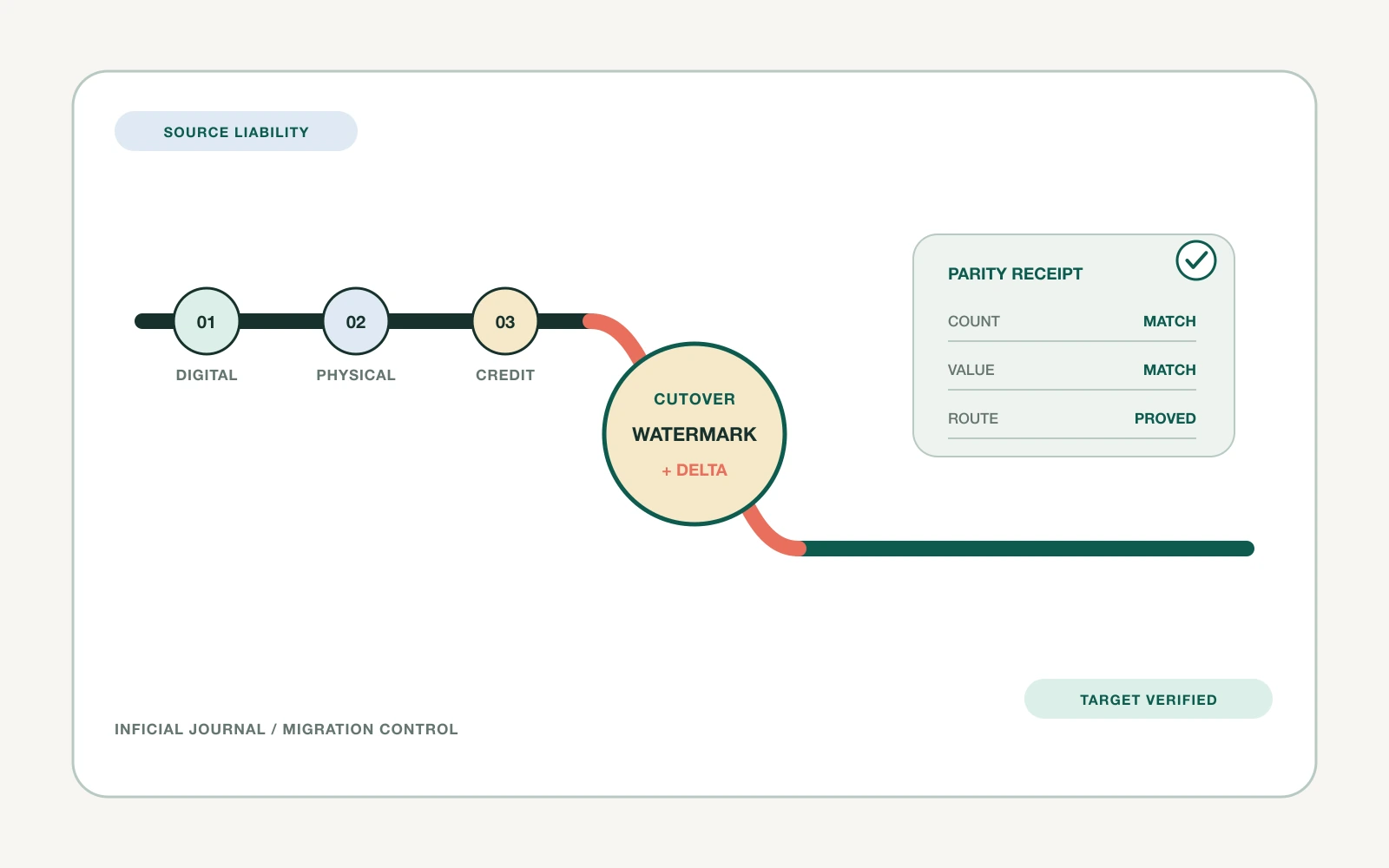
Then compare expected and observed quantities at the same location and timestamp. Do not net shortages and excesses across locations. A difference of minus 10 in one warehouse and plus 10 in another is two exceptions, not zero.
Classify each failed receipt before remediation:
- Identity conflict: wrong or missing inventory-item, variant, SKU, or location mapping
- Authority conflict: an unapproved writer changed the same state during the window
- Quantity conflict: expected and observed values differ after accepted replay
- State conflict: the total is plausible but units occupy the wrong sellable, committed, unavailable, or incoming state
- Configuration conflict: the quantity is correct but product activation, fulfillment eligibility, shipping profile, or routing configuration is wrong
- Behavior conflict: stored balances and configuration look correct, but a controlled order produces the wrong fulfillment assignment or customer promise
This taxonomy prevents an operator from treating every mismatch as a quantity patch. A configuration or behavior conflict should not be “fixed” by changing stock.
Shopify's recommended all-states inventory CSV includes current and new on-hand values. Shopify compares them and rejects affected rows when the current value changed after export, which protects against accidental overwrites. The simpler available-only format does not provide that safeguard.[8]

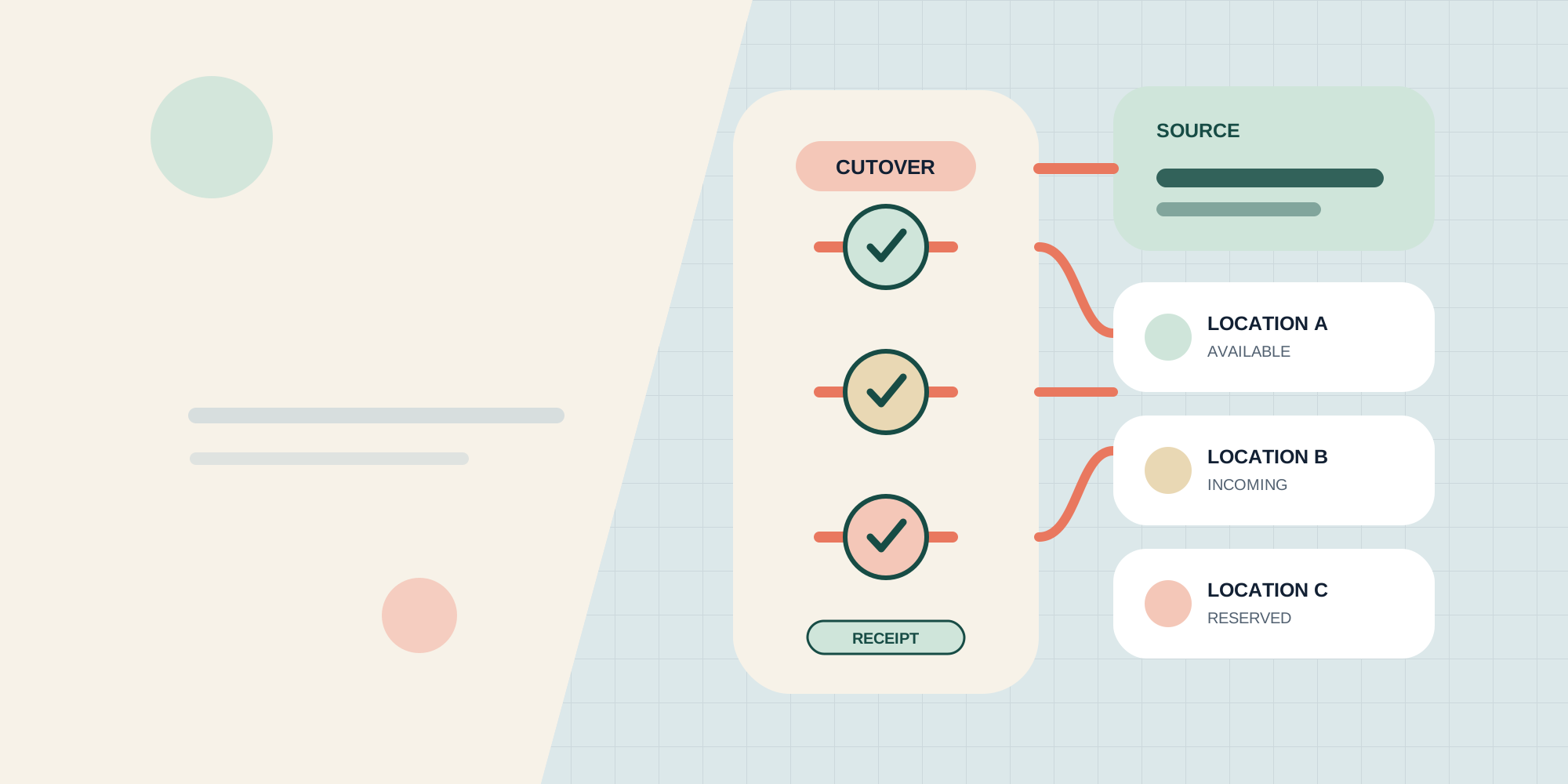
*Caption: Inventory becomes sellable only after the balance receipt and fulfillment scenarios pass for the pilot cohort.*
Test fulfillment behavior before enabling sales
Reader question: Which scenarios prove that the migrated balance creates the intended promise?
Balance parity is necessary but not sufficient. Run order scenarios against the actual location and routing configuration.
| Scenario | Expected result | Evidence |
|---|---|---|
| One location can fulfill the basket | The intended eligible location receives the order | Fulfillment order, location ID, inventory movement |
| No location holds the full basket | The approved split or prioritization rule applies | Package count and assigned locations |
| Storage-only location holds stock | Its quantity stays outside the online promise | Online quantity and fulfillment assignment |
| Preferred warehouse lacks one SKU | The documented fallback applies | Routing explanation and assigned location |
| Destination market has local stock | Same-market rule behaves as configured | Market, address, location assignment |
| All eligible locations are short | Store blocks purchase or creates the approved oversell path | Product policy, order assignment, negative balance |
| Transfer is in progress | Destination stock remains incoming until received | Transfer state and available quantity |
| 3PL update is delayed or duplicated | Retry does not apply the movement twice | Idempotency key, event log, final balance |
Shopify's default order-routing strategy currently considers split minimization, destination market, and proximity. Merchants can also use ranked locations and other rules.[9] Re-read the target configuration instead of assuming the default.
Pilot by cohort and keep a rollback boundary
Reader question: How should the first inventory cohort go live?
Choose a pilot that exposes the real system:
- one fast-moving SKU
- one low-stock SKU
- one SKU stocked at several merchant locations
- one 3PL-managed SKU
- one SKU with an in-progress transfer
- one item that is active at a storage-only location
- one product allowed to continue selling out of stock, if that policy exists
- one POS and online shared-inventory SKU
Open the promise clock only for the pilot cohort. Monitor adjustment failures, conflicts, negative balances, routing surprises, split count, canceled orders, fulfillment reassignments, and manual corrections.
Approve expansion only when the cohort meets written production gates:
- every source-to-Shopify identity pair resolves uniquely
- every accepted delta key appears once in the receipt ledger
- all owned states reconcile exactly, or every temporary live-trading difference maps to a permitted event inside its time boundary
- every required routing scenario produces the expected location assignment and customer promise
- no unknown system is writing inventory in the cohort
- exception queues have owners and response windows
- the rollback action has been rehearsed and still stops new divergence
These gates are stronger than a generic percentage-complete score. A 99.9 percent pass rate can still hide the single fast-moving SKU, 3PL node, or routing rule capable of creating the largest customer impact.
Define rollback before launch. A rollback can close the pilot products, remove a location from online fulfillment, restore the previous quantity writer, or route orders back to the source process. It must stop new divergence. Reversing only the opening CSV while live systems continue writing will make the mismatch worse.
The review point should be time and event based. For example, review after the first full fulfillment cycle and a representative set of orders, receipts, returns, and transfers. Do not approve the full catalog after a quiet hour with no stock movements.
Choose CSV or API by conflict risk
Reader question: When is the native inventory CSV enough?
Use the protected all-states inventory CSV when:
- identities and locations already exist
- the opening load is a controlled, low-conflict operation
- the team can review rejected rows
- the number of changes during the window is manageable
- the source can produce one clean SKU-location file
- ongoing inventory ownership will move to an established Shopify process after cutover
Use an API-led or specialist migration when:
- an external system remains the source of truth
- several systems can create concurrent changes
- the migration needs repeated snapshots and delta replay
- idempotency, compare-and-set, reason codes, and reference documents are required
- app or fulfillment-service locations need coordinated activation
- per-record retry and a durable audit trail matter
- the team needs to reconcile thousands of exceptions without spreadsheet ambiguity
The decision is not CSV versus API as a badge of sophistication. It is whether the chosen workflow can expose conflicts, prevent stale overwrites, and produce a location-level receipt.
Take one safe action this week
Export inventory from the source and Shopify without changing either system. Choose 20 representative SKUs and build a location crosswalk.
For each SKU, record source location, intended Shopify location ID, on-hand, available, committed, unavailable, and incoming quantities, plus fulfillment eligibility and the system allowed to change each state. Add one row for every in-flight transfer.
If the grand total matches but any location, state, or owner is unclear, do not plan the production load yet. Resolve the contract first.
Frequently asked questions
How do I migrate inventory to multiple Shopify locations?
Can the Shopify product CSV load inventory for multiple locations?
Should Shopify or the ERP be the inventory source of truth?
How can a migration prevent overselling?
Which Shopify inventory states should be reconciled?
How should order routing be tested after inventory migration?
How should concurrent inventory writes be handled during cutover?
Inficial can map source inventory and fulfillment behavior, design the Shopify location contract, build a controlled migration workflow, and produce cutover and reconciliation evidence before the full catalog becomes sellable.
No commercial relationship, sponsorship, affiliate arrangement, or endorsement involving Shopify or an inventory provider is known or implied.
Sources
- Shopify Help Center: Understanding inventory management for multiple locations and apps, accessed August 31, 2026
- Shopify Help Center: Setting up order fulfillment for locations, accessed August 31, 2026
- Shopify Help Center: Adjusting inventory quantities in bulk, accessed August 31, 2026
- Shopify developer documentation: inventorySetQuantities mutation, accessed August 31, 2026
- Shopify developer documentation: inventoryAdjustQuantities mutation, accessed August 31, 2026
- Shopify developer documentation: Apps in inventory management, accessed August 31, 2026
- Shopify Help Center: Creating and managing inventory transfers, accessed August 31, 2026
- Shopify Help Center: Exporting and importing inventory with a CSV file, accessed August 31, 2026
- Shopify Help Center: Understanding order routing, accessed August 31, 2026