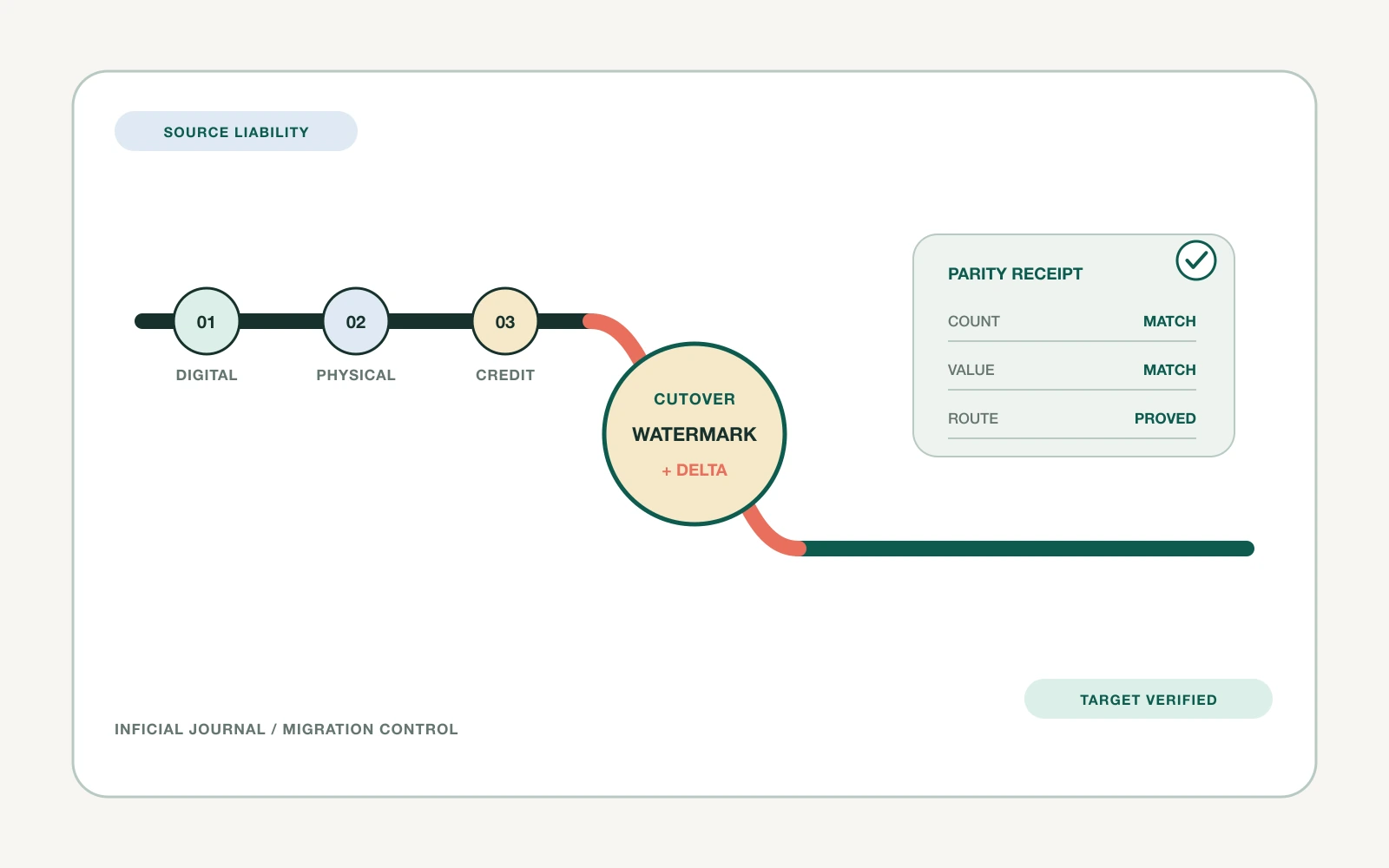

A WooCommerce export can look complete and still produce a weak Shopify catalog. The rows arrive, but a variable product becomes the wrong option structure, a plugin-owned field disappears, gallery order changes, a category tree turns into loose tags, or stock lands at the wrong location.
The hard part is not moving every source field. It is deciding which commercial behavior each field must produce in Shopify, who owns the transformation, and how the team will prove parity before customers see the result.
For an experienced ecommerce team, that decision belongs in a product data contract before any migration tool is selected.
The export is evidence, not the migration design
Reader question: What does the source export fail to explain?
WooCommerce supports simple, grouped, external, and variable products. Extensions can add subscriptions, bundles, bookings, add-ons, brands, cost data, or new product types. Global attributes and product-specific local attributes can look similar on the storefront while behaving differently in the data.[1][2]
Shopify has its own product, option, variant, collection, taxonomy, metafield, media, market, and inventory structures. A Shopify product can have up to 2,048 variants by default, but a high limit does not make every WooCommerce combination a good Shopify product design.[3]
An export tells you which fields a tool could see. It does not tell you:
- which plugin calculated or interpreted a value;
- whether a taxonomy drove navigation, filtering, feeds, or only administration;
- whether an attribute created a purchasable variation or descriptive information;
- whether two products share inventory or only appear grouped;
- which URL, image order, price rule, or stock location is commercially authoritative.
Record those behaviors before transformation. Otherwise, the first import becomes an undocumented design decision.
Inventory every product behavior before mapping fields
Reader question: Which source behaviors must survive, change, or retire?
Start with a source inventory across four layers:
| Layer | Inspect | Decision evidence |
|---|---|---|
| WooCommerce core | Product types, variations, SKU, price, tax, stock, weight, dimensions, downloads, linked products | Core export plus direct source audit |
| WordPress structure | Categories, tags, global attributes, local attributes, slugs, media library, custom post metadata | Taxonomy and metadata inventory |
| Extensions | Bundles, subscriptions, add-ons, bookings, brands, feeds, search, ERP or PIM sync | Plugin list, schemas, API payloads, owner interviews |
| Storefront behavior | Variant selection, filters, badges, price display, gallery switching, recommendations, structured data | Representative page and checkout tests |
Classify every item as preserve, transform, replace, archive, or retire. Add an owner and a failure path. A custom field with no named destination should not be silently copied into an ungoverned metafield namespace.
This is also the point to reduce catalog debt. Duplicate attributes such as Colour, Color, and pa_color should not become three Shopify option names simply because all three exist in the export.
Write one contract across seven product layers
Reader question: What must be true in Shopify after the migration?
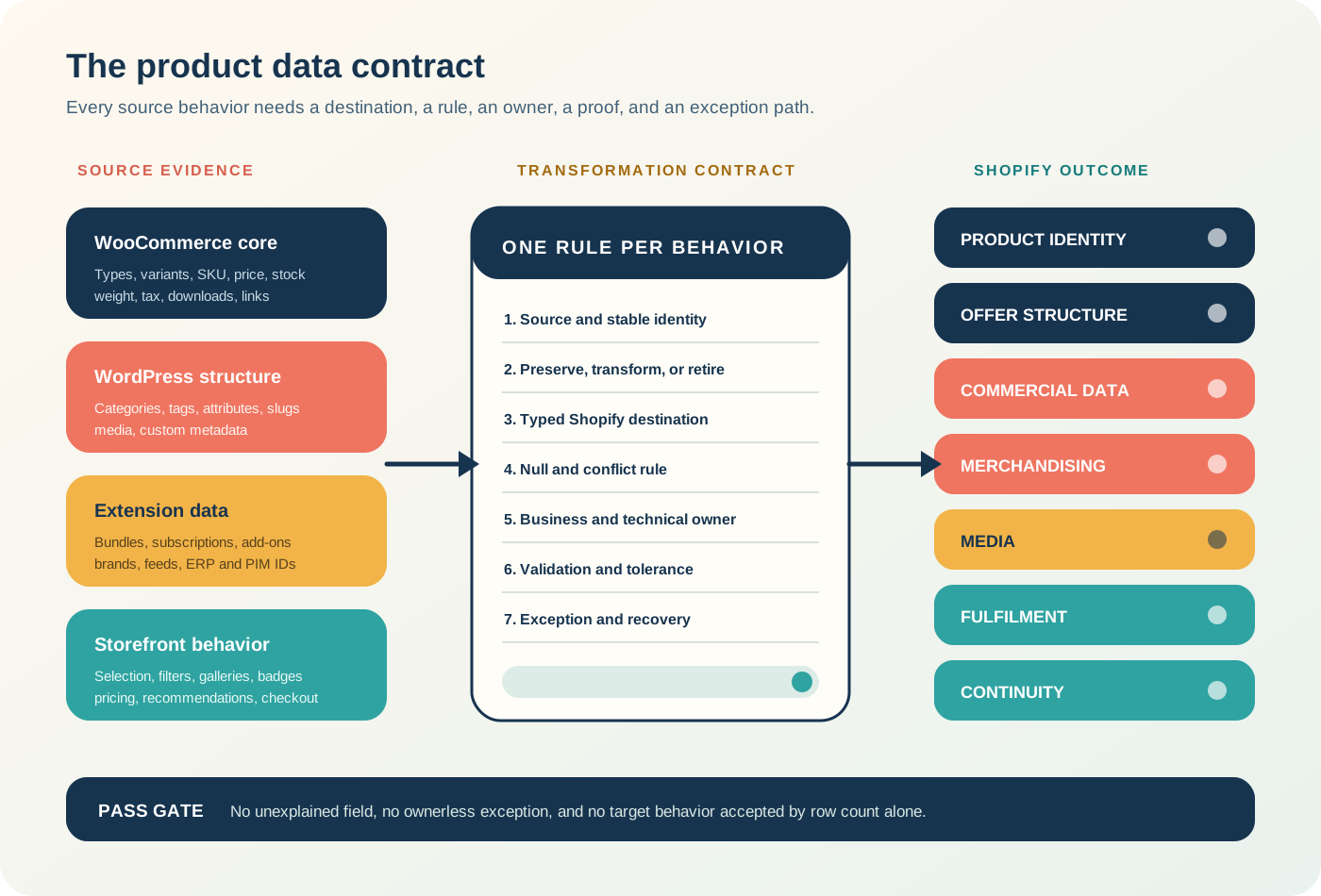
Use a contract with at least these columns: source object, source field, example value, source owner, Shopify destination, transformation rule, null rule, identity key, validation, exception owner, and rollback action.
The seven layers are:
- Product identity: Stable source ID, handle, title, vendor, product status, and canonical URL.
- Offer structure: Product type, option names, option values, variants, bundles, or separately purchasable components.
- Commercial data: Price, compare-at price, cost, tax behavior, unit price, subscription or purchase-mode rules.
- Merchandising data: Description, taxonomy, collections, tags, metafields, related products, and search/filter inputs.
- Media: Product gallery, variant media, alt text, file identity, order, and availability during import.
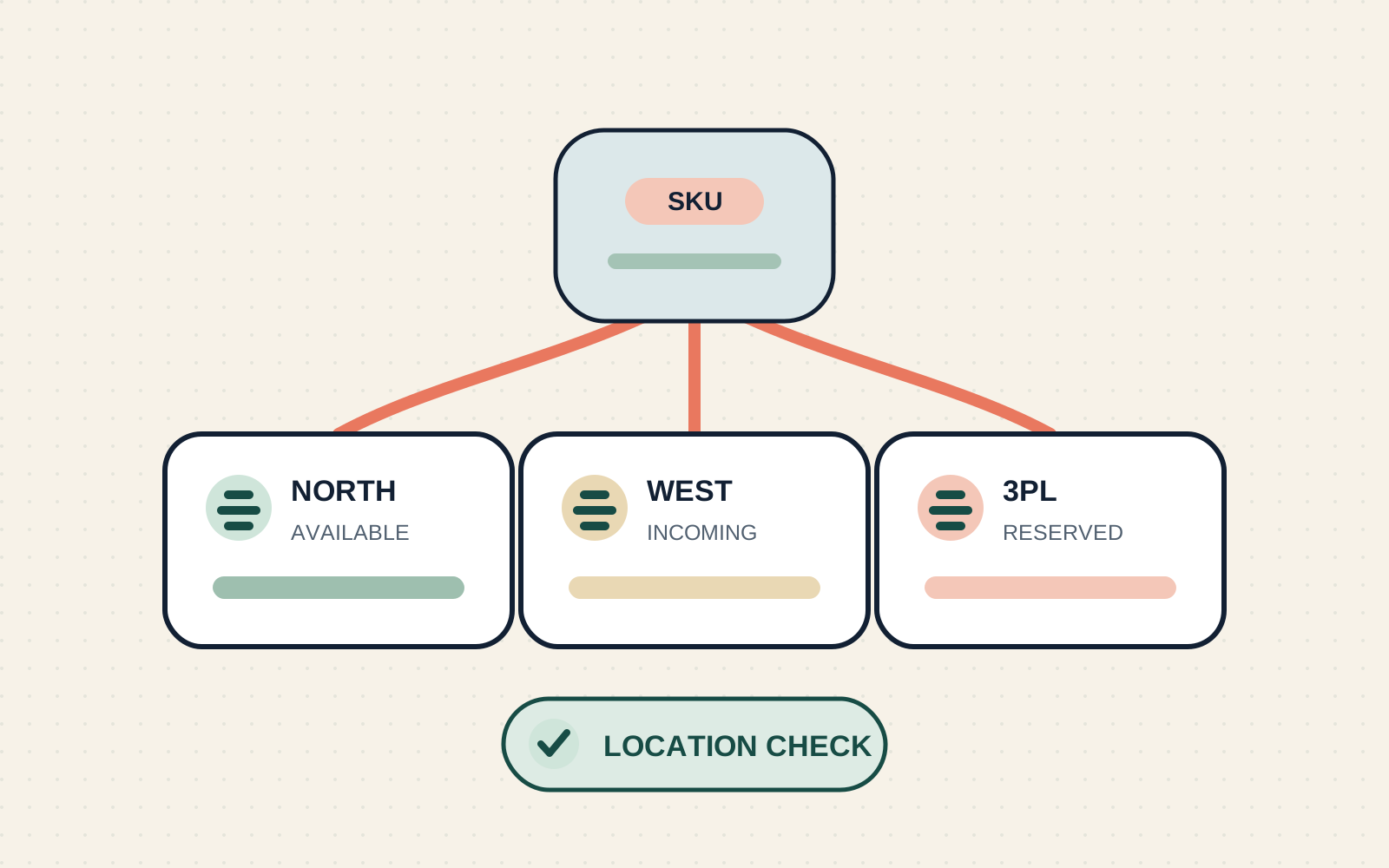
- Fulfilment data: SKU, barcode, weight, dimensions, inventory item, location, tracking policy, and fulfilment service.
- Continuity: Source URL, destination URL, redirect, feed identity, analytics key, and external-system identifiers.
Shopify's product CSV supports product metafields after definitions exist, but it does not support variant metafields in the same product import. Variant metafields need a separate supported workflow. Product-reference metafields can also fail when the referenced product does not exist yet, which makes import sequencing part of the contract.[4][5]
Rebuild variation logic without changing the offer
Reader question: Does the same shopper choice produce the same purchasable item?
WooCommerce variable products can assign price, SKU, stock, image, weight, and other settings to each variation. Attributes may be global or local, and a blank variation attribute can represent any allowed term.[1][6]
Do not validate this model by counting child rows. Build a variant key from normalized option identity, for example: source product ID + Color:navy + Size:large.
Then verify that it resolves to exactly one Shopify variant with the intended SKU, price, availability, media, weight, tax state, barcode, and external IDs. Flag these cases before import:
- duplicate option combinations;
- blank or any attributes;
- option labels that differ only by punctuation or case;
- variation-level plugin fields;
- parent prices used as a display range rather than a purchasable price;
- grouped, composite, or bundled products whose children carry separate inventory;
- more combinations than the Shopify product should reasonably expose.
Sometimes the correct result is not one equivalent product. A complex configurable WooCommerce product might become several Shopify products, a bundle, a custom product configurator, or a simpler offer. That is a merchandising and architecture decision, not an import error.
Give taxonomies, custom fields, and plugins explicit destinations
Reader question: Which organizing concept owns discovery after launch?
WooCommerce categories, tags, brands, and attributes can overlap. Shopify product categories, collections, tags, options, metafields, and metaobjects serve different purposes. Copying each source taxonomy into tags usually preserves words while losing authority.
Use this decision rule:
| Source behavior | Candidate Shopify destination | Proof |
|---|---|---|
| Standard product classification | Shopify product category and category metafields | Feed and taxonomy validation |
| Store navigation or campaign grouping | Collection source and conditions | Collection membership comparison |
| Purchasable choice | Product option and variant | Variant-key test |
| Descriptive filter or specification | Typed metafield, possibly connected to an option | Filter and template test |
| Reusable structured entity | Metaobject reference | Reference and rendering test |
| Internal workflow marker | Controlled tag or metafield | Owner and lifecycle rule |
Shopify collections can use conditions based on category, tags, price, inventory, and selected metafields. Current Shopify documentation is also introducing a newer collections model, so confirm which model is available in the target admin before treating a legacy smart-collection rule as permanent architecture.[7][8]
For every WooCommerce extension, identify the Shopify capability that replaces its behavior. A subscription relationship, add-on price, bundle inventory rule, booking duration, or feed label is not preserved merely because its raw value reached a metafield.
Choose CSV, API, or specialist tooling by control requirement
Reader question: Which migration path exposes enough control and evidence?
Use Shopify's native CSV when the catalog fits the supported fields, transformations are deterministic, and the team can stage product metafields and inventory separately. Shopify documents that multi-location inventory should use the inventory CSV, and product media URLs must remain publicly accessible while Shopify downloads them.[4][9]
Use an API-led or specialist workflow when you need one or more of these:
- durable source-to-target ID mapping;
- typed metafields or metaobjects created in dependency order;
- repeated delta imports;
- high-volume asynchronous operations;
- detailed per-record error capture and retry;
- product-reference resolution;
- plugin-owned behavior requiring custom transformation;
- controlled creation or update of options and variants.
Shopify's productSet mutation is designed to synchronize product information from an external source and can run synchronously or asynchronously. Its list-field behavior is significant: included list values are synchronized, and list entries omitted from the input can be deleted. That calls for explicit payload ownership and a dry-run comparison before repeated sync.[3]
Migration apps can reduce manual work, but evaluate them against the same contract. Ask what they read, transform, skip, retry, log, overwrite, retain, and support at exit. Tool convenience does not remove the need for a target model.
Import in passes that can be reconciled
Reader question: Can a failed pass be isolated without corrupting later work?
A dependable sequence is:
- Create definitions and controlled vocabularies.
- Import products and variants as unavailable or unpublished.
- Reconcile stable IDs, handles, option keys, SKUs, prices, and product status.
- Import or attach media and verify gallery and variant association.
- Apply product and variant metafields through their supported paths.
- Build collections and navigation from the approved taxonomy contract.
- Load location inventory from the final source snapshot.
- Import redirects and validate representative source URLs.
- Run storefront, checkout, feed, search, analytics, and external-system tests.
- Publish only the catalog cohort that has a passing parity receipt.
Keep the source platform authoritative while these passes run. If merchandising continues in both systems without a change protocol, the migration delta becomes a second migration project.
Issue a parity receipt before catalog approval
Reader question: What evidence allows the product cohort to move forward?
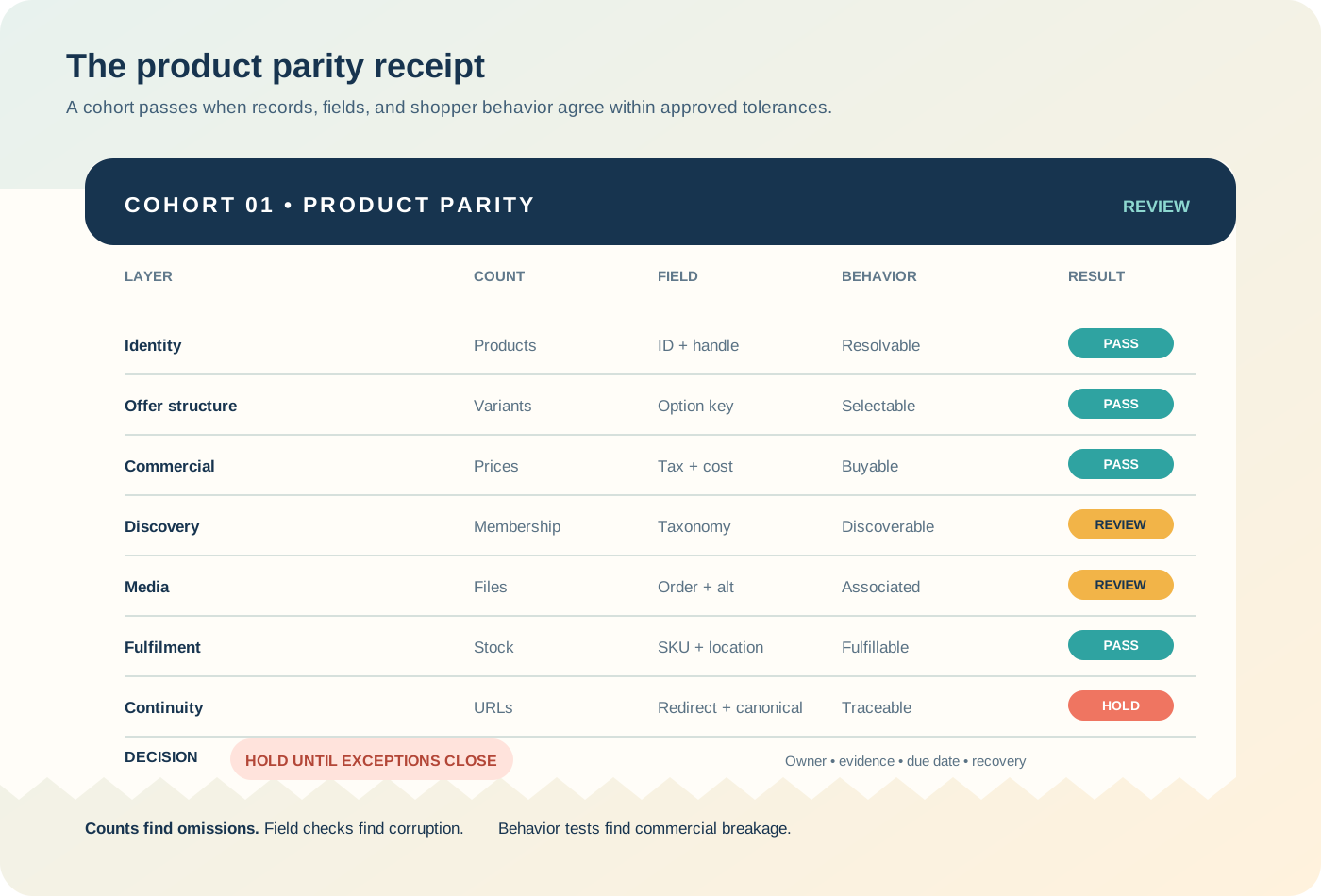
A parity receipt should combine counts, field checks, and behavior tests:
- source and target products by migration cohort;
- variants by normalized option key, not only total count;
- unique and duplicate SKUs, handles, and barcodes;
- prices, compare-at prices, cost, tax, weight, and availability within agreed tolerances;
- image counts, order, alt text, and variant association;
- collection membership and storefront filter outcomes;
- inventory by SKU and location from the final snapshot;
- source URL to destination URL response and canonical result;
- product feed inclusion and identifier continuity;
- representative add-to-cart and checkout outcomes.
Make every exception visible. A product can be accepted with an approved difference, but not with an unexplained one.
Run a 25-product pilot
Reader question: Which sample will reveal structural problems before scale hides them?
Choose 25 products for diversity, not convenience. Include simple and variable products, the largest option matrix, a product with any attributes, sale pricing, multiple tax classes, multiple locations, rich galleries, variant images, downloads, a source-only plugin field, bundles or subscriptions, long descriptions, duplicate-like handles, and every major category branch.
Run the full sequence, produce a parity receipt, then ask merchandising, operations, finance, SEO, and support to approve their fields and scenarios. Do not scale because the import finished. Scale when the team can explain every difference and repeat the migration without manual mystery edits.
Take one safe action this week
Reader question: What can the team do without touching the target store?
Export 25 representative WooCommerce products and inventory their product type, parent-child relationships, attributes, taxonomies, plugin metadata, media, inventory ownership, and URLs. Draft the destination and validation rule for each field in a separate contract. Do not import anything yet.
If the team cannot agree whether one source field becomes an option, metafield, collection rule, app-owned record, or retired behavior, that is the first migration decision to resolve.
Sources
- 1. WooCommerce documentation: Adding and managing products, accessed August 25, 2026
- 2. WooCommerce documentation: Product editor settings, accessed August 25, 2026
- 3. Shopify developer documentation: productSet mutation, accessed August 25, 2026
- 4. Shopify Help Center: Using CSV files to import and export products, accessed August 25, 2026
- 5. Shopify Help Center: Solutions to common product CSV import problems, accessed August 25, 2026
- 6. WooCommerce documentation: Product CSV Import Suite column header reference, accessed August 25, 2026
- 7. Shopify Help Center: Collections, accessed August 25, 2026
- 8. Shopify Help Center: Understanding conditions for collections, accessed August 25, 2026
- 9. Shopify Help Center: Exporting and importing inventory with a CSV file, accessed August 25, 2026
- 10. Shopify Help Center: Creating and managing URL redirects, accessed August 25, 2026