
A Shopify product can show one price to a shopper, another in Product structured data, and a third in Merchant Center. When availability also drifts by variant or market, a valid schema test can still conceal a commercially important mismatch.
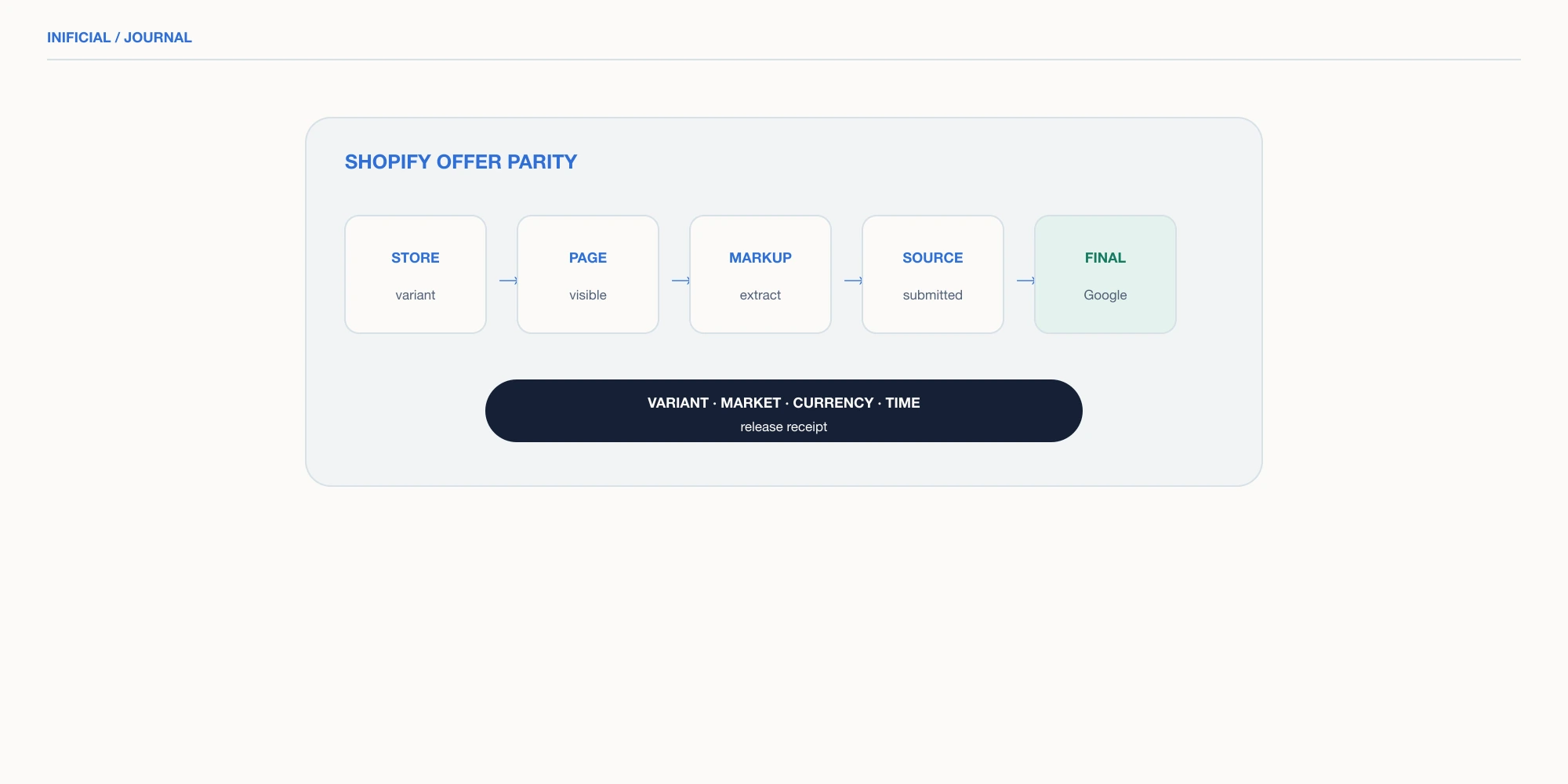
Treat this as an offer-parity problem, not a schema-installation task. Build one variant-level receipt that compares the exact sellable offer across Shopify, the rendered page, JSON-LD, the submitted feed, and Merchant Center final attributes.
Define one offer contract before inspecting tools
An offer is not merely a product handle. Its identity includes product and variant IDs, SKU or GTIN, destination URL, market, currency, price state, availability state, and observation time. Without those dimensions, two accurate screenshots can appear to disagree because they describe different offers.
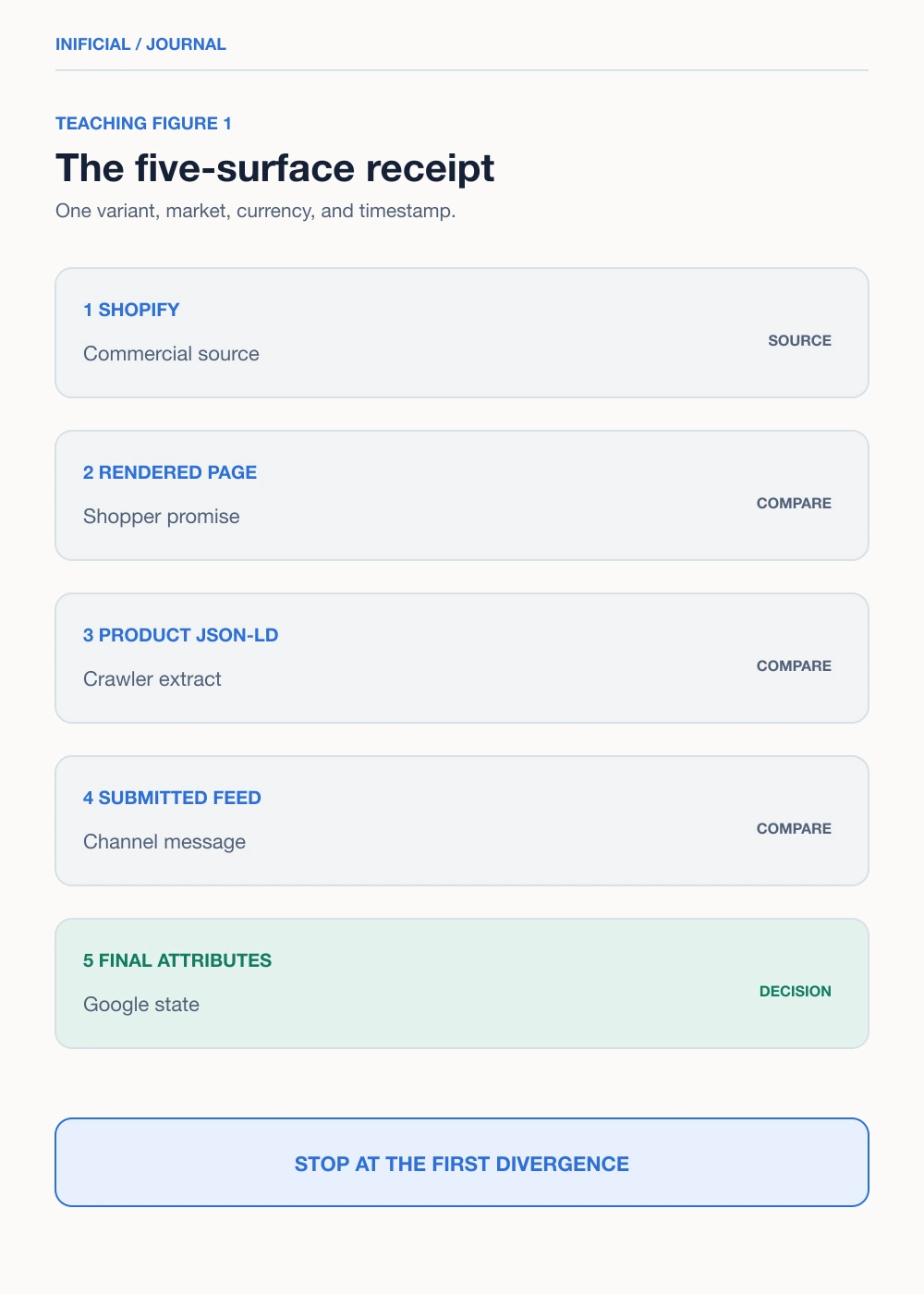
| Surface | Evidence to capture | Authority question |
|---|---|---|
| Shopify | Variant ID, market price, inventory policy, publication state | What can this shopper actually buy? |
| Rendered page | Selected variant, visible price, currency, buy state | What does the landing page promise at load? |
| Product JSON-LD | Product or ProductGroup identity and Offer values | What can a crawler extract? |
| Submitted source | ID, link, price, sale price, availability | What did the channel send? |
| Merchant Center | Final attributes, issue, last update | What does Google currently use? |
Record all five surfaces in one row. Do not substitute Search Console rich-result eligibility for Merchant Center approval, or Merchant Center approval for shopper-visible correctness. Each surface answers a different control question.
Make variant identity the reconciliation key
Google recommends ProductGroup with variesBy, hasVariant, and productGroupID when variants share a page. That model helps only when each Product and Offer resolves to the corresponding variant. The Offer URL should select or clearly represent the submitted size, color, or material.
For a representative cohort, choose the default variant, the lowest-priced variant, an out-of-stock variant, an active sale, and one market-specific price. Capture the stable feed ID and Shopify variant ID together. A changed or transformed ID can make a supplemental update miss its target even when the price itself is correct.
A green Rich Results Test is a syntax and eligibility signal. It does not prove that the selected variant, market price, feed value, final attribute, and checkout promise agree.
Capture evidence in crawler order
Start with the shopper experience. Load the exact feed URL in a clean session, confirm the selected variant, and record the visible price, currency, availability language, and active buy control. Then inspect the initial HTML and rendered JSON-LD. Google advises placing price and availability in the initial response where possible because fast-changing JavaScript output can be less reliable to crawl.
- Open the exact landing-page URL for the target market and variant.
- Record the visible offer and whether ordering is genuinely possible.
- Extract Product, ProductGroup, and Offer nodes from initial and rendered HTML.
- Compare the submitted product source using the same stable item ID.
- Open Merchant Center final attributes and the associated diagnostic.
- Timestamp the evidence and name the owner of the first divergence.
A preorder or backorder needs more than an enabled button. Google requires the corresponding availability value and an availability date that is also visible on the landing page. An out-of-stock offer should not present an active purchase path that contradicts the submitted state.
Diagnose the first divergence, not the loudest alert
| First divergence | Likely mechanism | Owner action |
|---|---|---|
| Shopify vs page | Theme, app, cache, or market context | Repair storefront offer rendering |
| Page vs JSON-LD | Stale snippet or wrong variant node | Generate markup from the same offer state |
| JSON-LD vs feed | Different transformation or schedule | Align mappings and update timing |
| Feed vs final attributes | Processing, rules, or supplemental ID mismatch | Inspect source precedence and item history |
| All values match | Crawler interpretation or delayed recrawl | Preserve evidence and use the documented review path |
The first divergence identifies the system that introduced inconsistency. Fixing a downstream value may hide the alert while leaving the storefront or feed pipeline wrong. Avoid bulk rewrites until one failing item and one clean control item reproduce the mechanism.
Markets deserve separate fixtures. IP redirects, currency switching, tax presentation, sale timing, and variant defaults can change the observed offer. Google Merchant Center landing-page guidance expects the submitted currency, price, and availability to remain consistent for the targeted context.
Release with a parity receipt and rollback rule
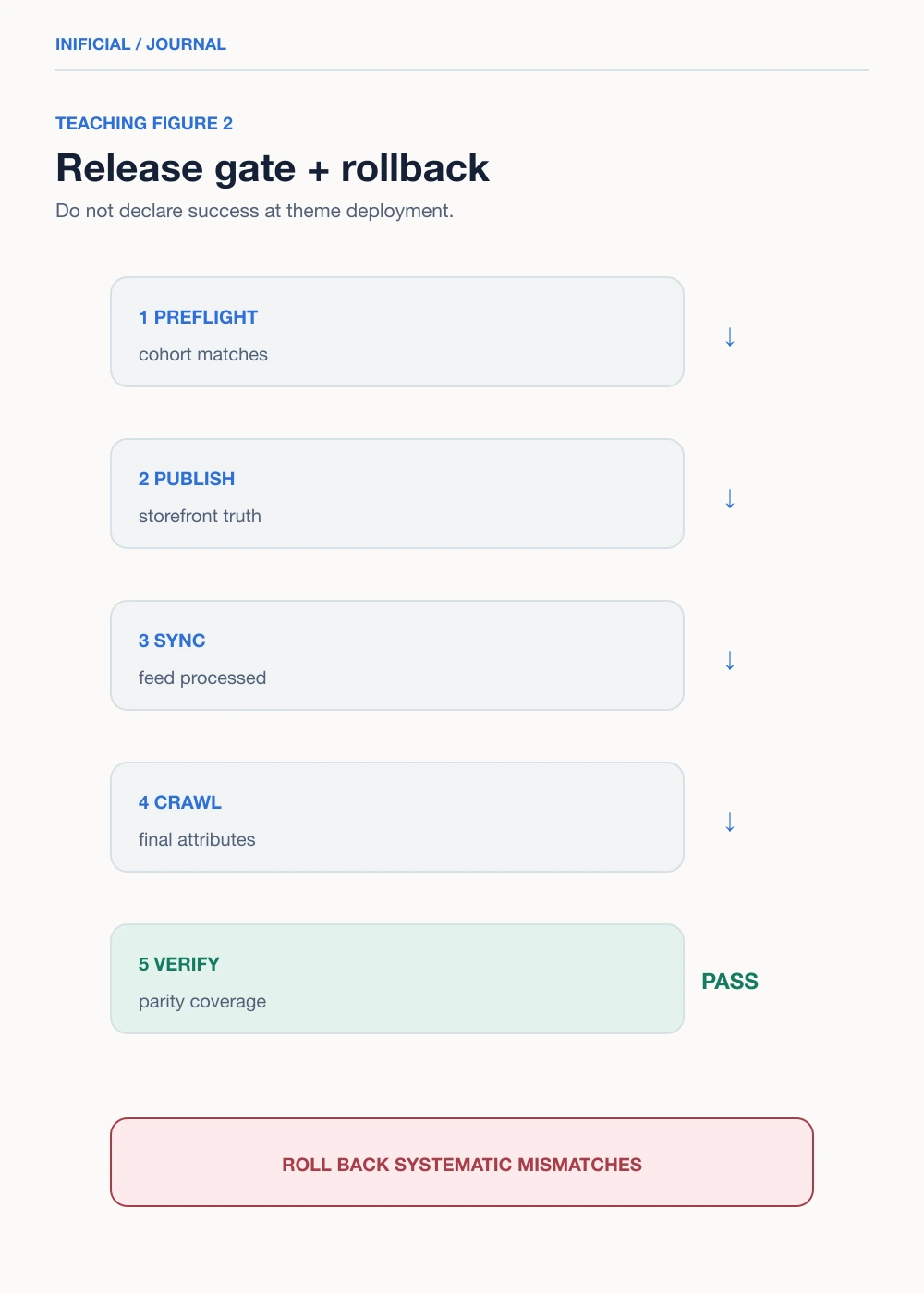
Treat theme, pricing, inventory, feed-app, and Merchant Center rule changes as offer-data releases. Before deployment, run the representative cohort through the matrix. After deployment, repeat it after Shopify synchronization and again after Merchant Center processing or recrawl.
- ✓Stable item and variant IDs remain unchanged unless migration is intentional.
- ✓Visible price, currency, sale state, and buy control agree with the selected variant.
- ✓JSON-LD Offer values come from the same server-side commercial state.
- ✓Submitted price and availability match the landing-page promise.
- ✓Merchant Center final attributes agree after processing.
- ✓Rollback owner and previous feed or theme version are recorded.
Roll back when a release creates systematic mismatches, hides the selected price, maps several variants to one Offer, or changes IDs unintentionally. If storefront truth is correct but Google is still processing, do not churn the implementation. Preserve the receipt, monitor the documented diagnostic, and escalate only with reproducible evidence.
Measure reliability without claiming SEO uplift
Track offer parity coverage: matching rows divided by tested rows. Add mismatch exposure by affected active items, mismatch age, time to first detection, and time to verified recovery. Segment by market, template, feed source, price change type, and availability state.
These are reliability metrics, not causal SEO metrics. Clean data can preserve eligibility and reduce avoidable disapprovals, but it cannot prove higher rankings, traffic, or revenue. Evaluate Search Console appearance and Merchant Center visibility separately, using stable comparison windows and annotated releases.
A safe next action is a five-item audit: default, sale, out-of-stock, preorder or backorder, and market-specific variant. If every row matches, expand by risk. If one fails, stop and repair the first divergence before sampling more items.
Frequently asked questions
Does valid Product structured data guarantee Merchant Center approval?
Should Shopify variants use ProductGroup structured data?
Can automatic item updates replace a reliable product feed?
What if price and availability match but Google still reports a mismatch?
How often should an offer-parity audit run?
Which team should own offer parity?
Sources
- Product variant structured data, Google Search Central
- Merchant listing structured data, Google Search Central
- Set up structured data for Merchant Center, Google Merchant Center Help
- Landing page requirements, Google Merchant Center Help
- Tips to help products stay approved, Google Merchant Center Help
- Fix inaccurate price status, Google Merchant Center Help
- Availability attribute, Google Merchant Center Help
- Set up the Google & YouTube channel, Shopify Help Center