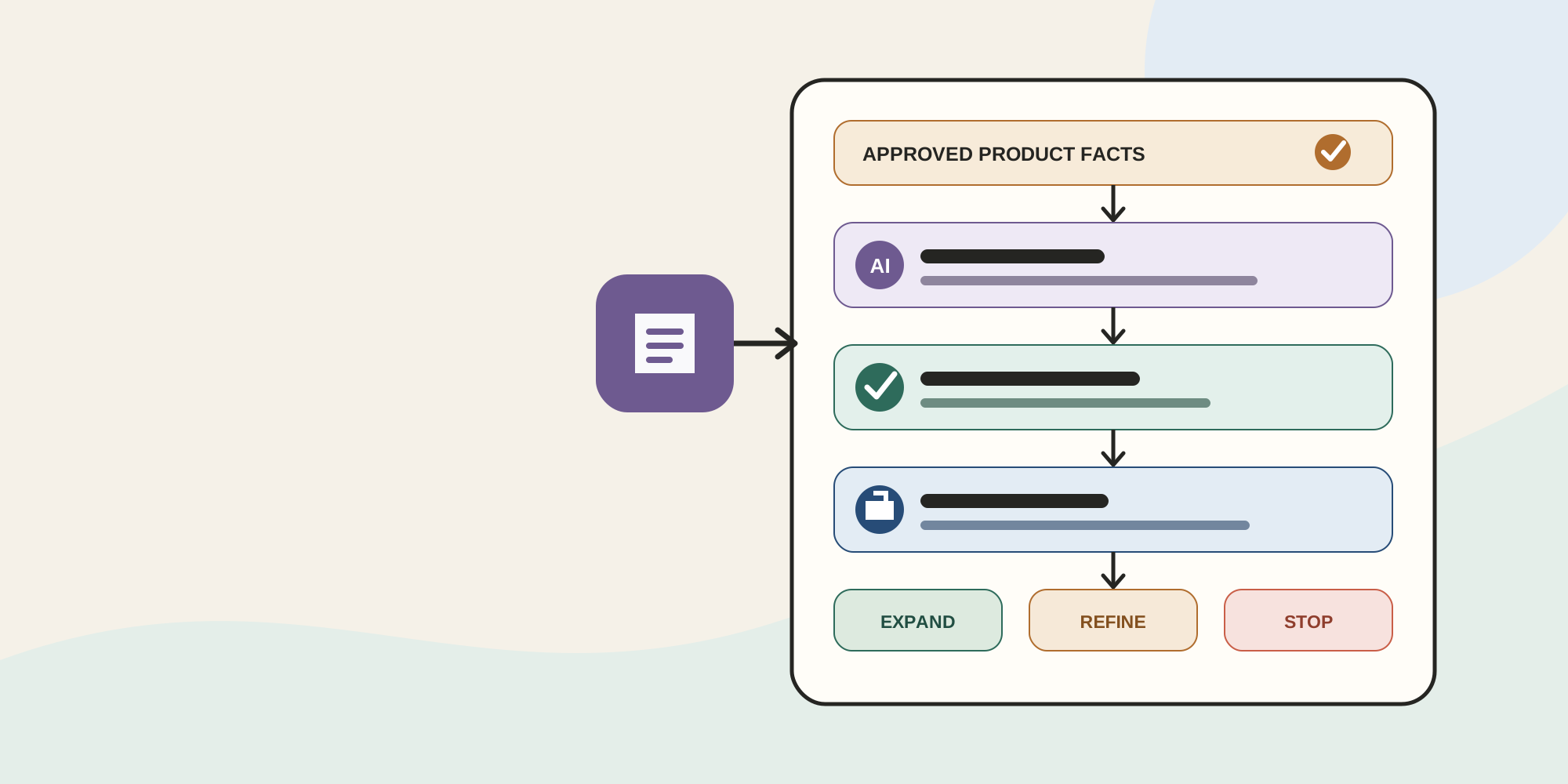

AI can remove the blank page from product-description work. It can also turn a weak input into polished copy that contains an unsupported benefit, misses a variant constraint, or no longer matches your product feed.
The founder decision is not whether AI is good or bad. It is whether your product data and review process are ready for AI-assisted copy at catalog scale.
Start with 12 representative SKUs, not the whole catalog. The number is an illustrative pilot size, not a benchmark. It is large enough to expose different product and data problems while remaining small enough to review manually.
Decide whether the workflow fits
Shopify Magic can generate a description from a title, keywords, features, and tone. Shopify says the feature is free across subscription plans, although access to specific features can vary.
That makes it a low-friction drafting option, not an automatic publishing system. Shopify warns that generated text can introduce benefits or facts that were not supplied and says the merchant remains responsible for accuracy.
The workflow fits when you have many thin or missing descriptions, a trustworthy source for product facts, and a named reviewer. It is a poor fit when the source information is incomplete, claims need specialist approval, or nobody owns ongoing changes.
Build the 12-SKU pilot through five gates
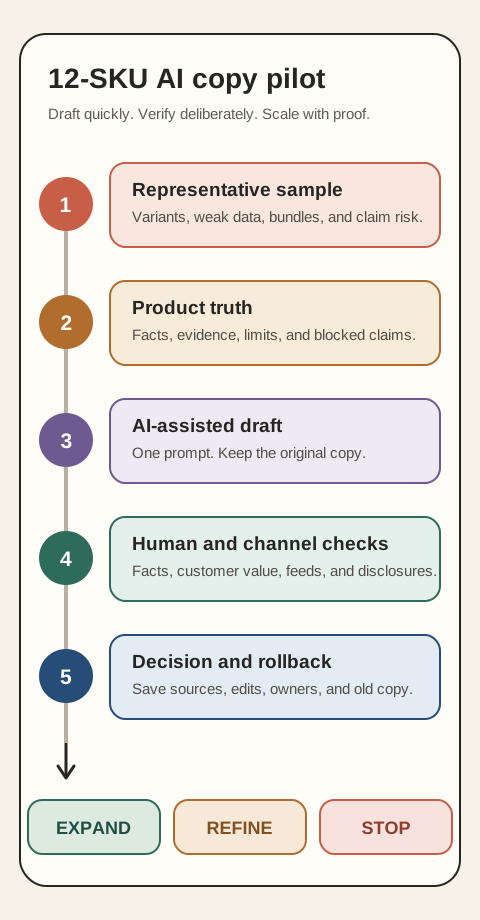
1. Choose a representative sample
Select 12 products that expose different risks: a bestseller, a low-data SKU, a product with variants, a bundle, a technical item, and anything carrying a material, safety, performance, origin, environmental, or health-related claim.
Do not choose only easy products. A clean sample can make a weak workflow look ready.
2. Create a product-truth sheet
For each SKU, record approved facts such as materials, dimensions, compatibility, care, included items, exclusions, evidence-backed benefits, prohibited phrases, target customer, and tone.
This is the workflow's main data requirement. If a field is unknown, mark it unknown. Do not ask the model to fill the gap.
3. Generate and review the draft
Use one prompt structure across the sample. Keep the generated version beside the original rather than replacing it.
- Product review: Are specifications, variants, claims, and limitations accurate?
- Customer review: Does the copy answer a buying question clearly without generic filler?
For US marketing, the Federal Trade Commission says express and implied advertising claims must be truthful, non-deceptive, and supported before they run. A disclaimer cannot repair a misleading headline or benefit claim.
4. Check every destination
A Shopify product description may feed storefront pages, search, advertising, marketplaces, apps, and internal tools. Confirm which systems receive the field and whether they transform it.
Google Merchant Center requires AI-generated titles and descriptions to use structured attributes with a digital source type that identifies trained algorithmic media. Google also expects listings and landing pages to remain relevant, accurate, and differentiated by product.
That creates an integration check: changing the storefront field is not the same as correctly updating every connected channel.
5. Record the decision and rollback
Keep the original copy, approved source sheet, prompt version, reviewer, date, and final edit. If the AI tool or process changes, you need enough history to reproduce or reverse the work.
| Outcome | Decision | What must happen next |
|---|---|---|
| Drafts are accurate and reviews catch exceptions | Expand carefully | Add another product family with the same controls |
| Drafts are useful but editing is heavy | Refine | Improve source data and prompt rules before retrying |
| Unsupported claims or channel mismatches escape review | Stop | Fix the workflow before producing more copy |
Measure quality, not just writing speed
Track how many drafts pass product review without a factual correction, which fields cause repeat errors, how much human editing remains, and whether connected channels receive the correct version.
Do not call the pilot successful because the copy sounds fluent. The strongest signal is that your process finds and resolves mistakes before publication.
Ongoing maintenance matters too. When a material, size, bundle component, policy, or claim changes, update the product-truth sheet and the customer-facing copy together. Otherwise, the approved draft becomes stale product data.
Run the test without touching the live catalog
This week, export or copy the current descriptions for 12 representative SKUs. Prepare the product-truth sheet, generate drafts in a separate document, and review them without saving changes to Shopify.
At the end, choose expand, refine, or stop. Your output is a tested content workflow and a rollback record, not 12 automatically published descriptions.
Inficial can help design the source fields, approval rules, channel handling, and quality checks for a governed catalog-content pilot.
Sources
- Automatically generating product descriptions, Shopify Help Center, accessed August 19, 2026
- Shopify Magic, Shopify Help Center, accessed August 19, 2026
- Advertising FAQs: A Guide for Small Business, Federal Trade Commission, accessed August 19, 2026
- AI-generated content, Google Merchant Center Help, accessed August 19, 2026
- Editorial and technical requirements, Google Merchant Center Help, accessed August 19, 2026