
A campaign bundle can raise average order value while making fewer landing-page visitors buy. Celebrate the larger basket without the lost orders and a weaker campaign can look like a win.
The safer test is narrow: send one campaign audience to a dedicated Shopify product landing page, keep the single unit, add two credible multipacks, and decide the result with contribution profit per eligible landing-page session. Use gross profit per session when variable fulfilment costs are not reliably available.
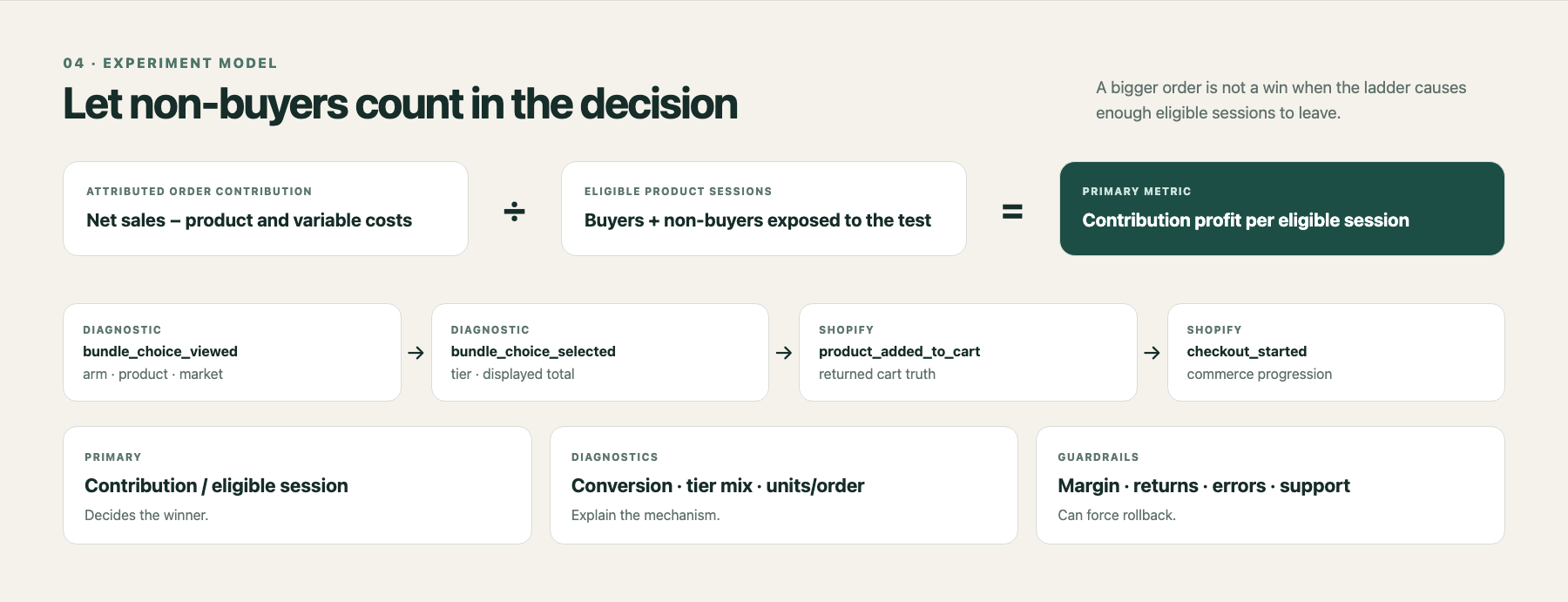
The metric must include people who did not buy
Average order value excludes non-buyers. Conversion rate ignores order quality. The bundle decision needs both.
Contribution profit per eligible session = total contribution from attributed orders ÷ eligible landing-page sessions
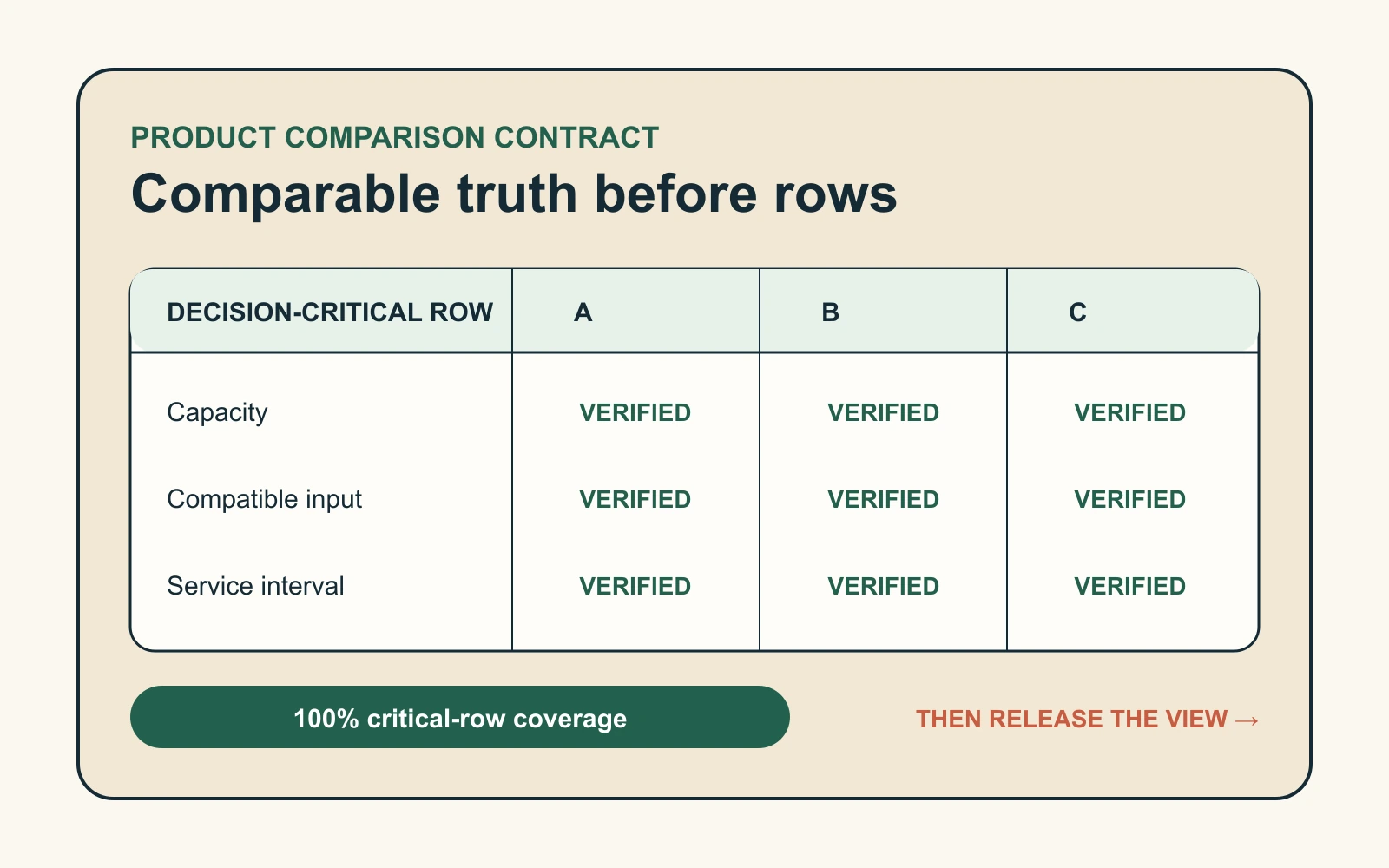
Contribution is net product sales minus product cost, payment fees, pick and pack, and incremental shipping subsidy. Discounts are already reflected in net sales, so do not subtract them twice. If those costs cannot be joined reliably, use Shopify gross profit temporarily and document the gap.
Shopify profit reports calculate gross profit as net sales minus recorded product cost. Discounts and refunds affect reported margin, and variants without cost per item can create gaps. Complete the cost data before the test or the primary metric is not trustworthy.
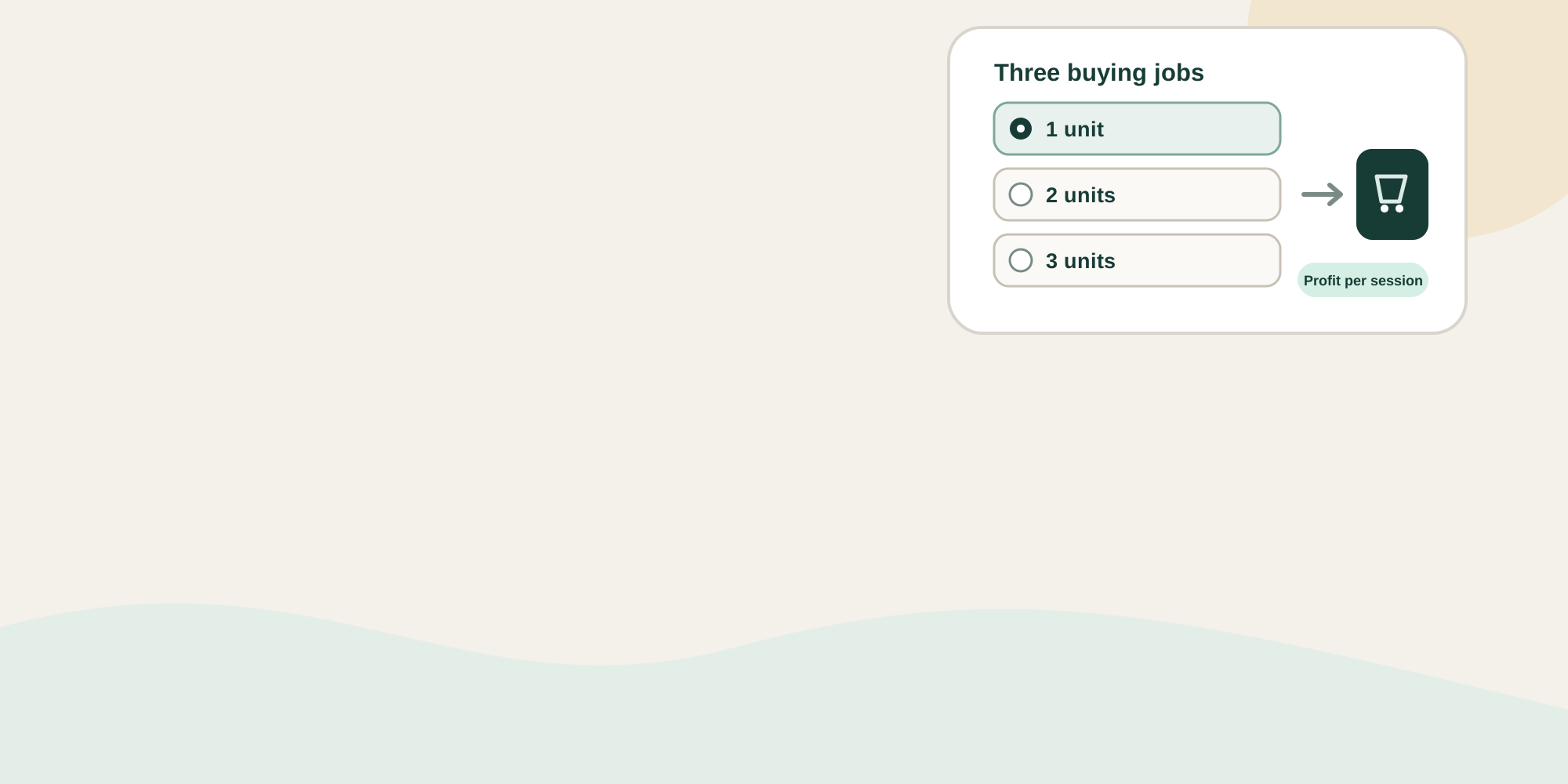
Build three options around three buying jobs
| Choice | Customer job | Required display |
|---|---|---|
| One unit | Lowest-commitment use | Total price, quantity, and normal fulfilment promise |
| Two units | A specific paired use | Total price, unit price, saving, and what the pair enables |
| Three units | A credible multi-unit use | Total price, unit price, saving, and any storage, compatibility, or shelf-life limit |
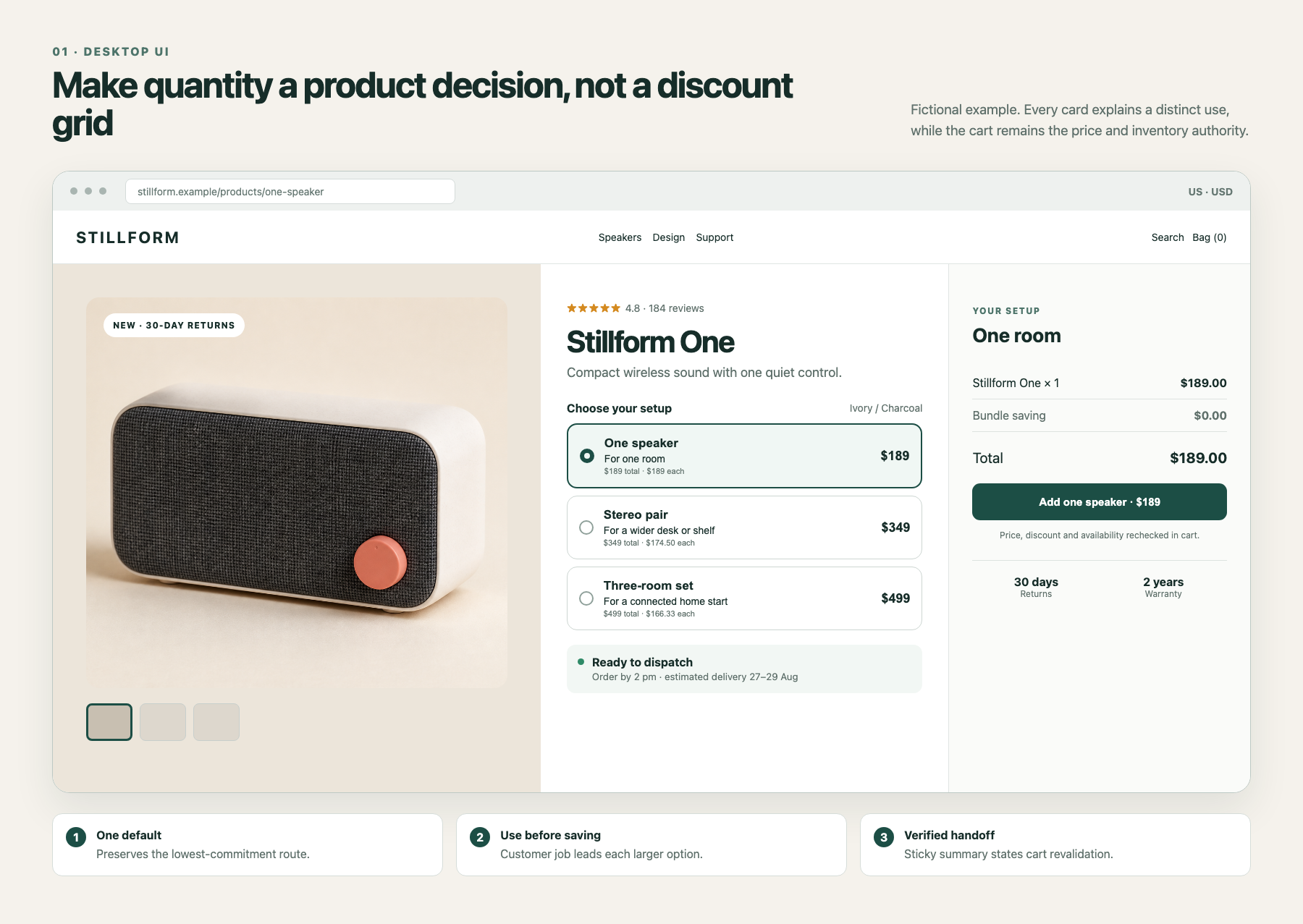
Keep one unit selected. Label a larger pack “best value” only when it has the lowest verified unit price and remains sensible after shipping, expiry, and return economics.
Larger packs increase commitment before the customer has experienced the product. This mechanism suits proven replenishment products or items with an obvious multi-unit use, but it is a weak fit for variable sizing, uncertain first purchases, short shelf life, or high return risk.
Use one decision workspace on desktop and mobile
On desktop, keep product media and proof on the left, three full-row radio cards in the center, and a sticky order summary on the right. Each card should show the use case before the saving, followed by total price and unit price. Put the add-to-cart action after the selected quantity, total, and fulfilment promise.
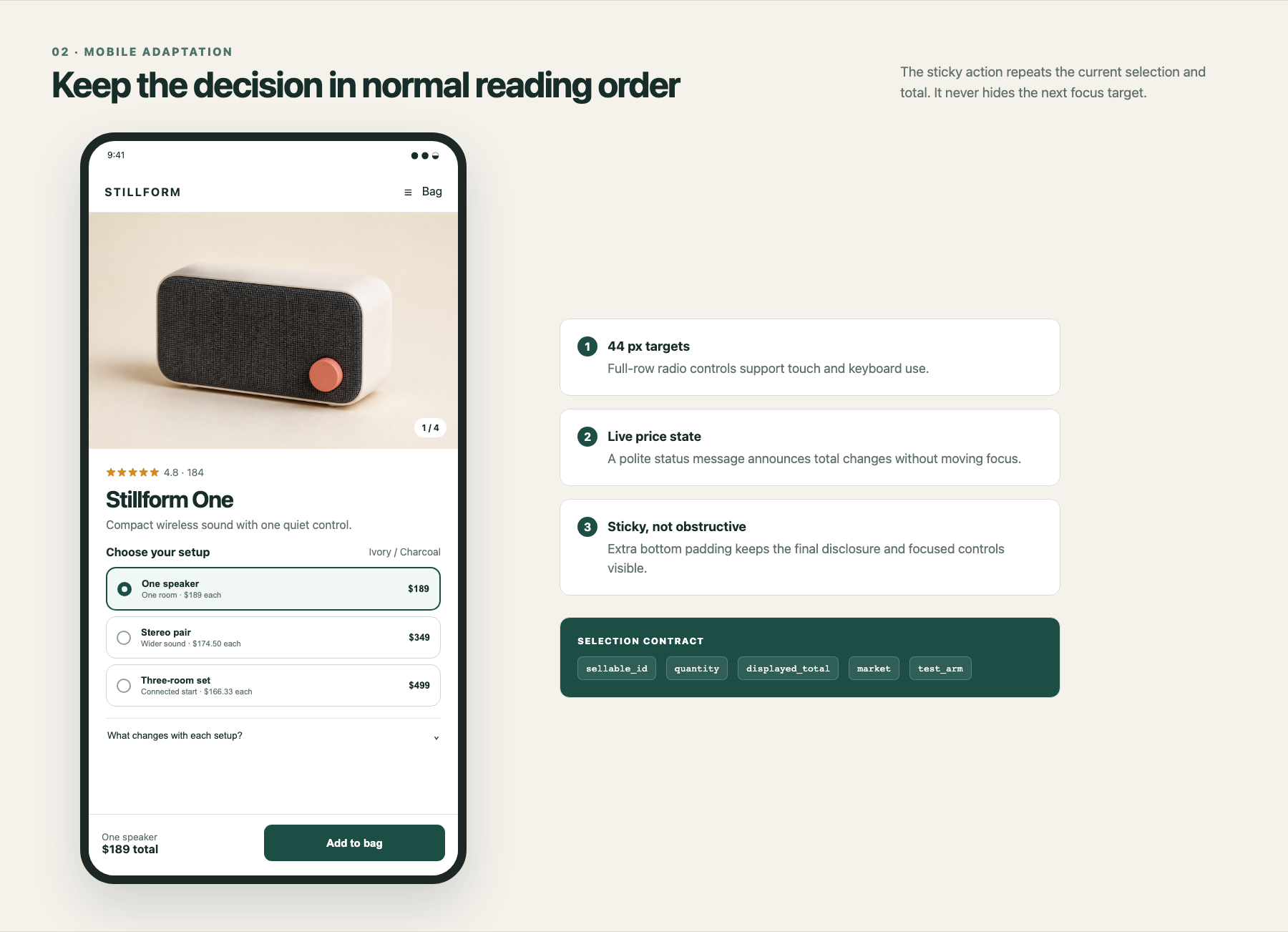
On mobile, keep the same semantic order: product context, quantity heading, full-row choices, supporting disclosure, then the action. A bottom action may repeat the current setup and total, but it needs enough page padding that it never covers the final control or keyboard focus.
Keep one offer contract from page to order
Create an offer record for each choice. Hold the sellable variant or bundle ID, component quantities, total and unit price, discount eligibility, cost basis, inventory rule, and market.
Shopify Bundles can create fixed bundles and multipacks. The limiting component inventory determines how many complete bundles can be sold. This does not validate your economics or presentation.
At add to cart, send the selected sellable ID and quantity. Replace any optimistic price with the cart response. Log bundle choice viewed, selected, add attempted, add failed, and the final selected tier on the order. Never infer the purchased tier from the last click alone.
Design four states: available, limited, unavailable, and cart mismatch. Disable an unavailable option with a reason and a valid alternative. If the cart rejects the displayed total or quantity, do not change the bag silently. Explain that nothing was added, offer a retry, and preserve the one-unit route.
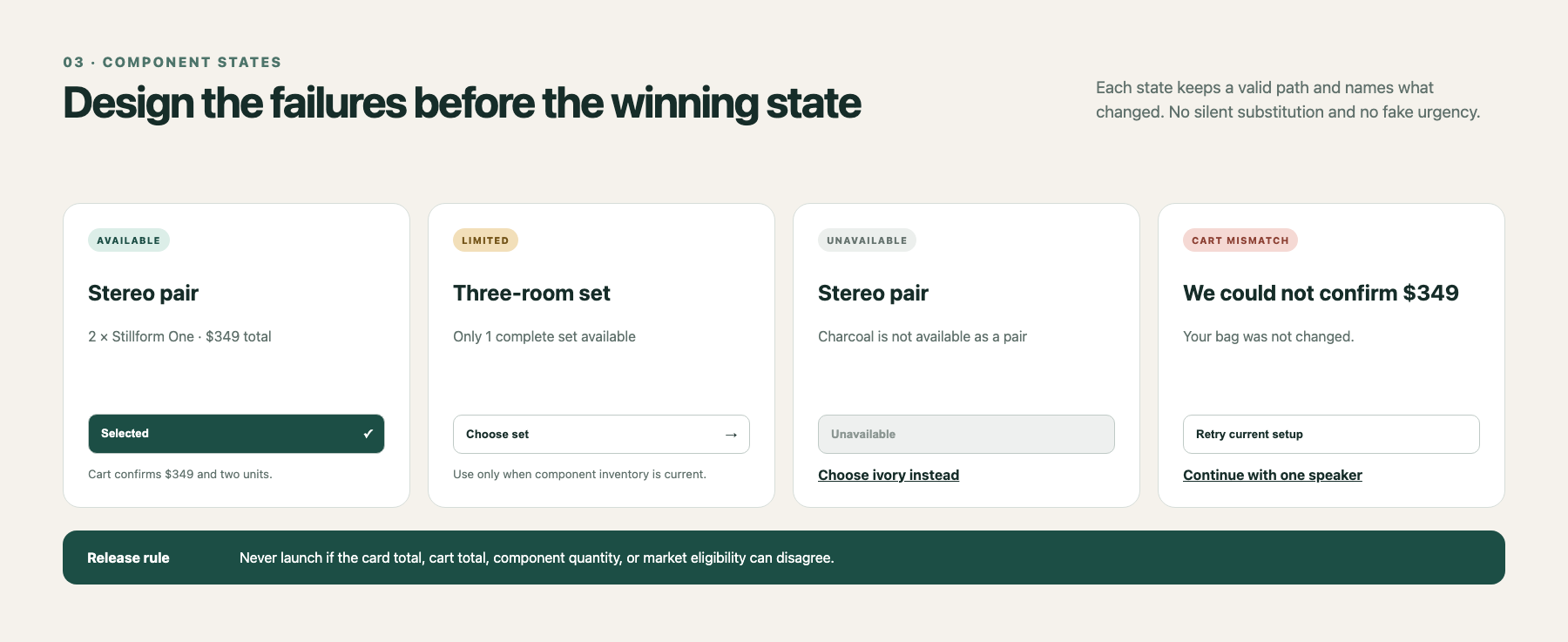
Use native radio inputs or equivalent controls with programmatic name, role, and state. Do not rely on border colour to show selection. Announce a changed total with a polite status message without moving focus. Keep full-row targets at least 44 by 44 CSS pixels and verify that the sticky action cannot obscure a focused control.
Owners should be explicit: merchandising owns the three jobs and copy; finance owns cost inputs; engineering owns cart and inventory truth; analytics owns assignment, attribution, and the decision rule; operations owns fulfilment and return guardrails.
Run one controlled campaign test
Choose one campaign and product family with stable demand, reliable inventory, recorded variant costs, and enough eligible landing-page sessions to support a decision.
The expected trade-off is explicit: the variant may shift orders toward larger packs while slightly lowering purchase conversion. It wins only when session profit improves without breaching a guardrail.
- Control: keep the current one-unit purchase state.
- Variant: show one-unit, two-unit, and three-unit cards, with one unit selected.
- Hold constant: audience, media, product claims, shipping policy, subscription treatment, and other promotions.
- Primary metric: use contribution profit per eligible session, or gross profit per eligible session if needed.
- Diagnostics: watch purchase conversion rate, tier mix, units per order, and average order value.
- Guardrails: set limits for gross margin percentage, new-customer conversion, refunds, returns, support contacts, add-to-cart errors, unavailable selections, and landing-page performance.
Before launch, agree on the exposure window, minimum detectable commercial change, and guardrail thresholds. Do not stop when AOV first moves. Use customer type and device only as planned diagnostics.
Failure paths and rollback
- Cart price differs from the card: block launch, then fix the offer contract or discount interaction.
- A pack becomes unavailable: disable that option with a plain explanation and keep the single-unit path.
- Discounts stack unexpectedly: exclude or define combinations before retesting.
- Conversion falls beyond the guardrail: return all traffic to control, even if AOV rises.
- Returns or support rise later: keep the test decision provisional through the normal return window.
Do not run this test when costs are missing, inventory is unstable, the product is mainly a first purchase, or the team cannot separate test exposure from other promotions.
Inficial can help turn a merchandising hypothesis into a measured Shopify campaign experiment by mapping the offer contract, interface states, and decision model.
Sources
- Shopify Bundles, Shopify Help Center, accessed August 22, 2026
- Eligibility and considerations for product bundles, Shopify Help Center, accessed August 22, 2026
- Profit reports, Shopify Help Center, accessed August 22, 2026
- Analytics data points reference, Shopify Help Center, accessed August 22, 2026
- Status Messages, W3C Web Accessibility Initiative, accessed August 22, 2026
- Focus Not Obscured, W3C Web Accessibility Initiative, accessed August 22, 2026