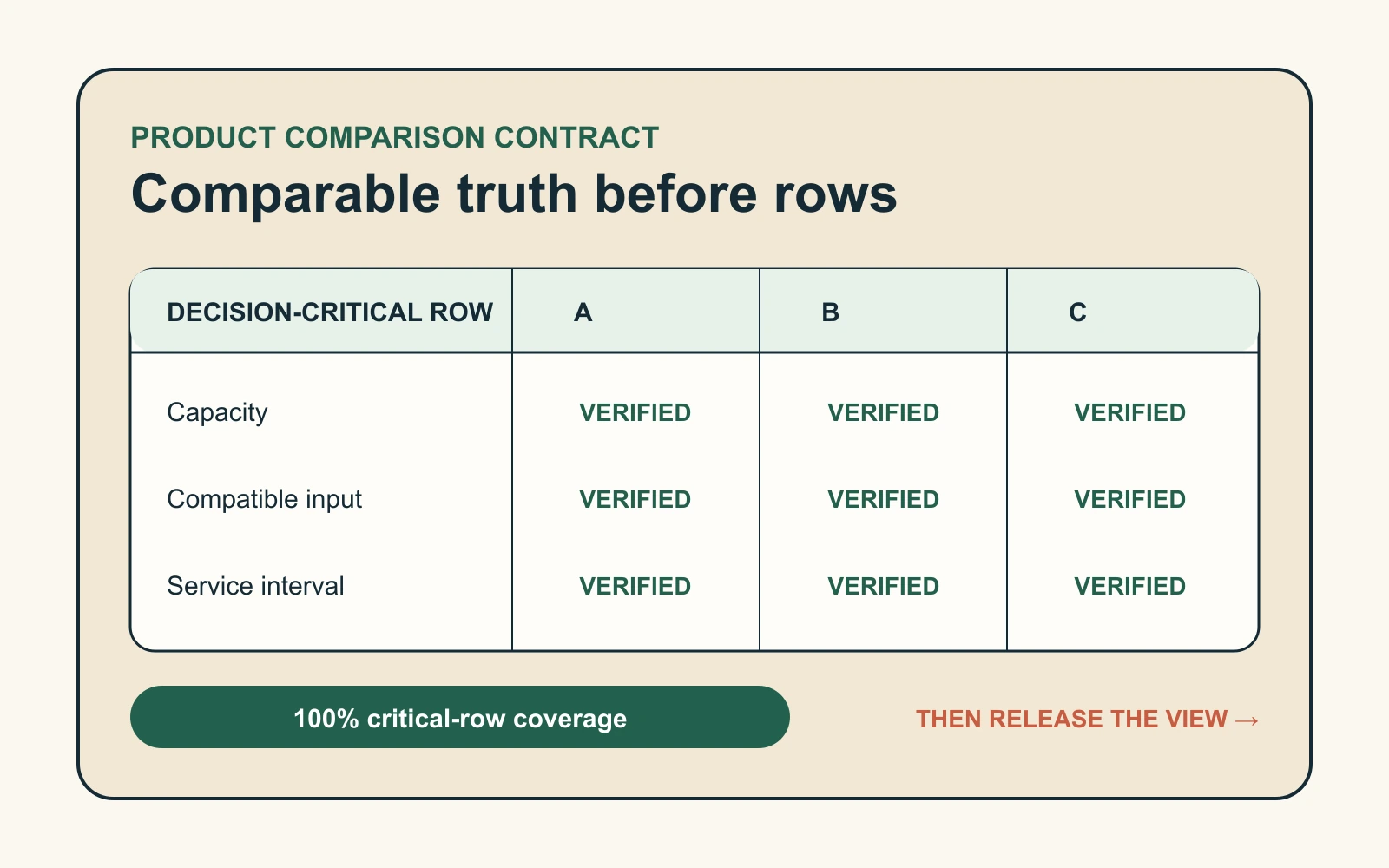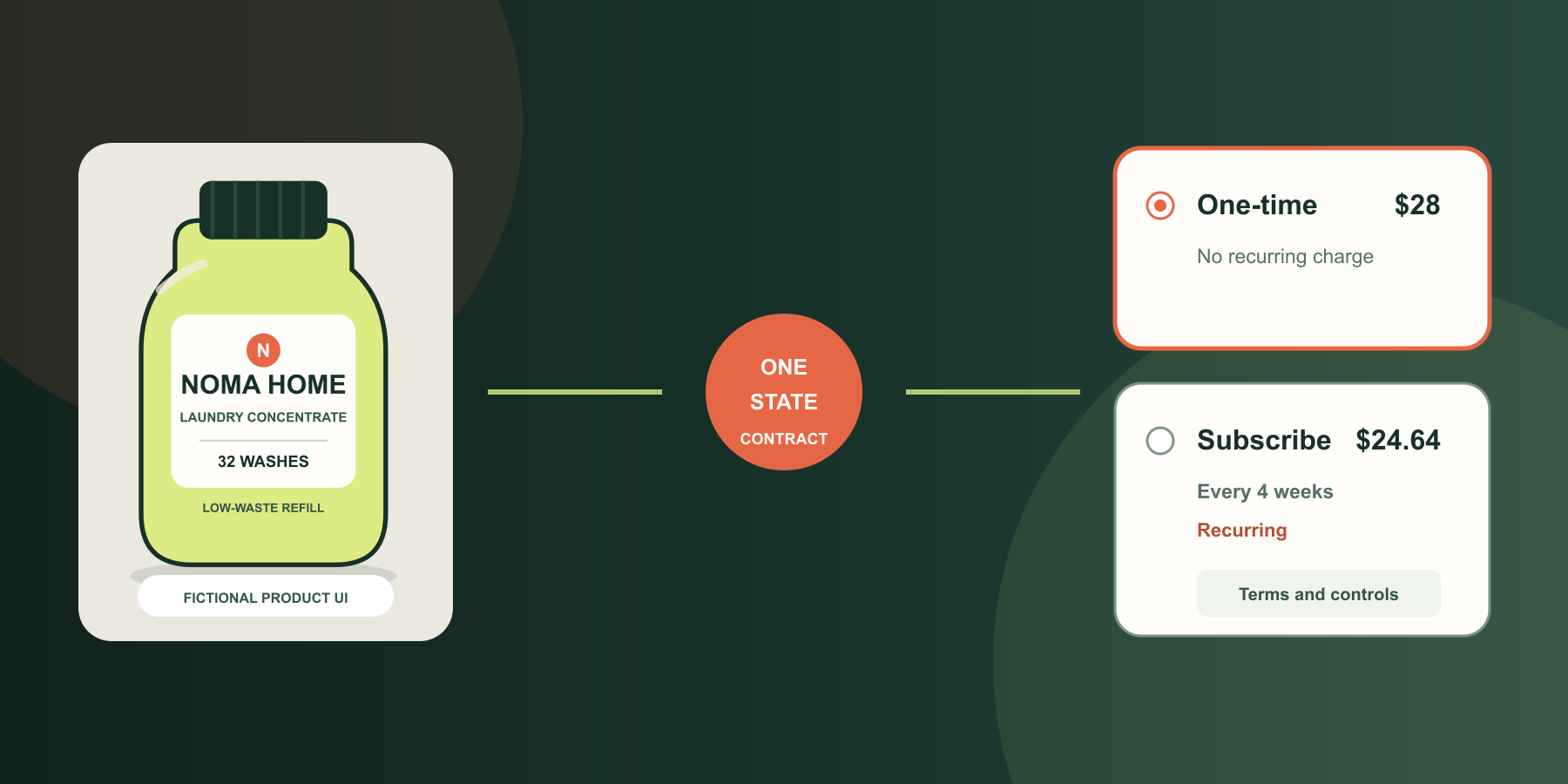

Preselecting Subscribe and Save can increase the number of sessions that reach the cart with a selling plan. It does not prove that customers understood the recurring commitment or that the choice improved commercial value.
Shopify's current subscription UX guidance takes the safer position: when one-time purchase is available, select it on first load. Then let the customer make an inspectable choice.
The advanced CRO opportunity is not a brighter subscription badge. It is a purchase-mode receipt that keeps the selected mode, price, cadence, future charge, and action aligned from product page to cart.
Default to the lowest commitment, then make the upgrade clear
Shopify models subscriptions with selling plans. One product variant can support one-time purchase, one or more subscription plans, or subscription only.
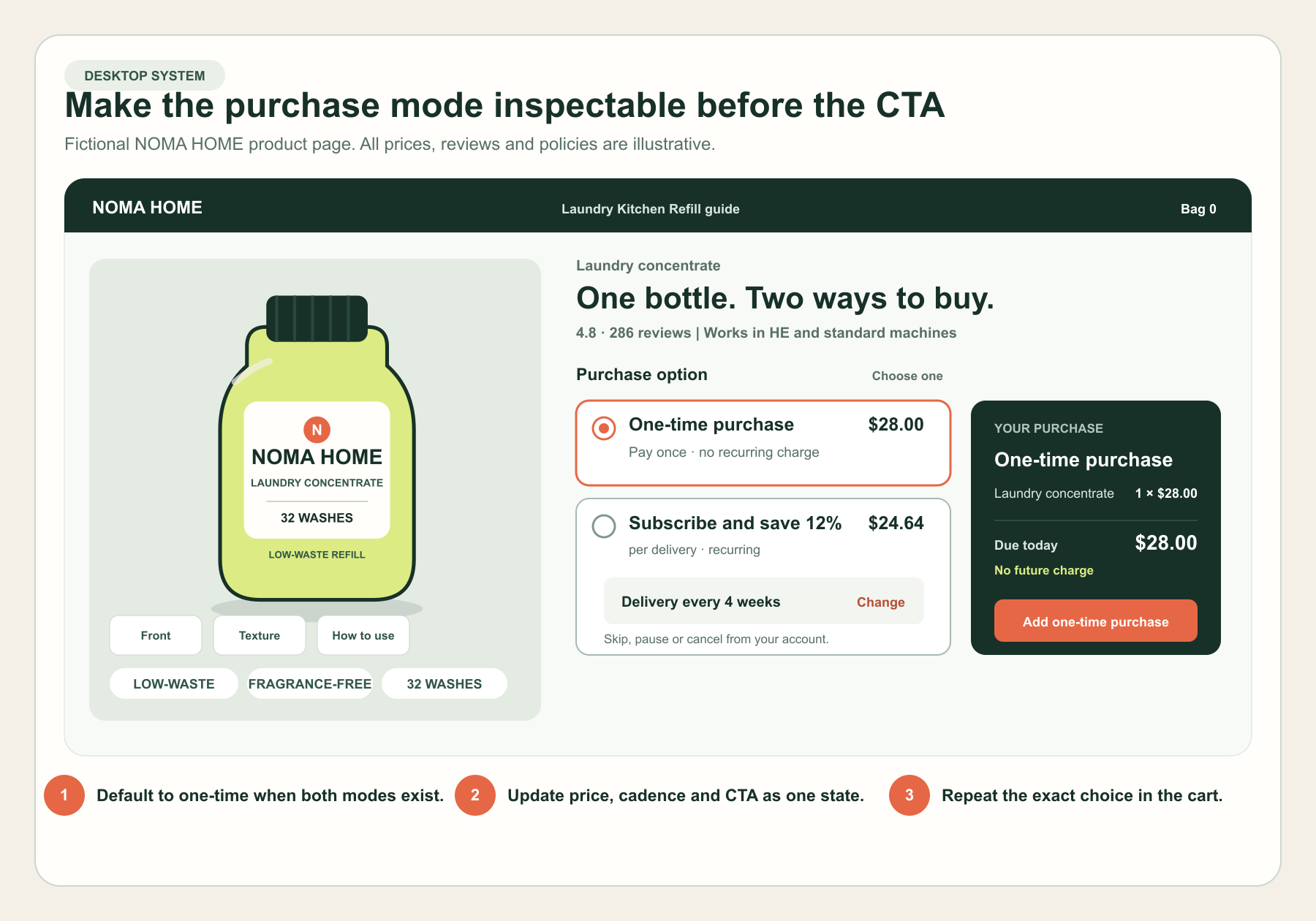
When one-time purchase exists, Shopify recommends selecting it by default. It also recommends vertically stacked choices, radio inputs, clear subscription pricing, visible terms, and a CTA that reflects the selected purchase type.
This matters because the subscription choice changes more than today's price. It changes whether another charge will occur, the delivery cadence, available payment methods, cancellation handling, and the customer-account journey.
A default can move a click. A receipt supports a decision.
Build one purchase-mode state
The selector needs a single state object, even if the theme and subscription app render separate components.
| Field | Example | Owner |
|---|---|---|
| Variant | Fragrance-free, 32 washes | Merchandising |
| Purchase mode | One-time or subscription | Customer choice |
| Selling plan | Delivery every four weeks | Subscription app |
| Due today | $24.64 | Shopify price allocation |
| Future charge | $24.64 every four weeks | Selling plan policy |
| Availability | Valid for selected variant | Inventory and selling plan |
| Cart confirmation | Selling plan returned on line item | Shopify cart |
The main price, inline price, cadence, summary, and CTA must update together. If the customer selects subscription, change the action to a specific label such as “Add subscription.” If one-time is selected, say “Add one-time purchase.”
Do not hard-code dollar savings into a selling-plan name. Shopify notes that market currency and price rounding can make embedded amounts inaccurate. Use price values from the selected selling-plan allocation.
Preserve the decision on mobile
On mobile, keep the order simple: product context, purchase-option heading, stacked radio choices, plan details, policy link, and action.
A sticky action may repeat the current mode and due-today amount. It must not replace the selector, hide an error, or cover keyboard focus. Leave enough bottom padding for the final control and status message.
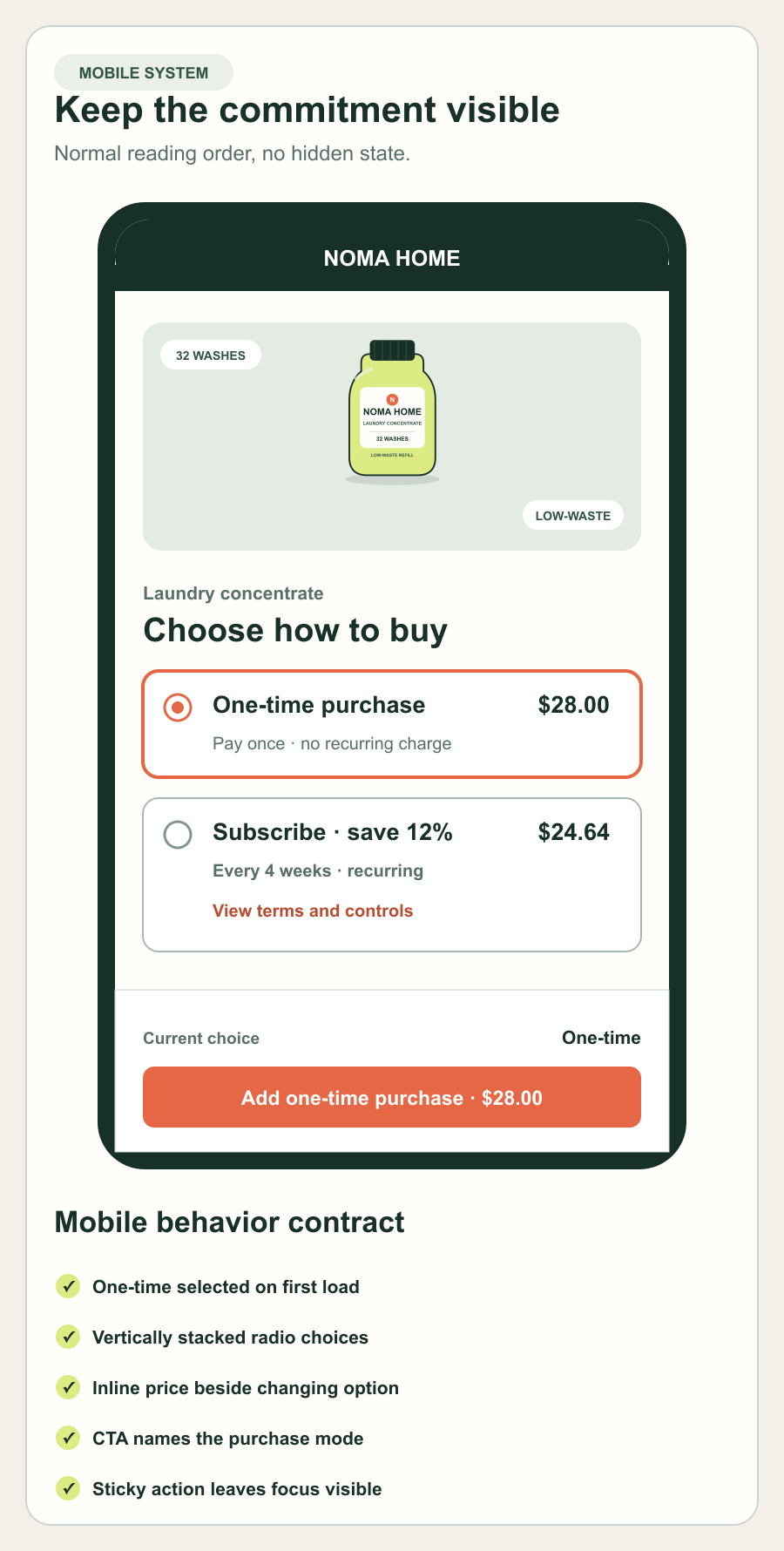
Use native radio inputs when possible. Give the group a visible label and every option an accessible name. Announce price or availability changes with a polite status message without moving focus unnecessarily. Selection cannot depend on border colour alone.
Define failure states before launch
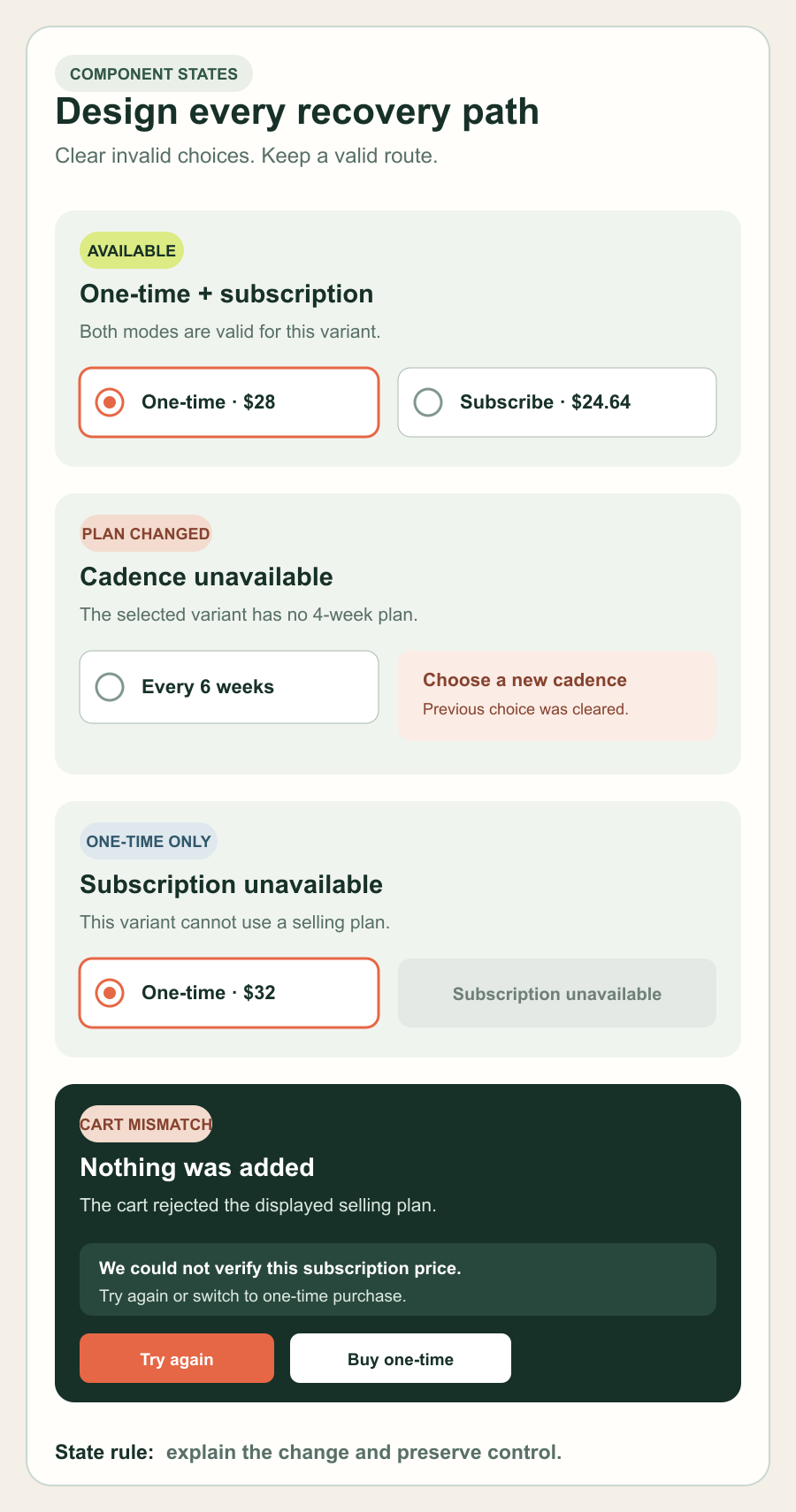
Variant and plan combinations can change. A selected cadence may disappear, a variant may become one-time only, or the cart may reject a stale selling-plan ID.
Clear an invalid selection and explain what changed. Keep a valid route visible. If the cart rejects the displayed plan or price, add nothing, show the error near the selector, and offer retry or one-time purchase. Never silently substitute a different cadence.
Implement it in Shopify without creating two sources of truth
Shopify exposes product selling-plan groups, whether a variant requires a selling plan, and each variant's selling-plan allocations to the theme. The product form updates a hidden selling-plan input as the shopper changes mode or cadence.
At add to cart, send the variant and selected selling plan. Use the cart response as the authority. The returned line item's selling-plan allocation should match the receipt shown on the page and in the cart.
Owners should be explicit.
- Merchandising owns eligible products, variants, copy, and discounts.
- Lifecycle owns cadence and customer communication.
- Engineering owns selector state, cart validation, and fallbacks.
- Customer experience owns cancellation, pause, skip, and support paths.
- Analytics and finance own exposure, attribution, and contribution logic.
For US stores, recurring offers also need legal review. FTC guidance and 2026 enforcement continue to focus on clear material terms, informed consent, and workable cancellation. This article is a UX framework, not legal advice.
Run one controlled purchase-mode test
Test one replenishable product family where both purchase modes are genuinely useful.
Control: the current selector. Variant: one-time selected on first load plus the purchase-mode receipt. Keep the discount, cadence, product claims, traffic allocation, inventory rules, and customer controls constant.
Track custom diagnostic events such as purchase mode viewed, purchase mode selected, and selling plan changed. Join them to Shopify's product-added, checkout-started, and checkout-completed events, then verify the purchased line item's selling plan.
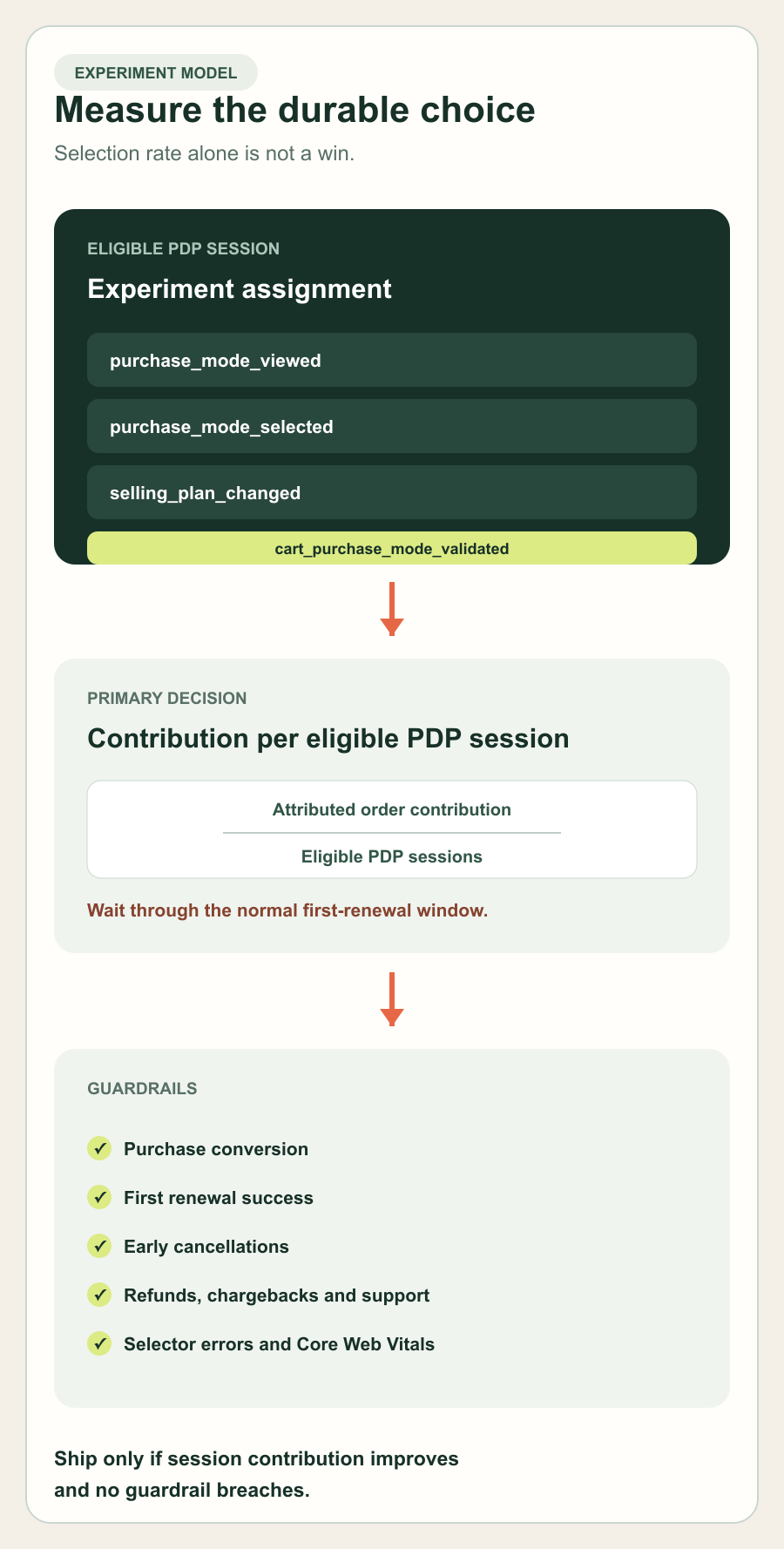
Use contribution per eligible product-page session as the commercial decision metric when cost data is reliable. Wait through the normal first-renewal window before deciding. Review purchase conversion, first-renewal success, early cancellations, refunds, chargebacks, support contacts, selector errors, and Core Web Vitals as guardrails.
Do not use subscription selection rate or AOV alone. A preselected plan can improve both while increasing accidental commitments and later cancellations.
When not to use this pattern
Do not show two modes when the product is legitimately subscription only. Do not add subscription to an irregular, high-return, or hard-to-forecast product merely to create recurring revenue. Hold the test when selling-plan data, account self-service, inventory, or cancellation operations are unreliable.
The right CRO outcome is not the largest subscription share. It is the clearest valid choice that improves durable customer and commercial value.
Inficial can help design the purchase-mode system, connect Shopify selling-plan state to the cart, and structure a profit-aware test.
Sources
- Subscription UX guidelines, Shopify.dev, accessed August 24, 2026
- Add subscriptions to your theme, Shopify.dev, accessed August 24, 2026
- Setting up subscriptions, Shopify Help Center, accessed August 24, 2026
- Considerations for subscription products, Shopify Help Center, accessed August 24, 2026
- Shopify Subscriptions customer experience, Shopify Help Center, accessed August 24, 2026
- Advertising FAQs for small businesses, Federal Trade Commission, accessed August 24, 2026
- Shutterstock subscription and cancellation settlement announcement, Federal Trade Commission, accessed August 24, 2026
- Understanding labels or instructions, W3C Web Accessibility Initiative, accessed August 24, 2026
- Understanding focus not obscured, W3C Web Accessibility Initiative, accessed August 24, 2026