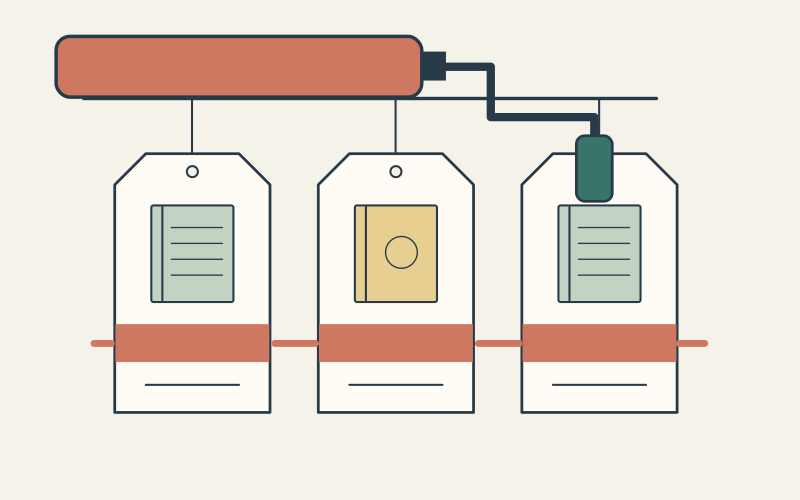
When two Shopify discounts work separately but fail together, first check what each discount changes and which other discount classes it allows. A single app-generated code can include both an order saving and free shipping. Treating that code as only an order discount can hide the setting that blocks the combination.
Start with one reproducible checkout: the same products, quantities, customer and delivery destination. Record the result you expected before changing anything. The goal is to identify the failing condition and repair that specific offer, without opening every active promotion to unintended stacking.
Capture the cart that fails
Write down the codes entered, automatic offers already present, exact variants, customer eligibility, market, currency and test time. Check each discount’s dates, usage allowance, purchase minimum and product scope. Shopify bases scheduled discount times on the store’s configured time zone, so a locally timed campaign needs that detail in the record.
Then test the offers separately in a controlled cart. If one fails alone, investigate its eligibility or configuration first. If both work alone and the combined result differs, you have a focused combination test. Do not turn off a store-wide live sale just to create this comparison; use a suitable test environment or an agreed, scoped test window.
Separate the code name from its discount classes
A discount class describes the part of checkout that receives the saving: a product, the order subtotal or shipping. A code name such as CAMP15 does not tell you which classes an app has included. Shopify’s app-discount documentation explains how to inspect the Type column or Discount Classes section for a discount with multiple savings.
The Combinations settings answer a different question: which classes from other discounts may participate? Record both the classes the discount contains and the classes it permits. Confusing those two lists makes a configuration look correct when it is incomplete.
Work through one missing permission
Imagine an illustrative camping shop. An automatic product sale reduces one eligible item. An app-created CAMP15 code includes a 15% order discount and free shipping. Assume the customer, cart, store and shipping destination qualify, and that this is a supported combination for the store.
The product sale allows order discounts but does not allow shipping discounts. CAMP15 allows product discounts. Although the order-saving permission is present, the pair still lacks permission for the shipping class inside CAMP15. Shopify requires the partner discount to allow every class in a discount with multiple savings, as well as the reciprocal combination settings.

If the business intends both savings to apply, edit the relevant setting on the product sale and retest the same cart. If free shipping should not accompany that sale, keep the restriction and change the promotion’s promise or configuration. A combination can be technically available and still be the wrong commercial choice.
Check the calculation before calling the result wrong
For the same invented example, use a merchandise subtotal of 160 currency units. The product sale removes 20, leaving 140. A 15% order discount removes 21 from that revised subtotal, leaving 119. An eligible free-shipping saving removes a separate shipping charge of 12. These figures exclude tax and are an arithmetic illustration, not a store result.

Two percentage order discounts use a different calculation from a product discount followed by an order discount. Shopify calculates the order percentages against the same subtotal after product discounts; do not repeatedly reduce that base for each percentage. Check the recorded discount allocations and merchandise subtotal before comparing the final payable total, which can also include tax and delivery charges.
Know when a checkbox cannot solve it
Permissions do not override Shopify’s supported combinations. Current Shopify guidance allows eligible stores to combine order discounts. It also allows configured product discounts on the same line item for Shopify Plus. Multiple shipping discounts cannot apply to the same order. Avoid troubleshooting advice that treats all of those situations as interchangeable.
If the expected combination controls are absent, check the eligibility requirements in the linked Shopify documentation and ask Shopify Support about the store’s configuration. Buy X get Y offers also have specific product-discount restrictions that vary by plan. Test those offers separately rather than assuming the simple CAMP15 example covers them.
An app may add its own eligibility rules or include more classes than its marketing name suggests. Give its support team the discount’s actual classes, permitted combinations and checkout evidence. Installing another app before identifying the rule can add a second source of confusion.
Retest the boundary, then save the evidence
- ✓Repeat the original cart after the change; record which discounts apply and the resulting amounts.
- ✓Remove an eligible item or cross a purchase minimum to check the intended failure case.
- ✓Test the relevant customer and delivery destination, including a customer who should not qualify.
- ✓Repeat in mobile checkout and verify that the promotion’s stated savings match the final checkout result.
- ✓Save the discount settings, test time, expected and actual amounts, and the person responsible for reverting the change.
Keep the result small enough to reproduce: one cart, one intended combination and one explained difference. If it still fails, send that record to Shopify or the app owner. It gives them an actionable case instead of a screenshot of a code that “doesn’t work.”
- Qualify a campaign before selecting its offer
- Check shipping rules when the delivery charge differs
- Choose a bundle operating model before adding an app
Questions about discount combinations
Does changing combination settings repair earlier orders?
Why does only one of the competing discounts remain?
Should every discount allow every combination?
Is a cart preview enough to approve the fix?
Sources