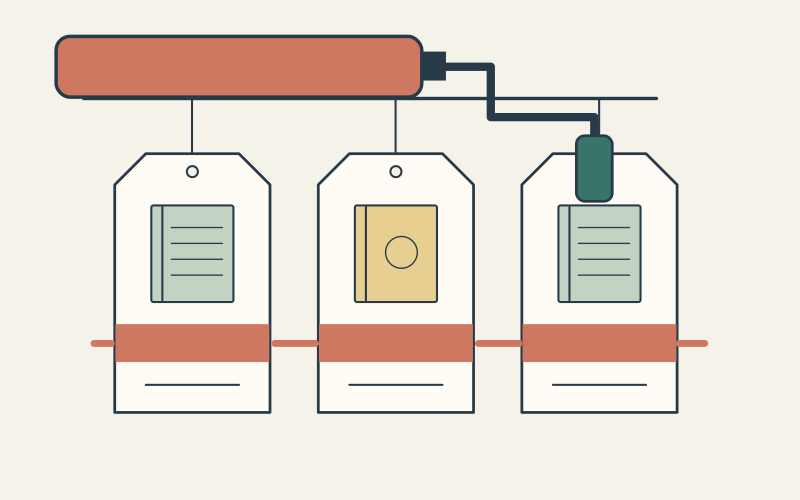
If a shopper selects the United Kingdom but search still shows a US-only product or USD price, check which country each search surface is using. The selector, product page, Shopify search, and a third-party search app can look like one experience while drawing results from different contexts. Test one product in one country before changing a catalog or rebuilding an index.
Consider an illustrative store that sells a winter coat in the US but excludes it from its UK market. A London shopper sees the coat in autocomplete; the product page then sends them elsewhere or will not let them buy it. The example is invented to show the diagnosis, not a report of an Inficial client incident. The first question is whether Shopify itself considers that coat available to the UK buyer.
Start with a product and a country, not a screenshot
Record the product handle or ID, the shopper’s selected country, the URL they opened, and where the wrong result appeared: autocomplete, the full search page, a collection, or a product recommendation. Ask whether the issue happens for that country alone. A currency symbol is a useful clue, but it does not prove which catalog or search index produced a result.
In Shopify admin, use Products → View as for the affected market. Shopify’s catalog guidance says this view shows which catalogs include the product and marks a product excluded from that market as Unpublished. Also confirm that the product is available to the Online Store sales channel. Catalog membership and channel publication are separate requirements for storefront availability.
Now open the product page and run the same query in Shopify’s native storefront search while the intended country is selected. If an app has replaced native search, ask the developer for a controlled native baseline. A product excluded from that market’s catalog should not appear in Shopify’s market-aware results. If it is missing from native search and the product page, investigate the market assignment and catalog first. Do not ask the search app to index a product the business has intentionally excluded.

If Shopify is right and the app is wrong, trace the app request
Shopify’s search guidance says a third-party search app controls its own results. Ask the provider or developer to show the request and response behind the affected result. For a headless or Storefront API implementation, inspect the country passed to the query: Shopify’s `@inContext(country: GB)` directive applies context to the query, while omitting it uses the primary market. The Storefront API limits returned products to applicable catalogs in that context.
For an app-maintained index, ask which market or country fields are stored with each product, how exclusions and price changes update the index, and whether the query filters on the shopper’s actual country. Check cache keys too: a cached US result must not be served as a UK result after someone changes country. These are implementation checks, not a claim that every search app has the same index or cache design.
Keep price, availability, link, and cart behavior together. An app can return a visually plausible card with a stale price or a URL that switches market. Compare the app result with the product page under the same buyer context. If the shopper adds a result to a headless cart, Shopify’s contextual-query documentation says country on `@inContext` does not set cart context; cart buyer identity must be set during cart creation or updated separately.
Fix the source of the mismatch and prove the result
The right repair follows the failed comparison. If the product is intentionally excluded from the UK catalog, keep that rule and correct the custom search query, index, or cache. If the product should be sold in the UK, have the catalog owner approve its inclusion and then verify price, inventory, and a delivery path for a UK address. Do not include every product in every market just to clear search results.
- ✓Write down the tested product ID, country, selected storefront locale, URL, query, and search surface.
- ✓Confirm market catalog membership and Online Store publication in Shopify admin.
- ✓Compare the product page, Shopify native search, and the app’s autocomplete or results under the same country.
- ✓For a custom search mismatch, inspect query context, indexed market fields, price source, cache key, and destination URL.
- ✓Retest one included and one excluded product in each affected country, then repeat after a country switch in the same session.
Save a before-and-after record with the observed result on each surface. A successful fix means the excluded item disappears where it should, an included item remains findable, local price and currency agree with the product page, and a valid item can proceed to cart for that buyer. If only the visual card disappears while the underlying request still returns the wrong assortment, the context problem remains.
- Choose a native-first Shopify search setup
- Choose Shopify Markets URL architecture
- Trace inventory availability by destination
Questions to settle before closing the issue
Does showing GBP prove search is using the UK catalog?
Should a UK-excluded product appear in Shopify native search?
Will fixing the search query also fix checkout?
One product-country trace is usually more useful than a broad reindex. It tells the catalog owner whether the assortment is correct and gives the search developer a specific request, response, and expected outcome to repair.
Sources