Before giving Shopify’s Inbox agent new conversations, test what happens when a shopper asks for a person. When staff handoff is available, the conversation goes to your team with the earlier context. When it is unavailable, the shopper receives your sender email address and must write the email themselves. An AI reply after hours does not mean a member of staff has received a request to act.
That difference matters for a damaged delivery, an order question or any case that needs someone to take responsibility. Use a small set of conversations to check the route, the sign-in step and the person who will pick up the work. The examples below are proposed tests, not results from a live merchant deployment.
Check which setting decides who answers
Shopify’s current requirements are Inbox installed, an active online store and new customer accounts. The agent does not work with legacy customer accounts. Inbox is available on Basic, Grow, Advanced and Shopify Plus. Confirm the options in your own admin before planning a rollout; an account migration deserves its own review rather than a rushed change just to activate chat automation.
In Sales channels > Inbox, the agent can take all new conversations, take conversations only outside the availability hours you set, or remain off. Shopify calls the staff-only mode Never. Changes to assignment apply immediately to new conversations, so record the current mode before testing and start a fresh conversation for each case.
In Chat settings > Availability, check every day your team operates. Shopify documents an always-available default. Replace that with hours the team can actually cover if it does not reflect your operation. Record the schedule and the time zone used in your test; do not assume that an agent being online means staff are online too.
Follow one request to its real destination
For an illustrative lighting store, use this request: “My lampshade arrived damaged. Can I speak with someone?” Keep the wording the same across tests. A friendly answer is only the start; the useful evidence is what the shopper sees next and what your team receives.
Where staff handoff is available, Shopify sends the conversation to the Unassigned folder with the AI conversation’s prior context. Enabled Inbox notifications can alert staff to that transfer. Have the responsible team member find the conversation, read the context and reply. Seeing the item in a folder is not the same as someone taking ownership of it.
Where staff handoff is unavailable, inspect the email address the shopper receives. Shopify uses the store’s sender email, configured under Settings > Notifications. The Inbox agent cannot send that email on the shopper’s behalf. Check that the address reaches a monitored mailbox and that the customer-facing information describes a response time your team can meet.

Include a shopper who has not signed in
A visitor can talk to the Inbox agent without signing in. The Require sign-in to chat with staff setting applies when they move to staff chat. If that requirement is enabled, an unsigned visitor must sign in before messaging staff, unless contact information was already captured in that conversation. Test with a fresh visitor as well as a signed-in customer so an existing session does not hide this step.
For new customer accounts, an unsigned conversation appears as Shop visitor and is not yet linked to a customer record. Do not assume it includes an email address for follow-up. Order lookup has its own rule: the agent requires sign-in before sharing the customer’s order information, even if you do not require sign-in for staff chat.
Run a small test across the staffing boundary
The following test plan assumes an eligible store with the agent assigned to all new conversations, a team scheduled 09:00–17:00 and staff sign-in required. Those hours are illustrative. Use your actual schedule and intended mode; do not broaden production assignment just to match the example. For the outside-hours-only mode, test direct staff chat during availability and the agent route outside it.
| Proposed case | What to verify |
|---|---|
| 09:30, signed-in customer asks for a person | Conversation reaches Unassigned with context; the assigned test operator can pick it up and reply. |
| 09:30, fresh unsigned visitor asks for a person | The sign-in requirement appears before staff messaging. Complete it and check the resulting conversation. |
| 18:30, customer asks for a person | The displayed sender address is correct; no claim implies the agent has emailed staff. Test delivery to that mailbox separately. |
| Fresh unsigned visitor asks about their order | Order information remains behind sign-in, independently of the staff-chat preference. |
For each case, save the time, assignment mode, availability setting, customer state, exact question, observed reply and receiving destination. Include a mobile session and the languages your team promises to support. Use test identities and test orders; avoid adding real customer details to a shared review sheet.
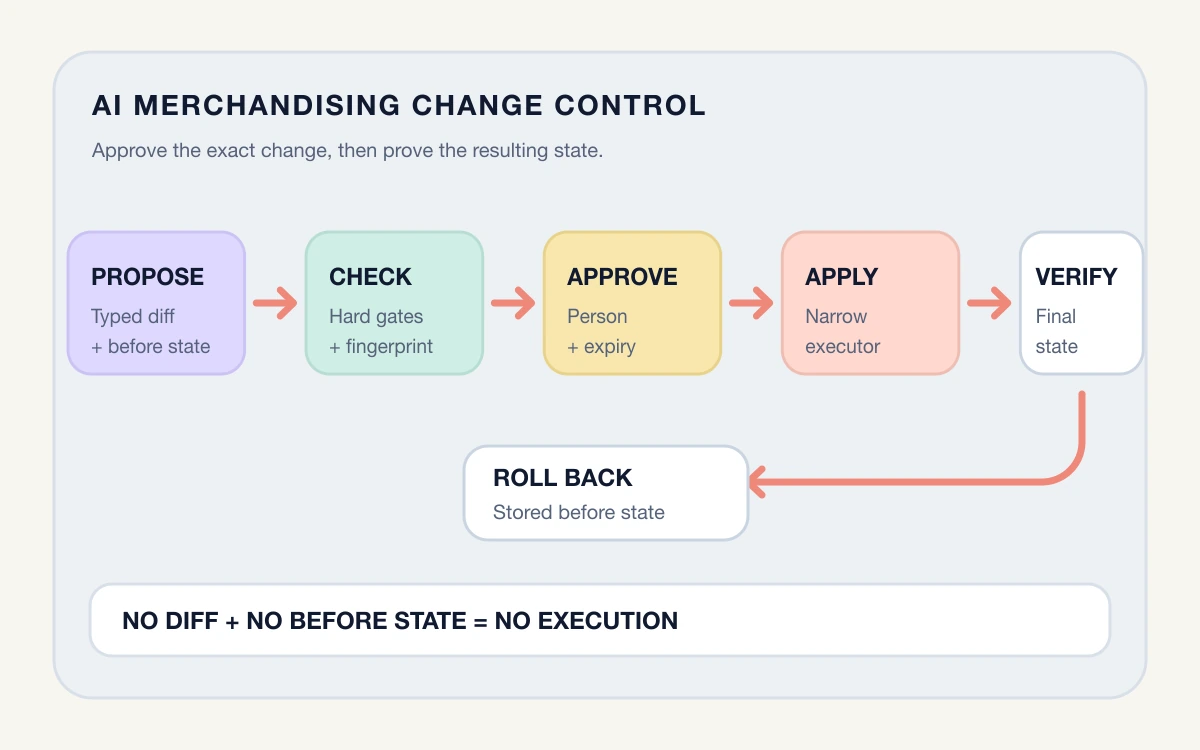
Stop the rollout if a shopper cannot reach the intended person, the fallback address is wrong or the response promises an action that has not happened. Correct the cause and repeat that case. Keep the failed case in the review record so the team can check it after the next settings change.
Fix facts and routing in the right place
Changing the agent’s personality cannot repair an unmonitored mailbox or incorrect availability hours. Shopify separates the persona, which guides communication style, from store content and Knowledge Base facts. Put support contact details, response times and relevant policies in the appropriate source. Configure availability, sign-in and handoff through Inbox settings.
If a reply gives an outdated support promise, update the underlying source and retest the question. Rating a response is feedback for future responses; it does not change that source. A persona instruction to prevent all staff handoffs also cannot override Inbox settings or built-in safety behavior.
Give the first week a named owner
Choose who checks transferred conversations and who monitors the fallback mailbox, including the next staffed period after a weekend. Review failed handoffs, missed replies and incorrect promises before increasing coverage. Shopify’s assisted-order metric counts orders from customers who interacted with the agent; it does not by itself prove the agent caused additional sales.
If the route is not dependable, switch new conversations back to staff while correcting it. Keep existing conversations under review as well. Finish with one demonstrated path from the shopper’s request to a responsible person, then repeat the same checks when hours, account settings or support addresses change.
- Review customer accounts before changing the login experience
- Decide when support needs a connected helpdesk
- Plan a controlled Shopify release
Questions about Inbox agent handoff
Will the outside-hours automatic first reply still appear?
What happens when the agent reaches a conversation limit?
Sources